Virtualmin SQL problem
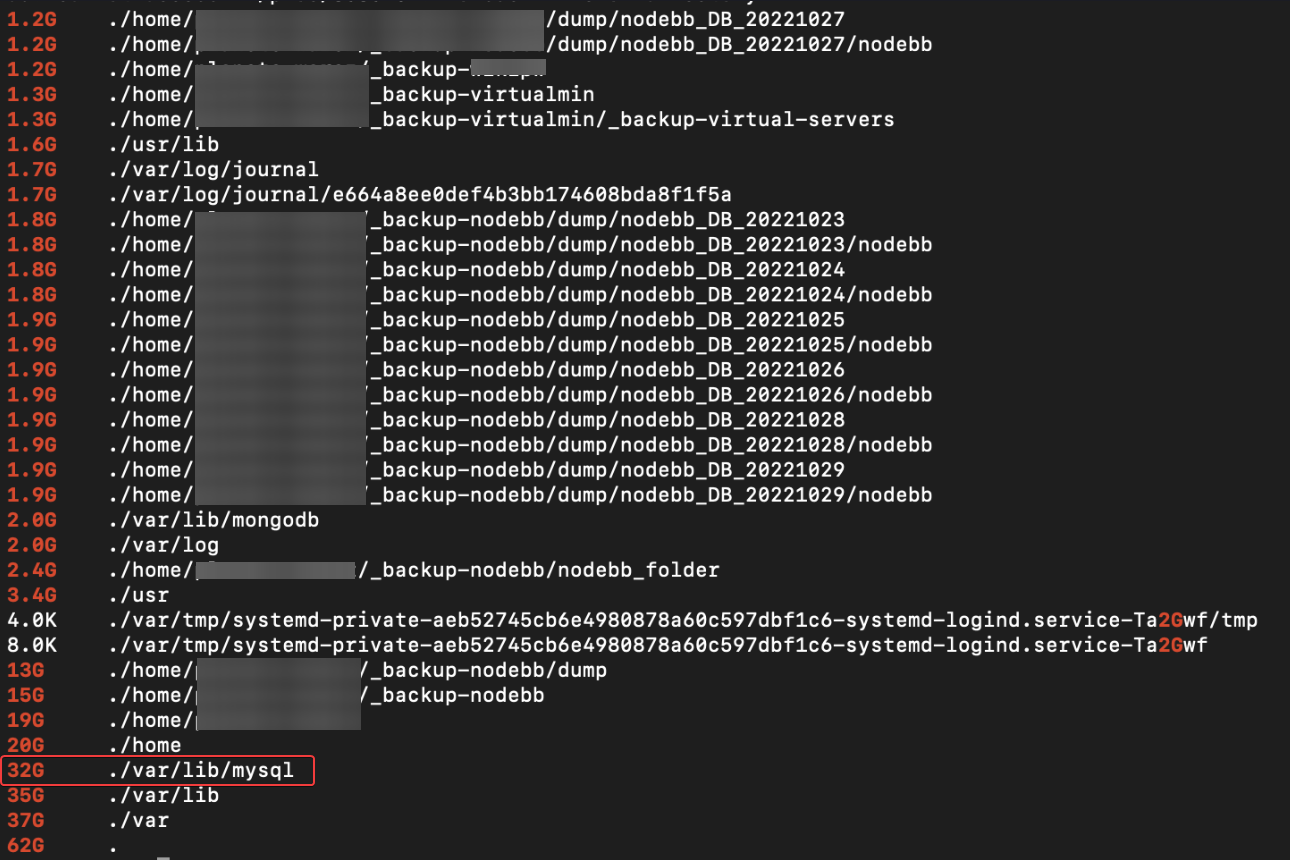
-
can you provide all command step by step ?
I don’t know with which user to connect to Mysql for webmin ?Will this prevent us from having this kind of problem in the future?
Will undo files be deleted? for recovers space
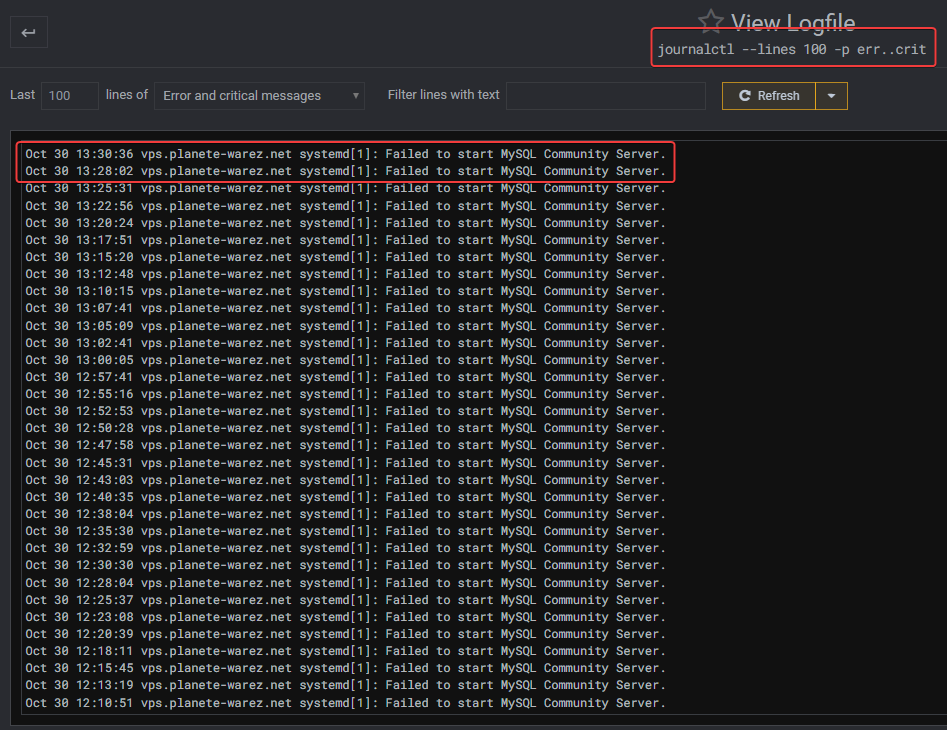
obviously, the mysql service cannot start:

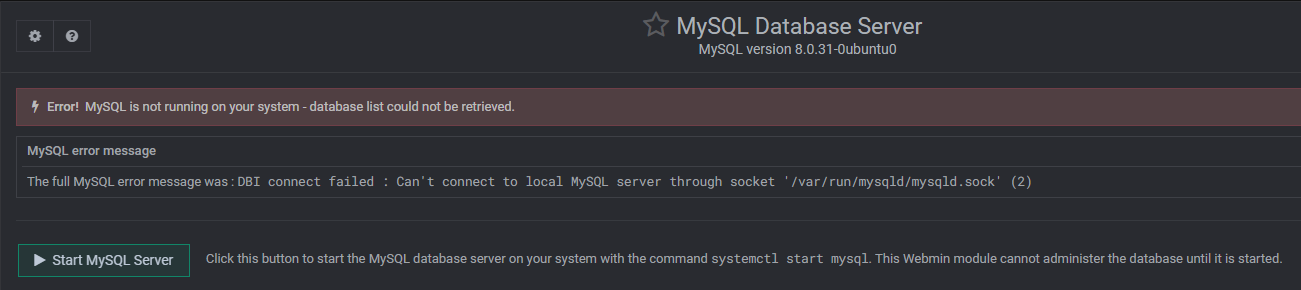
See this in the log
journalctl -fu mysql
-- Logs begin at Wed 2022-08-31 13:22:26 CEST. --
Oct 30 14:19:07 vps.XXXX systemd[1]: Failed to start MySQL Community Server.
Oct 30 14:19:08 vps.XXXX  systemd[1]: mysql.service: Scheduled restart job, restart counter is at 664.
Oct 30 14:19:08 vps.XXXX  systemd[1]: Stopped MySQL Community Server.
Oct 30 14:19:08 vps.XXXX  systemd[1]: Starting MySQL Community Server...
Oct 30 14:21:39 vps.XXXX  systemd[1]: mysql.service: Main process exited, code=exited, status=1/FAILURE
Oct 30 14:21:39 vps.XXXX  systemd[1]: mysql.service: Failed with result 'exit-code'.
Oct 30 14:21:39 vps.XXXX  systemd[1]: Failed to start MySQL Community Server.
Oct 30 14:21:39 vps.XXXX  systemd[1]: mysql.service: Scheduled restart job, restart counter is at 665.
Oct 30 14:21:39 vps.XXXX  systemd[1]: Stopped MySQL Community Server.
Oct 30 14:21:39 vps.XXXX  systemd[1]: Starting MySQL Community Server...
I believe the system is trying to restart the service to no avail.
I’m starting to miss this virtualmin

PW and WS Spirit alive
-
obviously, the mysql service cannot start:
See this in the log
journalctl -fu mysql
-- Logs begin at Wed 2022-08-31 13:22:26 CEST. --
Oct 30 14:19:07 vps.XXXX systemd[1]: Failed to start MySQL Community Server.
Oct 30 14:19:08 vps.XXXX  systemd[1]: mysql.service: Scheduled restart job, restart counter is at 664.
Oct 30 14:19:08 vps.XXXX  systemd[1]: Stopped MySQL Community Server.
Oct 30 14:19:08 vps.XXXX  systemd[1]: Starting MySQL Community Server...
Oct 30 14:21:39 vps.XXXX  systemd[1]: mysql.service: Main process exited, code=exited, status=1/FAILURE
Oct 30 14:21:39 vps.XXXX  systemd[1]: mysql.service: Failed with result 'exit-code'.
Oct 30 14:21:39 vps.XXXX  systemd[1]: Failed to start MySQL Community Server.
Oct 30 14:21:39 vps.XXXX  systemd[1]: mysql.service: Scheduled restart job, restart counter is at 665.
Oct 30 14:21:39 vps.XXXX  systemd[1]: Stopped MySQL Community Server.
Oct 30 14:21:39 vps.XXXX  systemd[1]: Starting MySQL Community Server...
I believe the system is trying to restart the service to no avail.
I’m starting to miss this virtualmin
@DownPW let me have a look at this.
Mark Cutting also advises organisations as a Fractional CIO, Fractional CISO and Executive Advisor, helping boards improve technology governance, cyber resilience and executive decision making. Learn more at Phenomlab Ltd
-
Ok. Good
PW and WS Spirit alive
-
Ok. Good
@DownPW Just PM’d you - I need some details.
Mark Cutting also advises organisations as a Fractional CIO, Fractional CISO and Executive Advisor, helping boards improve technology governance, cyber resilience and executive decision making. Learn more at Phenomlab Ltd
-
Ok. Good
@DownPW To my mind, you need to increase the
thread_stackvalue but I don’t see themy.cnffile for and I think Virtualmin does this another way.When did this start happening ? From what I see, you have data waiting to be committed to mySQL, which is usually indicating that there is no backup which in turn would truncate the logs which are now out of control.
-
@phenomlab This is now fixed. For reference, your system is running at its maximum capacity with even the virtual memory 100% allocated. I needed to reboot the server to release the lock (which I’ve completed with no issues) and have also modified
etc/mysql/mysql.conf.d/mysqld.cnfAnd increased the
thread_stacksize from128kto256k. Themysqlservice has now started successfully. You should run a backup of all databases ASAP so that remaining transactions are committed and the transaction logs are flushed.
-
 undefined phenomlab has marked this topic as solved on
-
I come back to you regarding the MySQL problem of virtualmin.
the service run smoothly, the backups of virtualmin are made without error, but I always have files with large sizes that always get bigger.
The
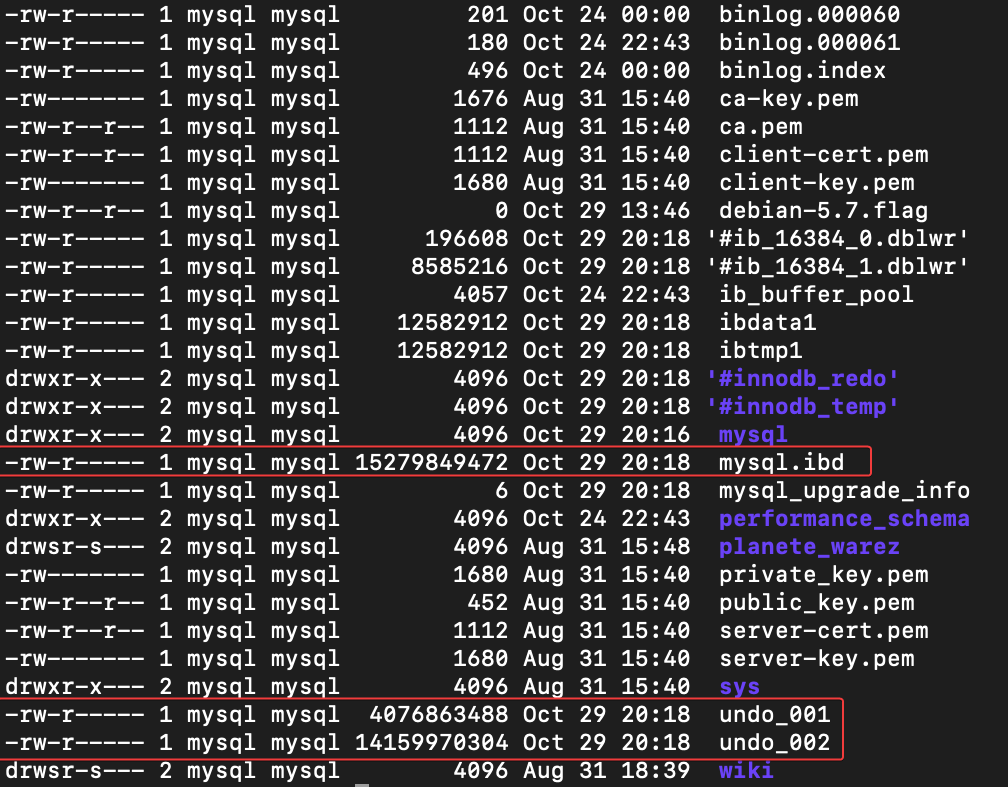
/var/log/mysql/error.logis empty.MySQL.idb is as 15 Go ???!! Very Big
Same for undo_001 (4,12 Go) and undo_002 (14,32 Go)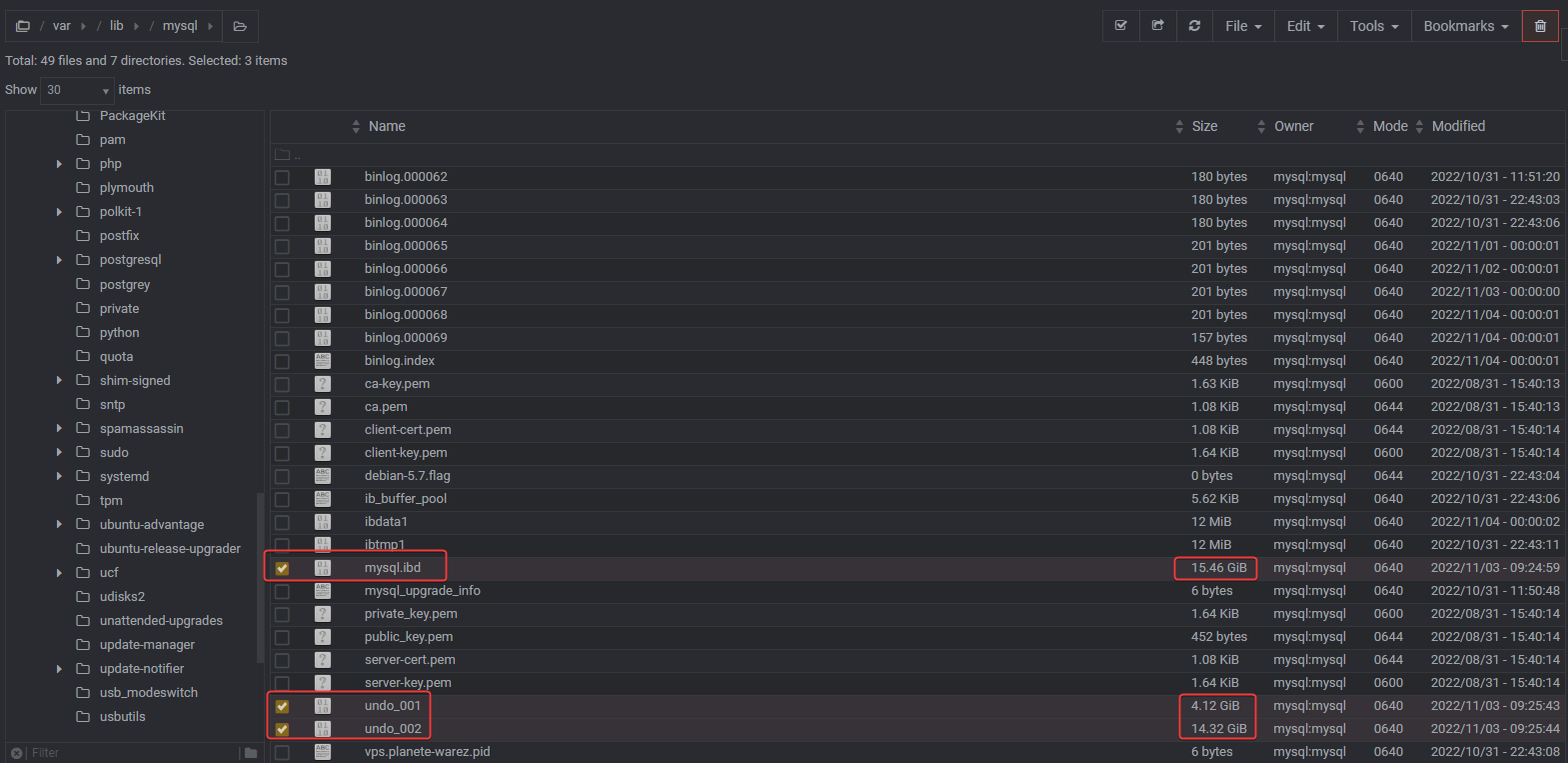
Virtualmin backup log:
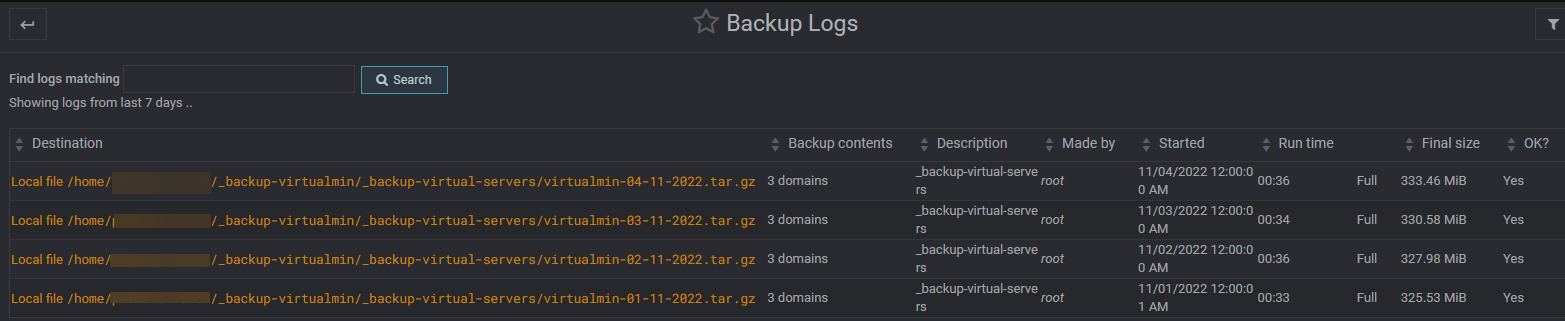
I still don’t understand.
Your help is welcome

PW and WS Spirit alive
-
undefined phenomlab has marked this topic as unsolved on
-
I come back to you regarding the MySQL problem of virtualmin.
the service run smoothly, the backups of virtualmin are made without error, but I always have files with large sizes that always get bigger.
The
/var/log/mysql/error.logis empty.MySQL.idb is as 15 Go ???!! Very Big
Same for undo_001 (4,12 Go) and undo_002 (14,32 Go)Virtualmin backup log:
I still don’t understand.
Your help is welcome
@DownPW You should consider using the below inside the
my.cnffile, then restart themySQLserviceSET GLOBAL innodb_undo_log_truncate=ON;Mark Cutting also advises organisations as a Fractional CIO, Fractional CISO and Executive Advisor, helping boards improve technology governance, cyber resilience and executive decision making. Learn more at Phenomlab Ltd
-
@DownPW You should consider using the below inside the
my.cnffile, then restart themySQLserviceSET GLOBAL innodb_undo_log_truncate=ON;Are you sure for
my.cnffile because it is located on/etc/alternatives/my.cnf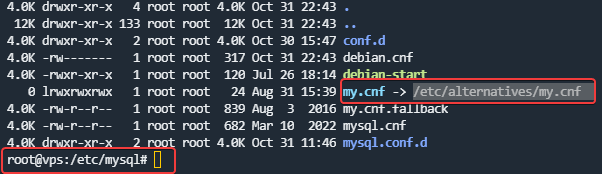
And here is the file:
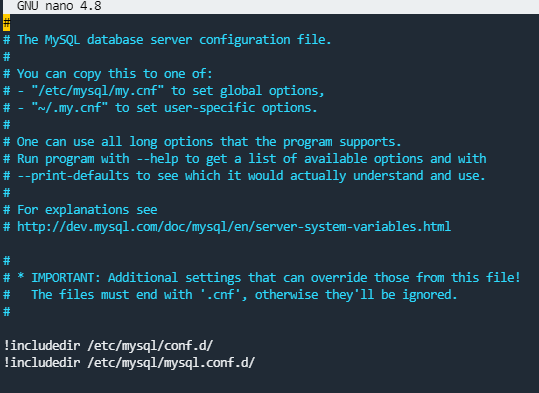
like this ?:
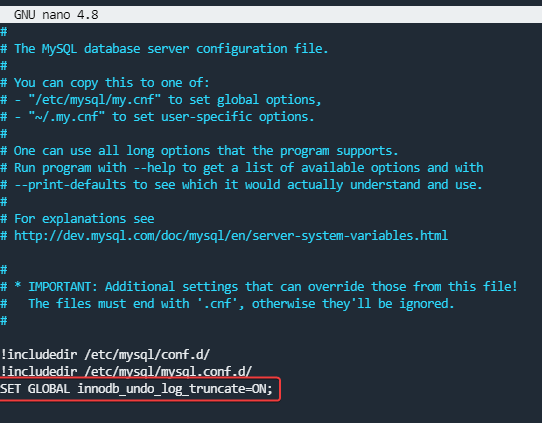
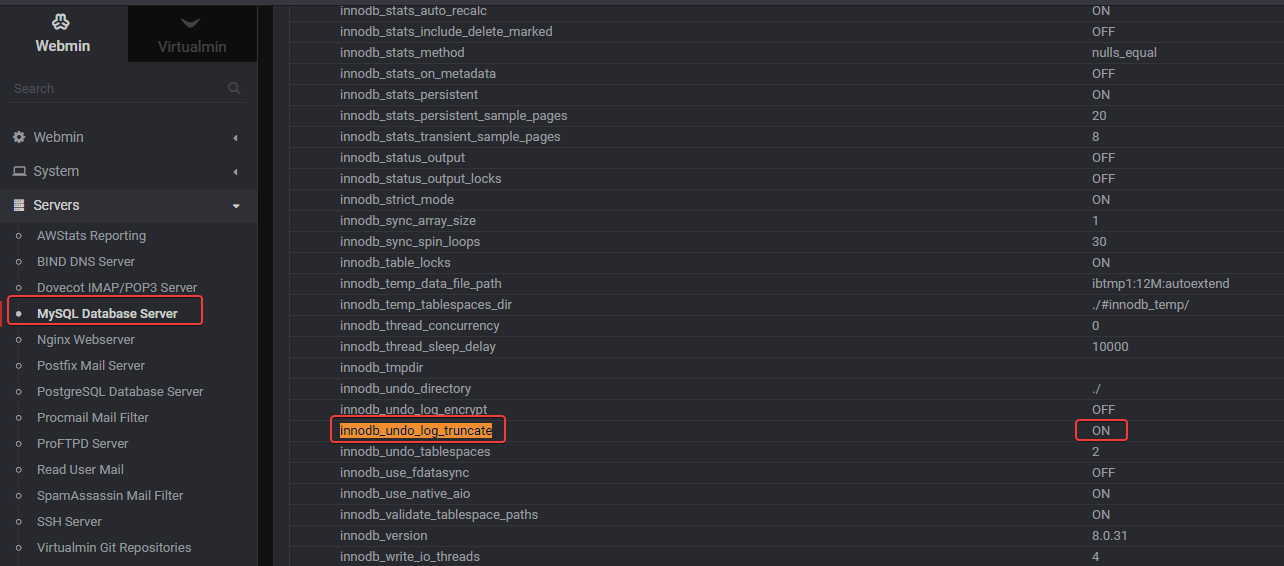
if i see into webmin the mySQL servers, it’s already activated:
PW and WS Spirit alive
-
Are you sure for
my.cnffile because it is located on/etc/alternatives/my.cnfAnd here is the file:
like this ?:
if i see into webmin the mySQL servers, it’s already activated:
If I add this line on my.cnf file, the mySQL service don’t start - failed
This is problematic because mySQL takes 36 GB of disk space so it alone takes up half of the server’s disk space.
I don’t think this is a normal situation.
PW and WS Spirit alive
-
If I add this line on my.cnf file, the mySQL service don’t start - failed
This is problematic because mySQL takes 36 GB of disk space so it alone takes up half of the server’s disk space.
I don’t think this is a normal situation.
@DownPW it’s certainly not normal as I’ve never seen this on any virtualmin build and I’ve created hundreds of them. Are you able to manually delete the undo files ?
Mark Cutting also advises organisations as a Fractional CIO, Fractional CISO and Executive Advisor, helping boards improve technology governance, cyber resilience and executive decision making. Learn more at Phenomlab Ltd
-
@DownPW it’s certainly not normal as I’ve never seen this on any virtualmin build and I’ve created hundreds of them. Are you able to manually delete the undo files ?
I have delete these 2 files manually with webmin. Stop and start the service

I will monitor this and get back to you if it happens again.
-
–> For mysql.ibd file, is his size normal? (15,6 Go)
PW and WS Spirit alive
-
@DownPW not normal, no, but you mustn’t delete it or it will cause you issues.
-
@DownPW the thing that concerns me here is that I’ve never seen an issue like this occur with no cause or action taken by someone else.
Do you know if anyone else who has access to the server has made any changes ?
Mark Cutting also advises organisations as a Fractional CIO, Fractional CISO and Executive Advisor, helping boards improve technology governance, cyber resilience and executive decision making. Learn more at Phenomlab Ltd
-
@DownPW the thing that concerns me here is that I’ve never seen an issue like this occur with no cause or action taken by someone else.
Do you know if anyone else who has access to the server has made any changes ?
@phenomlab said in Virtualmin SQL problem:
the thing that concerns me here is that I’ve never seen an issue like this occur with no cause or action taken by someone else.
Do you know if anyone else who has access to the server has made any changes ?hmm no or nothing special. we don’t touch mySQL but it seems to be a known problem
We manage our nodebb/virtualmin/wiki backup, manage iframely or nodebb, update package but nothing more…–> Could you take a look at it when you have time?
PW and WS Spirit alive
-
@phenomlab said in Virtualmin SQL problem:
the thing that concerns me here is that I’ve never seen an issue like this occur with no cause or action taken by someone else.
Do you know if anyone else who has access to the server has made any changes ?hmm no or nothing special. we don’t touch mySQL but it seems to be a known problem
We manage our nodebb/virtualmin/wiki backup, manage iframely or nodebb, update package but nothing more…–> Could you take a look at it when you have time?
@DownPW yes, of course. I’ll see what I can do with this over the weekend.
Mark Cutting also advises organisations as a Fractional CIO, Fractional CISO and Executive Advisor, helping boards improve technology governance, cyber resilience and executive decision making. Learn more at Phenomlab Ltd
-
@phenomlab That’s great, Thanks Mark

-
Are you sure for
my.cnffile because it is located on/etc/alternatives/my.cnfAnd here is the file:
like this ?:
if i see into webmin the mySQL servers, it’s already activated:
@DownPW I’ve just re read this post and apologies - this command
SET GLOBAL innodb_undo_log_truncate=ON;Has to be entered within the
mySQLconsole then the service stopped and restarted.Can you try this first before we do anything else?
Mark Cutting also advises organisations as a Fractional CIO, Fractional CISO and Executive Advisor, helping boards improve technology governance, cyber resilience and executive decision making. Learn more at Phenomlab Ltd
-
@DownPW I’ve just re read this post and apologies - this command
SET GLOBAL innodb_undo_log_truncate=ON;Has to be entered within the
mySQLconsole then the service stopped and restarted.Can you try this first before we do anything else?
Hello

Can yo read this post and the screen at the end (mySQL variable already activate) :
https://sudonix.com/user/downpw
PW and WS Spirit alive

Hello! It looks like you're interested in this conversation, but you don't have an account yet.
Getting fed up of having to scroll through the same posts each visit? When you register for an account, you'll always come back to exactly where you were before, and choose to be notified of new replies (either via email, or push notification). You'll also be able to save bookmarks and upvote posts to show your appreciation to other community members.
With your input, this post could be even better 💗
Register Login