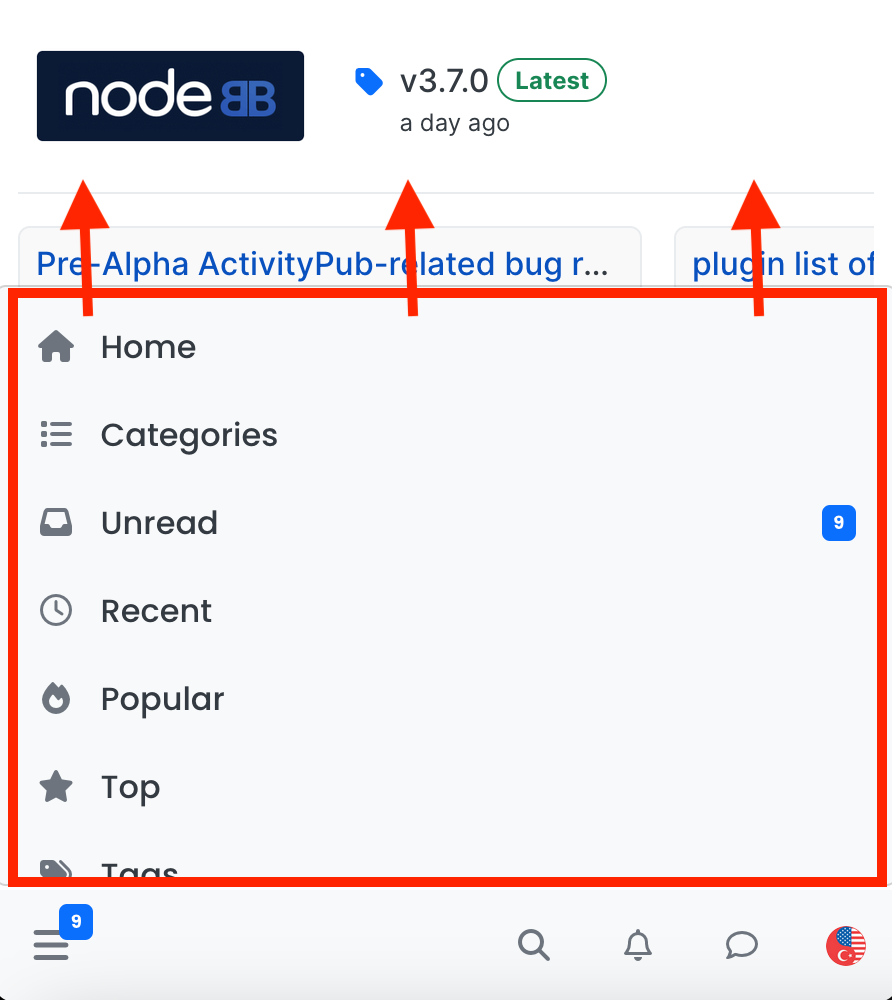
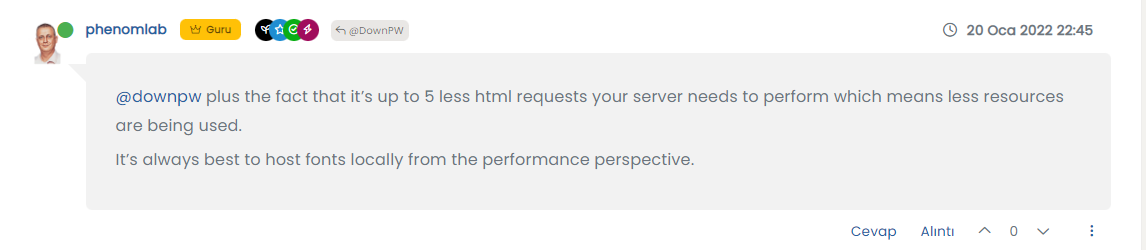
Post Style View

-
@cagatay I’ll have a look at this tomorrow. However, this is the reason why I said to do this in a DEV environment

@phenomlab users dont feel anything hope so
 but i think this way which i m saying easy then current one which you are using in sudonix.
my suggest that; just change color type without changing side metod mean right side…
-
@phenomlab users dont feel anything hope so
but i think this way which i m saying easy then current one which you are using in sudonix.my suggest that; just change color type without changing side metod mean right side…
@cagatay yep, I’ll take a look at this tomorrow and we’ll get it resolved.
Mark Cutting also advises organisations as a Fractional CIO, Fractional CISO and Executive Advisor, helping boards improve technology governance, cyber resilience and executive decision making. Learn more at Phenomlab Ltd
-
-
@phenomlab thank you waiting your free time

@cagatay Should look a bit better now - just finishing up the
jQuerycode as that is not firing properly. Let me knowMark Cutting also advises organisations as a Fractional CIO, Fractional CISO and Executive Advisor, helping boards improve technology governance, cyber resilience and executive decision making. Learn more at Phenomlab Ltd
-
@cagatay Should look a bit better now - just finishing up the
jQuerycode as that is not firing properly. Let me know@phenomlab yes i entered new topic and new post, seems everything is working great. thanks Mark…
-
@phenomlab yes i entered new topic and new post, seems everything is working great. thanks Mark…
@cagatay Thanks for confirming. Just finishing up the jQuery functions so if you are logged in as admin, the page might reload a few times, but this is expected
Mark Cutting also advises organisations as a Fractional CIO, Fractional CISO and Executive Advisor, helping boards improve technology governance, cyber resilience and executive decision making. Learn more at Phenomlab Ltd
-
@cagatay Thanks for confirming. Just finishing up the jQuery functions so if you are logged in as admin, the page might reload a few times, but this is expected
-
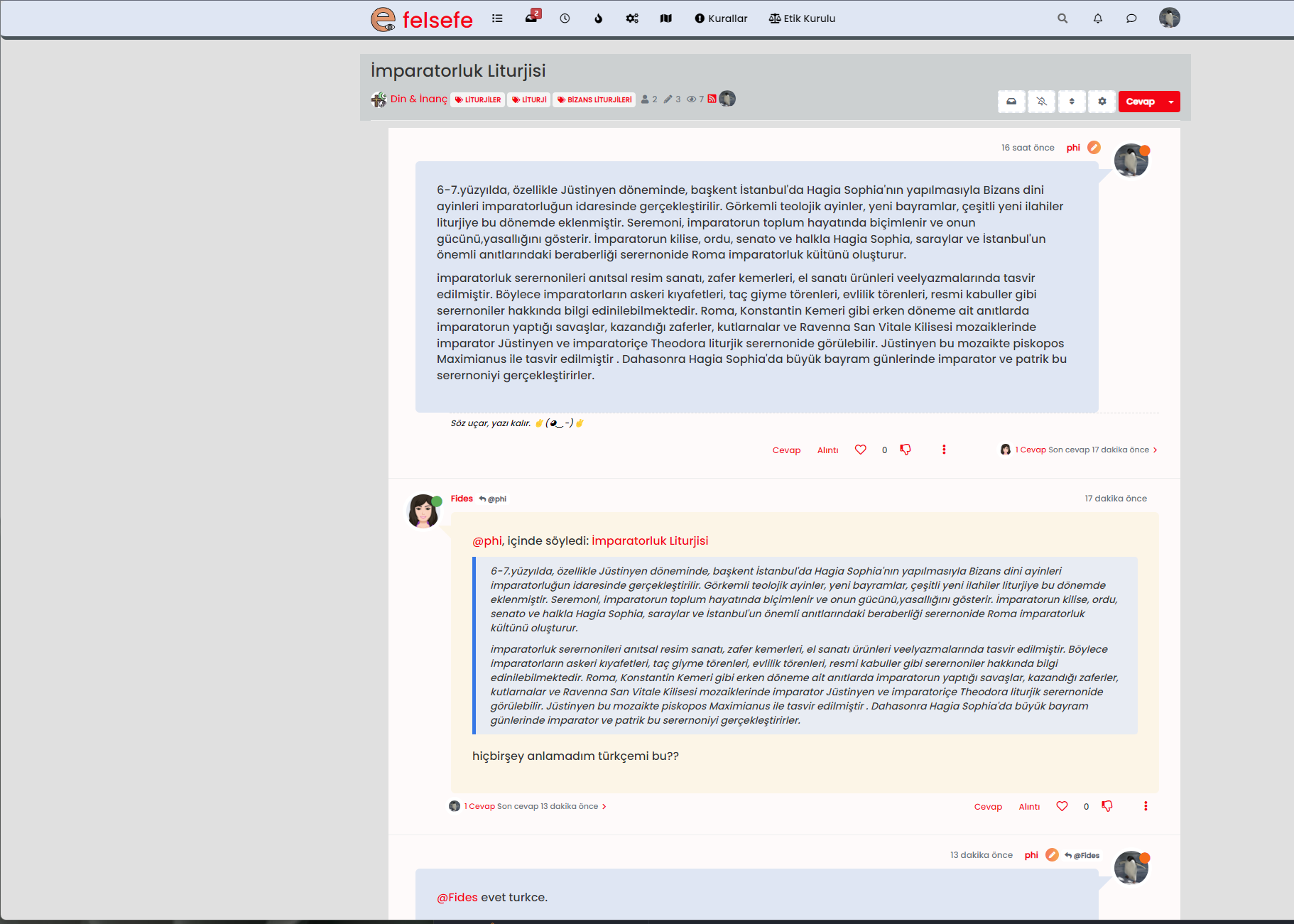
@cagatay Seems fine to me ?
Mark Cutting also advises organisations as a Fractional CIO, Fractional CISO and Executive Advisor, helping boards improve technology governance, cyber resilience and executive decision making. Learn more at Phenomlab Ltd
-
-
@phenomlab pls refresh?
@cagatay I have. No issues on my side
Mark Cutting also advises organisations as a Fractional CIO, Fractional CISO and Executive Advisor, helping boards improve technology governance, cyber resilience and executive decision making. Learn more at Phenomlab Ltd
-
@phenomlab maybe it depends on me or my web browser. thank you
-
@phenomlab maybe it depends on me or my web browser. thank you
@cagatay No problems. I checked this in an incognito session also, with no issues

-
@phenomlab maybe it depends on me or my web browser. thank you
@cagatay said in Post Style View:
maybe it depends on me or my web browser. thank you
One thing I have noticed is that there are a number of errors on your site in the console. My concern here is that the
jQueryfunctions I added are not being executed. For example, I removed the below function from your site about 30 minutes ago because it’s malformed});ment).ready(function () { function animateTags() { if (ajaxify.data.template.name === 'categories') { var tags = $('.popular-tags .tag-item'); var bar = $('<div class="popular-tags-bar"></div>'); tags.append(bar); var max; setTimeout(function() { tags.each(function() { var bar = $(this).find('.popular-tags-bar'); var val = parseInt(bar.parents('a').find('.tag-topic-count').text(), 10); max = max > val ? max : val; bar.css({ width: val / max * 100 + '%' }); }); }, 100) } } animateTags(); $(window).on('action:ajaxify.end', animateTags); });As you can see, this isn’t right at all. It should be
$(document).ready(function () {
    function animateTags() {
        if (ajaxify.data.template.name === 'categories') {
            var tags = $('.popular-tags .tag-item');
            var bar = $('<div class="popular-tags-bar"></div>');
            tags.append(bar);

            var max;

            setTimeout(function () {
                tags.each(function () {
                    var bar = $(this).find('.popular-tags-bar');
                    var val = parseInt(bar.parents('a').find('.tag-topic-count').text(), 10);
                    max = max > val ? max : val;

                    bar.css({
                        width: val / max * 100 + '%'
                    });
                });
            }, 100);
        }
    }
    animateTags();
    $(window).on('action:ajaxify.end', animateTags);
});
I’ve put this back how it should be, but am curious as to where that came from.
Mark Cutting also advises organisations as a Fractional CIO, Fractional CISO and Executive Advisor, helping boards improve technology governance, cyber resilience and executive decision making. Learn more at Phenomlab Ltd
-
@cagatay said in Post Style View:
maybe it depends on me or my web browser. thank you
One thing I have noticed is that there are a number of errors on your site in the console. My concern here is that the
jQueryfunctions I added are not being executed. For example, I removed the below function from your site about 30 minutes ago because it’s malformed});ment).ready(function () { function animateTags() { if (ajaxify.data.template.name === 'categories') { var tags = $('.popular-tags .tag-item'); var bar = $('<div class="popular-tags-bar"></div>'); tags.append(bar); var max; setTimeout(function() { tags.each(function() { var bar = $(this).find('.popular-tags-bar'); var val = parseInt(bar.parents('a').find('.tag-topic-count').text(), 10); max = max > val ? max : val; bar.css({ width: val / max * 100 + '%' }); }); }, 100) } } animateTags(); $(window).on('action:ajaxify.end', animateTags); });As you can see, this isn’t right at all. It should be
$(document).ready(function () {
    function animateTags() {
        if (ajaxify.data.template.name === 'categories') {
            var tags = $('.popular-tags .tag-item');
            var bar = $('<div class="popular-tags-bar"></div>');
            tags.append(bar);

            var max;

            setTimeout(function () {
                tags.each(function () {
                    var bar = $(this).find('.popular-tags-bar');
                    var val = parseInt(bar.parents('a').find('.tag-topic-count').text(), 10);
                    max = max > val ? max : val;

                    bar.css({
                        width: val / max * 100 + '%'
                    });
                });
            }, 100);
        }
    }
    animateTags();
    $(window).on('action:ajaxify.end', animateTags);
});
I’ve put this back how it should be, but am curious as to where that came from.
@phenomlab i can not understand how it can be, i do not touch anything js side.
so now everything is working and code is okey hope so?
-
@phenomlab i can not understand how it can be, i do not touch anything js side.
so now everything is working and code is okey hope so?
@cagatay Not entirely. There is an ajax call I need to use called
action:ajaxify.loadedbut this does not seem to be firing on your site. It’s opposite,action:ajaxify.endworks fine (as you’ll see if you press F5) but the former does not, and I can’t see any reason as to why.Mark Cutting also advises organisations as a Fractional CIO, Fractional CISO and Executive Advisor, helping boards improve technology governance, cyber resilience and executive decision making. Learn more at Phenomlab Ltd
-
@cagatay Not entirely. There is an ajax call I need to use called
action:ajaxify.loadedbut this does not seem to be firing on your site. It’s opposite,action:ajaxify.endworks fine (as you’ll see if you press F5) but the former does not, and I can’t see any reason as to why.@phenomlab maybe it depends on my nodebb version or really i can not say anything coz i don not know what is the ajax code as well
-
@phenomlab maybe it depends on my nodebb version or really i can not say anything coz i don not know what is the ajax code as well
@cagatay Your NodeBB is up to date, so not an issue there. Just seems odd that no matter what I try, it doesn’t trigger. Investigating
Mark Cutting also advises organisations as a Fractional CIO, Fractional CISO and Executive Advisor, helping boards improve technology governance, cyber resilience and executive decision making. Learn more at Phenomlab Ltd
-
@cagatay Your NodeBB is up to date, so not an issue there. Just seems odd that no matter what I try, it doesn’t trigger. Investigating
@phenomlab maybe there is a problem in my vps or ubuntu is not clearlu working or library etc…
-
@phenomlab maybe there is a problem in my vps or ubuntu is not clearlu working or library etc…
@cagatay Not sure, but will check out a theory I have first before we go down that route.
-
@phenomlab maybe there is a problem in my vps or ubuntu is not clearlu working or library etc…
@cagatay Found the issue. It appears that the hook I should be calling is in fact
action:posts.loadedand notaction:ajaxify.loaded
Should be fixed now but take a look. The best way to test this is to find a topic with lots of posts, and scroll to the bottom. Then, reload the page, and start scrolling up from the bottom to the top. As the new posts are added into the DOM, that function I wrote should execute and add the missing
classFor anyone else following this thread, the two required
jQueryfunctions are$(window).on('action:posts.loaded', function(data) { $(document).ready(function() { if ($('li[component="post"]').hasClass("")) { console.log("New posts detected,so adding classes for messenger type view"); $('li[component="post"]').addClass('topic-response-post'); } }); }); $(window).on('action:ajaxify.end', function(data) { $(document).ready(function() { if ($('li[component="post"]').hasClass("")) { console.log("Adding required classes for messenger type view"); $('li[component="post"]').addClass('topic-response-post'); } }); });Mark Cutting also advises organisations as a Fractional CIO, Fractional CISO and Executive Advisor, helping boards improve technology governance, cyber resilience and executive decision making. Learn more at Phenomlab Ltd


Hello! It looks like you're interested in this conversation, but you don't have an account yet.
Getting fed up of having to scroll through the same posts each visit? When you register for an account, you'll always come back to exactly where you were before, and choose to be notified of new replies (either via email, or push notification). You'll also be able to save bookmarks and upvote posts to show your appreciation to other community members.
With your input, this post could be even better 💗
Register LoginDid this solution help you?
Related Topics
-
Nodebb to Xenforo
Solved Configure -
-
-
-
Forum Icons NodeBB
Solved Customisation -
Bootstrap Version
Solved Customisation -
NodeBB Footer
Solved Customisation -
[NODEBB] CSS Style Sheets SelectBox
Locked Solved Customisation