Embed - What Are You Using?
-
Wondering what you guys are using (if at all) to embed videos.
I was using YouTube Lite but now it does not work anymore. Another amazmenet for me becuase it was working fine before but with a new clean install it does not! It really is never ending and about to give up on it to be honest. It woudl not install the normal way and so added the url +git to get it installed. Then when you add your API key and click save nothing happens.
So now I try nodebb plugin embed which works ok. But you do not see the video in your post preview. Only when the post is posted.
Wondering if you guys use anything better.
Thx.
-
Wondering what you guys are using (if at all) to embed videos.
I was using YouTube Lite but now it does not work anymore. Another amazmenet for me becuase it was working fine before but with a new clean install it does not! It really is never ending and about to give up on it to be honest. It woudl not install the normal way and so added the url +git to get it installed. Then when you add your API key and click save nothing happens.
So now I try nodebb plugin embed which works ok. But you do not see the video in your post preview. Only when the post is posted.
Wondering if you guys use anything better.
Thx.
@Sampo2910 Sudonix uses this
https://community.nodebb.org/topic/7135/nodebb-plugin-ns-embed-ns-embed/114
Works fine under the 2.x train (although I need to test with latest build). There’s an admin page once installed that has default rules for most of the common types, including YouTube. An example of the embedding for YT is here
Mark Cutting also advises organisations as a Fractional CIO, Fractional CISO and Executive Advisor, helping boards improve technology governance, cyber resilience and executive decision making. Learn more at Phenomlab Ltd
-
@Sampo2910 Sudonix uses this
https://community.nodebb.org/topic/7135/nodebb-plugin-ns-embed-ns-embed/114
Works fine under the 2.x train (although I need to test with latest build). There’s an admin page once installed that has default rules for most of the common types, including YouTube. An example of the embedding for YT is here
@phenomlab BEST ONE YET.
Much better than any of the others I have tried. Thanks

-
@phenomlab BEST ONE YET.
Much better than any of the others I have tried. Thanks
@Sampo2910 Yes, it took me several attempts to get this one right

-
 undefined phenomlab marked this topic as a question on
-
undefined phenomlab has marked this topic as solved on
-
Woo good for youtube but I have test to integrate Dailymotion and Twitter and bad result

I have test this : https://github.com/NicolasSiver/nodebb-plugin-ns-embed/blob/master/docs/community-rules.md#twitter
and a rebuild but no chance
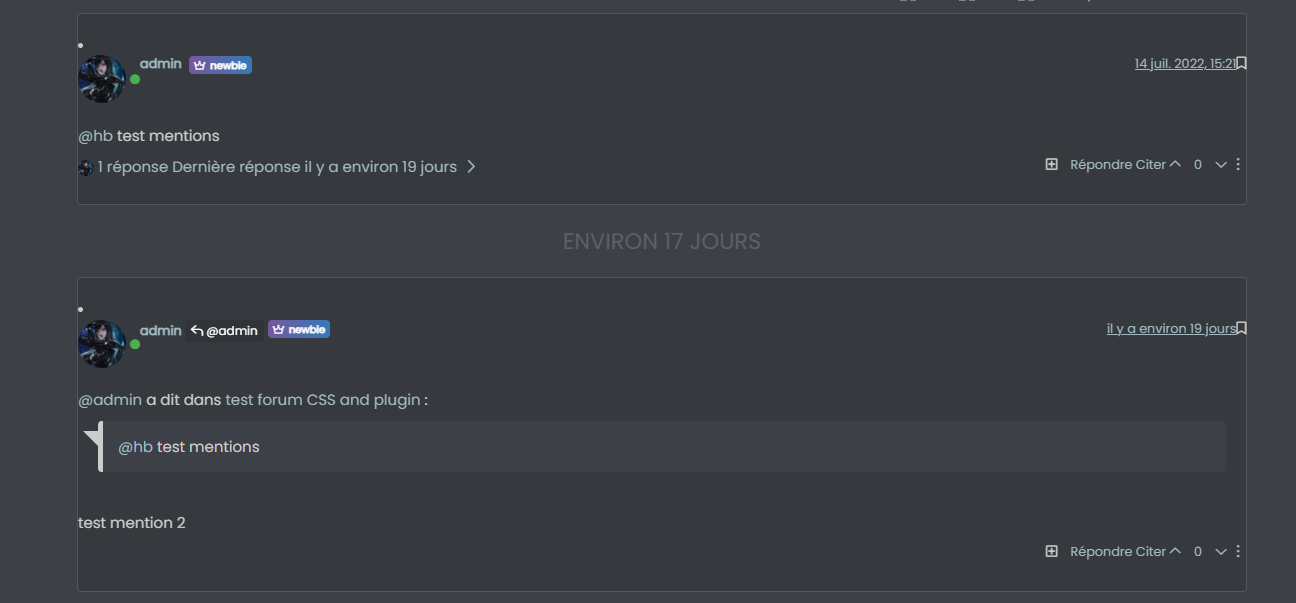 Test plugin NS embed Dailymotion
Theme broken
PW and WS Spirit alive
-
Woo good for youtube but I have test to integrate Dailymotion and Twitter and bad result
I have test this : https://github.com/NicolasSiver/nodebb-plugin-ns-embed/blob/master/docs/community-rules.md#twitter
and a rebuild but no chance
Test plugin NS embed DailymotionTheme broken
@DownPW I think I might know why. Let me have a look at this tomorrow
-
I have re-test @phenomlab and I have another embed plugin (the worms) in conflict.
It’s ok now but I don’t have too work with Twitter or Dailymotion with the rules on communauty.PW and WS Spirit alive
-
I have re-test @phenomlab and I have another embed plugin (the worms) in conflict.
It’s ok now but I don’t have too work with Twitter or Dailymotion with the rules on communauty.@DownPW there’s a Twitter embed plugin in use on this forum. Daily Motion might need some experimenting to get it to embed properly. I’m doing exactly that with an MP4 video I have in one of my posts (blog article) which wasn’t too difficult to get working.
Mark Cutting also advises organisations as a Fractional CIO, Fractional CISO and Executive Advisor, helping boards improve technology governance, cyber resilience and executive decision making. Learn more at Phenomlab Ltd
-
@DownPW there’s a Twitter embed plugin in use on this forum. Daily Motion might need some experimenting to get it to embed properly. I’m doing exactly that with an MP4 video I have in one of my posts (blog article) which wasn’t too difficult to get working.
@phenomlab said in Embed - What Are You Using?:
@DownPW there’s a Twitter embed plugin in use on this forum. Daily Motion might need some experimenting to get it to embed properly. I’m doing exactly that with an MP4 video I have in one of my posts (blog article) which wasn’t too difficult to get working.
This ?
https://github.com/nodebb-community/nodebb-plugin-twitterPW and WS Spirit alive
-
@phenomlab said in Embed - What Are You Using?:
@DownPW there’s a Twitter embed plugin in use on this forum. Daily Motion might need some experimenting to get it to embed properly. I’m doing exactly that with an MP4 video I have in one of my posts (blog article) which wasn’t too difficult to get working.
This ?
https://github.com/nodebb-community/nodebb-plugin-twitter@DownPW yes
-
Woo good for youtube but I have test to integrate Dailymotion and Twitter and bad result
I have test this : https://github.com/NicolasSiver/nodebb-plugin-ns-embed/blob/master/docs/community-rules.md#twitter
and a rebuild but no chance
Test plugin NS embed DailymotionTheme broken
@DownPW Did you get the Daily Motion Embed to work ?
Mark Cutting also advises organisations as a Fractional CIO, Fractional CISO and Executive Advisor, helping boards improve technology governance, cyber resilience and executive decision making. Learn more at Phenomlab Ltd
-
-
@phenomlab nope!
@DownPW Hmm - it’ll work with iFramely (locally hosted), or you can use the below string to embed using https://community.nodebb.org/topic/7135/nodebb-plugin-ns-embed-ns-embed/114
Watch
(?:<a.*?)?(?:https?:\/\/)?(?:www\.)?dailymotion\.com\/video\/([a-zA-Z0-9_-]{4,11})(?:.*?\/a>)?Replace
<div class='embed-wrapper'><div class='embed-container'><iframe src='//www.dailymotion.com/embed/video/$1' frameborder='0' allowfullscreen></iframe></div></div>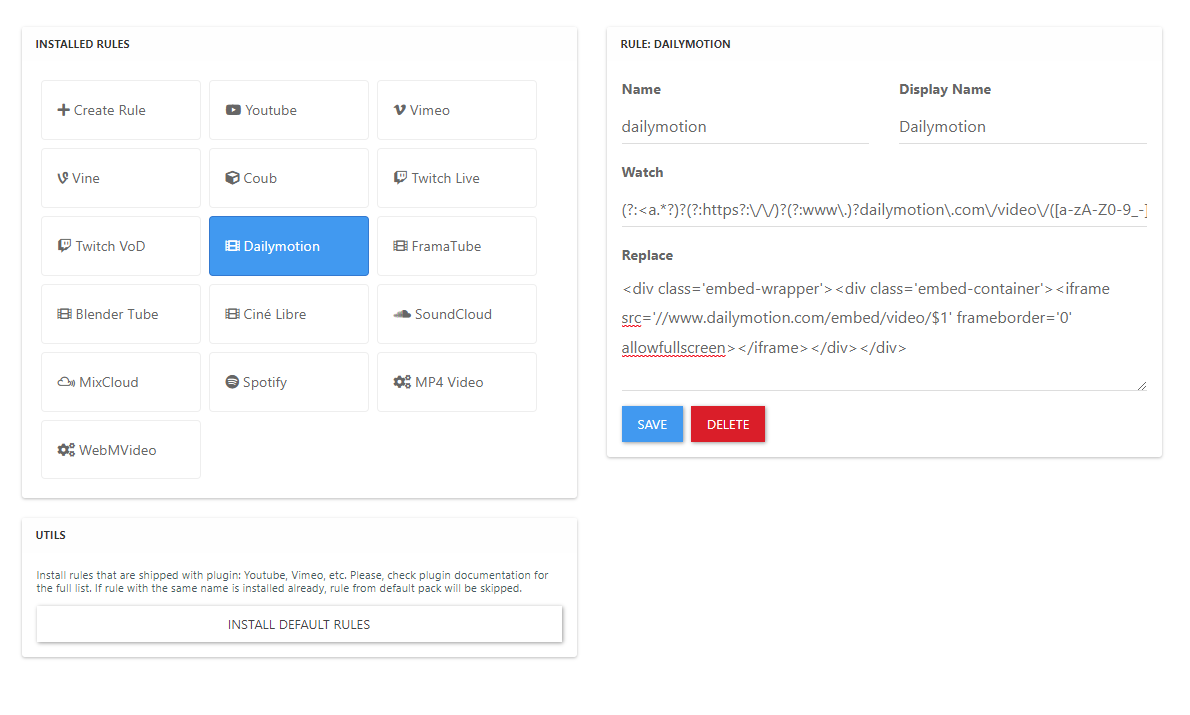


Hello! It looks like you're interested in this conversation, but you don't have an account yet.
Getting fed up of having to scroll through the same posts each visit? When you register for an account, you'll always come back to exactly where you were before, and choose to be notified of new replies (either via email, or push notification). You'll also be able to save bookmarks and upvote posts to show your appreciation to other community members.
With your input, this post could be even better 💗
Register Login