Discord Login - OAuth2 - NodeBB
-
HI,
Well i am using and got furthest with the second link from selkkie.
Basically so far I have this. The icon does not say Discord just ‘Discover’ as you can see.
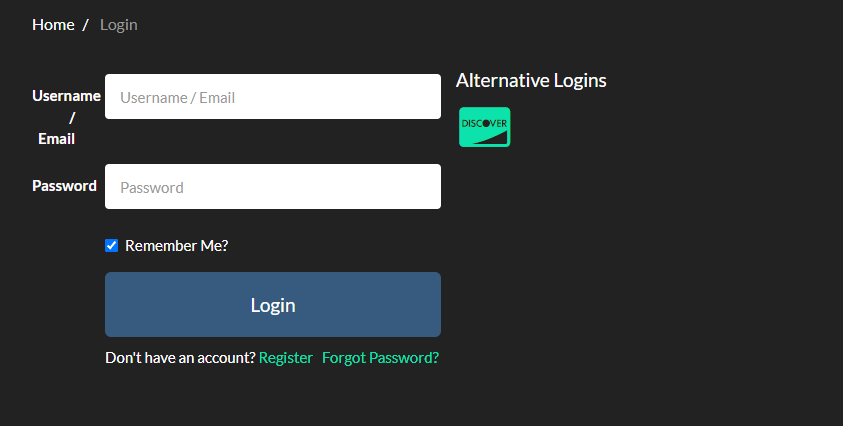
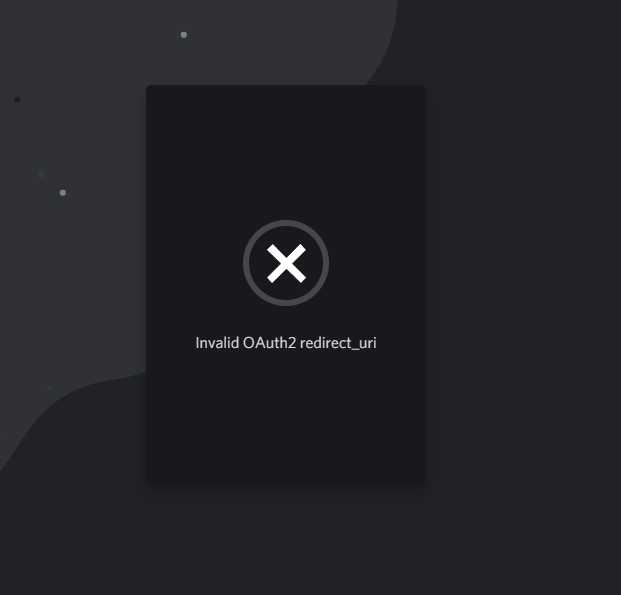
When i click on it I then get.
If i generate a URL in the Discord Developer Portal on the app then go to that URL I made I get this.
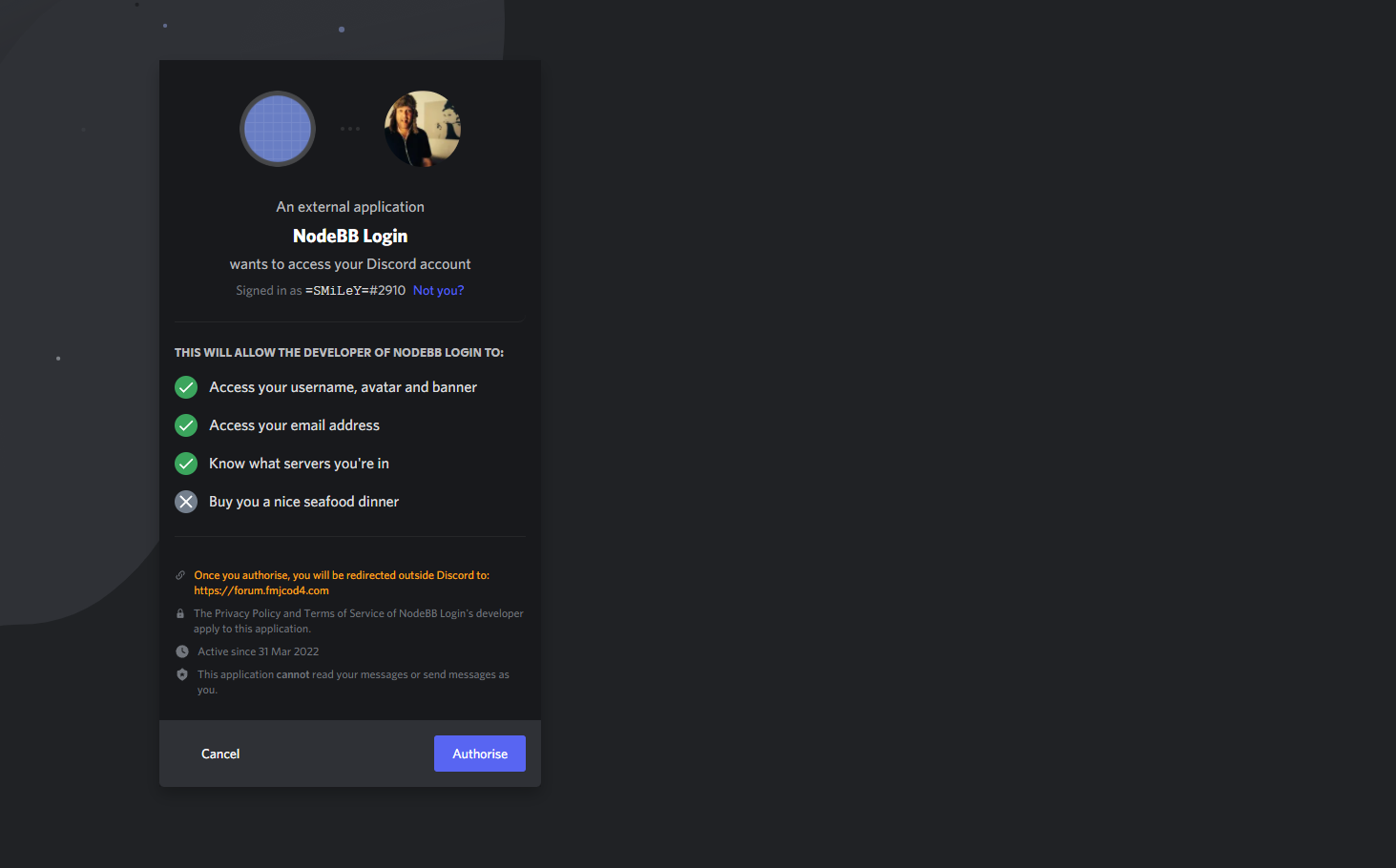
So I don’t think I am a million miles away but obviously doing something wrong

But clicking on authorize then of course does this


@Sampo2910 Let me spin this up in my DEV environment and take a look.
-
@Sampo2910 I seem to get the same error messages as you. Investigating.
EDIT: Seems to be related to a token error from what I’m seeing in the logs.
EDIT2: Ok, after some fiddling around with settings, I have it working
You can try it here if you want, as I’ve included it in PROD.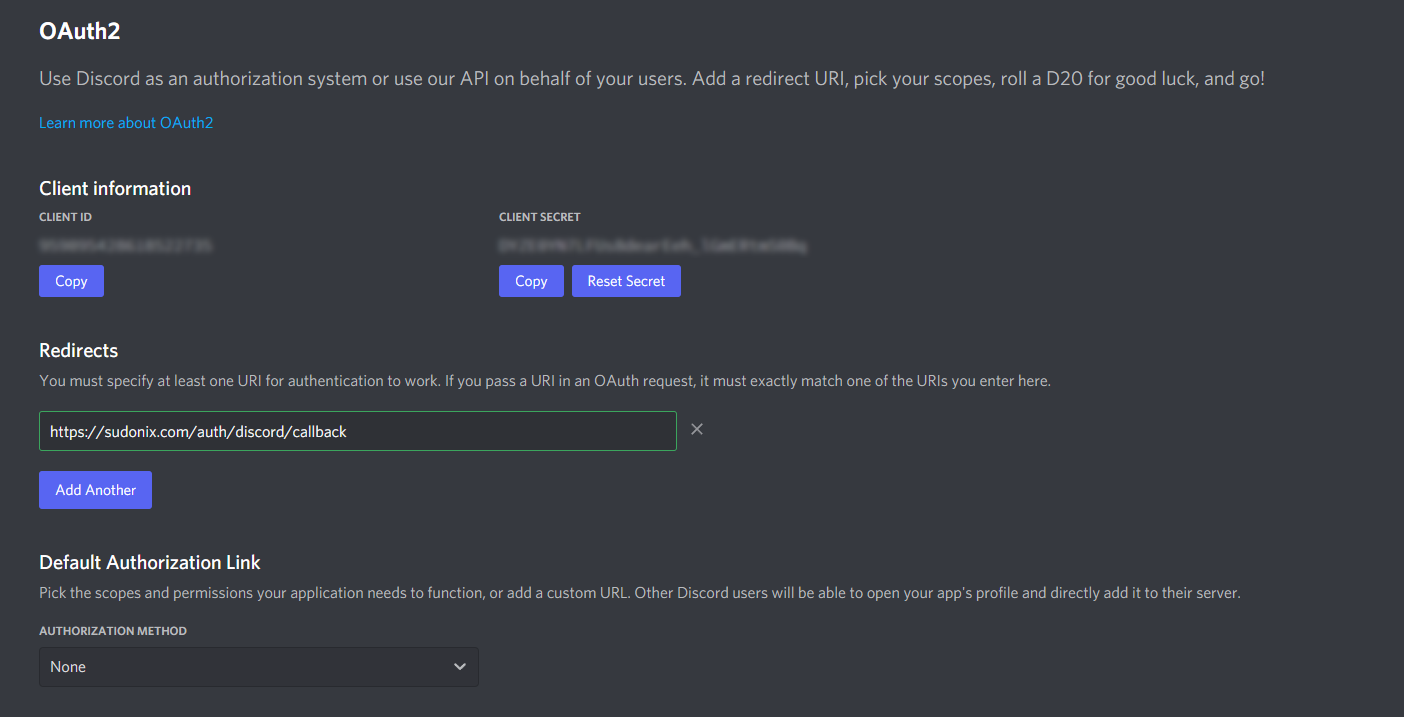
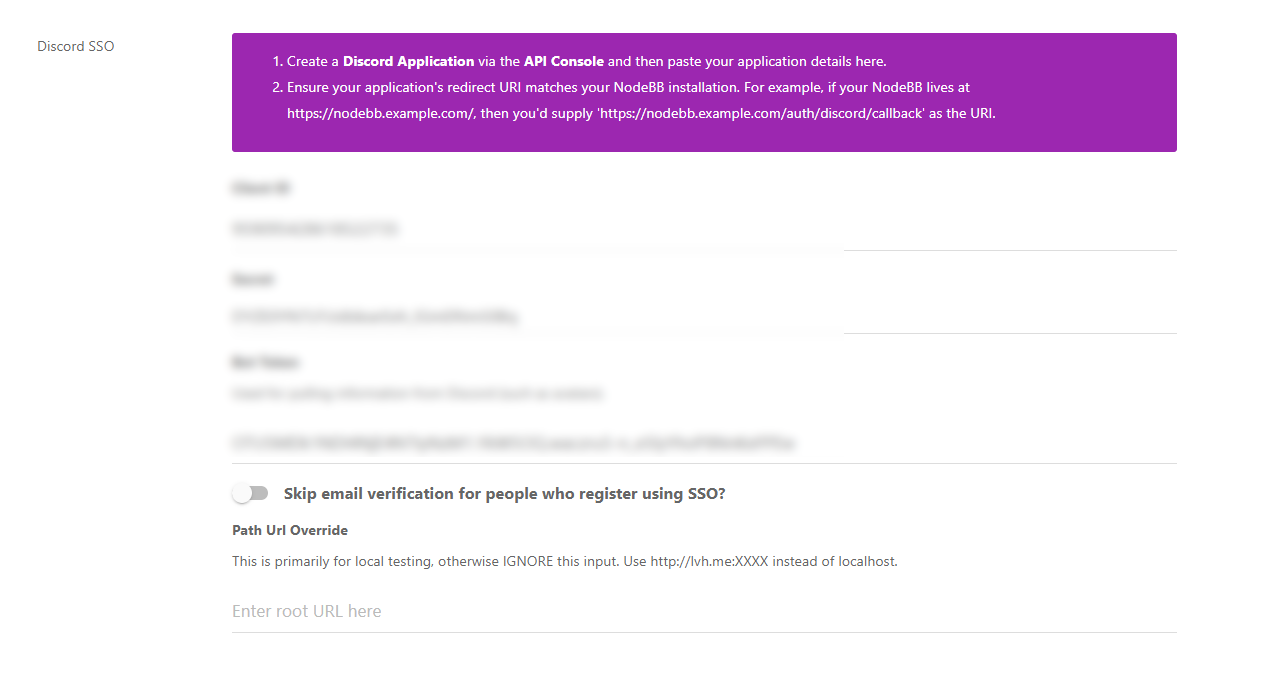
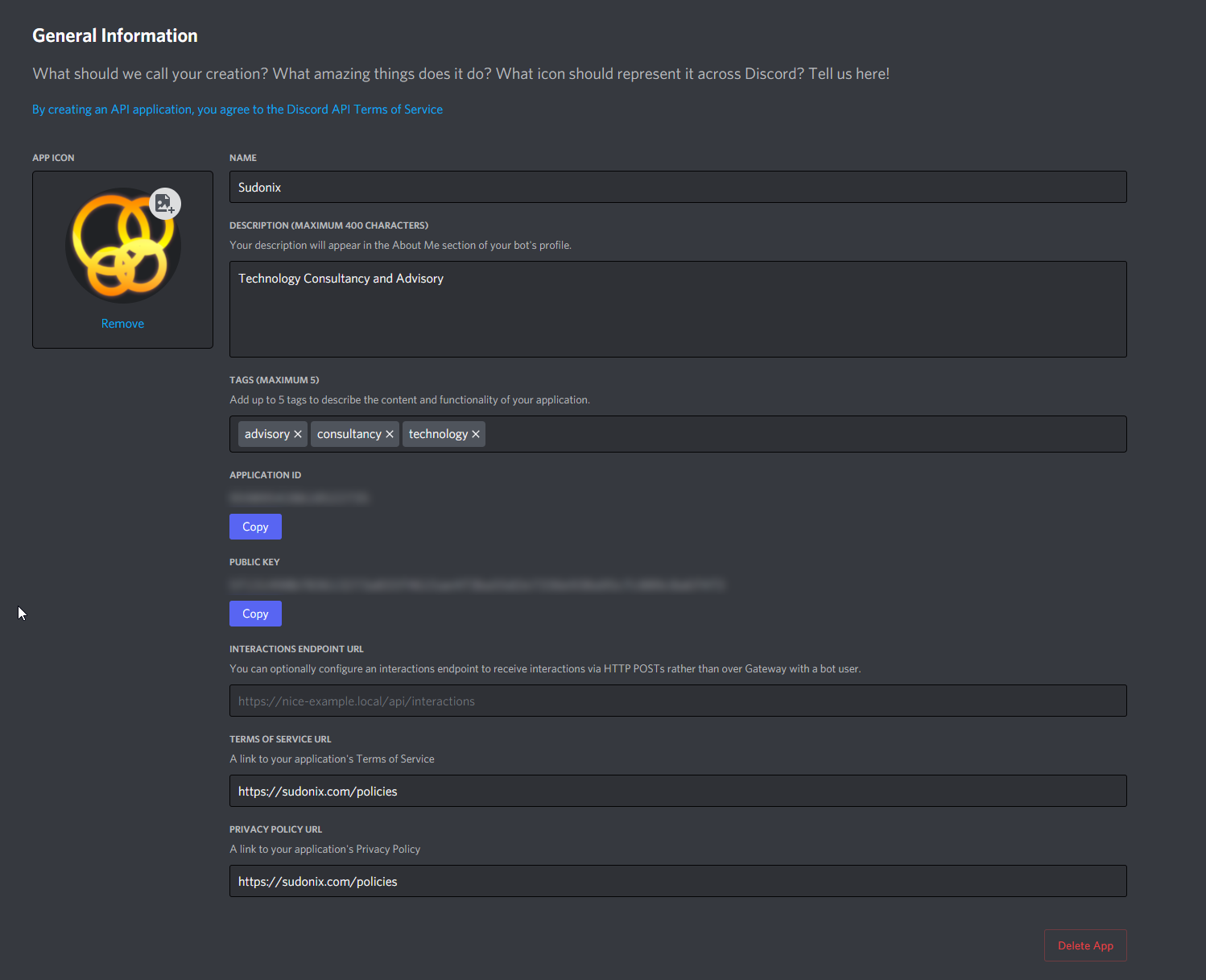
The part that got me initially was that I’d accidentally used the PUBLIC KEY

Be sure you’re using the CLIENT SECRET in OAUTH2.
Seems to work without issue for me now.
As for the Discord icon, you can get this to work by changing the CSS as below
.fa.fa-cc-discover {
    font-family: 'Font Awesome 5 Brands' !important;
}
.fa-cc-discover:before {
    content: "\f392";
}
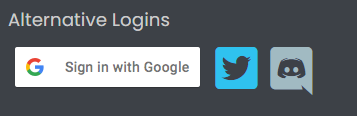
Bizarre looking “quote border” on this icon - not sure why, but will have a look
-
-

Great work.
I am sure i have/had done it the same but for me it is still not working. Same error. SO something i have not done right.
I am complete novice also so where/which css do I change?
What did you do with Bot tokens. I assume that is needed.
Thx
-
Great work.
I am sure i have/had done it the same but for me it is still not working. Same error. SO something i have not done right.
I am complete novice also so where/which css do I change?
What did you do with Bot tokens. I assume that is needed.
Thx
-
Hi again
Really not sure what I am doing wrong here. Guessing it is something simple. Still says invalid OAuth2 redirect_url as above. Hoping you guys/gals can help me
Thx again.
@Sampo2910 Is there any way I can get access to both your NodeBB instance, and the Discord setup ?
-
Great work.
I am sure i have/had done it the same but for me it is still not working. Same error. SO something i have not done right.
I am complete novice also so where/which css do I change?
What did you do with Bot tokens. I assume that is needed.
Thx
@Sampo2910 said in Discord Login - OAuth2 - NodeBB:
What did you do with Bot tokens. I assume that is needed.
Here’s the settings I have


@Sampo2910 said in Discord Login - OAuth2 - NodeBB:
I am complete novice also so where/which css do I change?
You don’t need to change any CSS - you just copy the provided into ACP->Appearance->Custom CSS
Mark Cutting also advises organisations as a Fractional CIO, Fractional CISO and Executive Advisor, helping boards improve technology governance, cyber resilience and executive decision making. Learn more at Gratmore Ltd
-
@Sampo2910 said in Discord Login - OAuth2 - NodeBB:
What did you do with Bot tokens. I assume that is needed.
Here’s the settings I have
@Sampo2910 said in Discord Login - OAuth2 - NodeBB:
I am complete novice also so where/which css do I change?
You don’t need to change any CSS - you just copy the provided into ACP->Appearance->Custom CSS
Hi,
Thanks regarding the CSS that is OK now.
I have the same settings as you have posted in all above.I noticed that when i hover over the ‘alternative registration’ I can see this in bottom of window before I click the link.
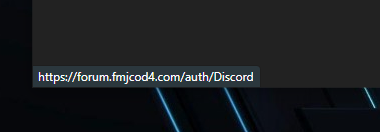
That is not the link that is in my app.
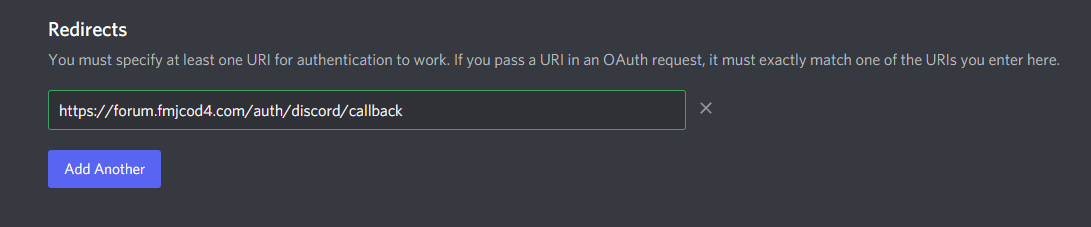
This is wrong?
Maybe you could take a look remotely via AnyDesk ?
Note: My forum is not ‘public’ as in it can still of course be accessed publicly but I have not ‘advertised’ it as yet. So people do not know it’s there. I will do that when I am happy with it
Just for Gamers anyway and of course for my own hobby/learning curve. I think with Discord more people will be more likely to ‘quickly’ register. -
Hi,
Thanks regarding the CSS that is OK now.
I have the same settings as you have posted in all above.I noticed that when i hover over the ‘alternative registration’ I can see this in bottom of window before I click the link.
That is not the link that is in my app.
This is wrong?
Maybe you could take a look remotely via AnyDesk ?
Note: My forum is not ‘public’ as in it can still of course be accessed publicly but I have not ‘advertised’ it as yet. So people do not know it’s there. I will do that when I am happy with it
Just for Gamers anyway and of course for my own hobby/learning curve. I think with Discord more people will be more likely to ‘quickly’ register.
@Sampo2910 said in Discord Login - OAuth2 - NodeBB:
This is wrong?
No, this is fact correct. The callback part is the data sent back from Discord itself to your site to complete the OAUTH handshake.
@Sampo2910 said in Discord Login - OAuth2 - NodeBB:
Maybe you could take a look remotely via AnyDesk ?
I registered on your site, so if you can make me an admin (temporarily) that would be good so I can have a look around.
I’ll also need access to your Discord setup
Mark Cutting also advises organisations as a Fractional CIO, Fractional CISO and Executive Advisor, helping boards improve technology governance, cyber resilience and executive decision making. Learn more at Gratmore Ltd
-
@Sampo2910 said in Discord Login - OAuth2 - NodeBB:
This is wrong?
No, this is fact correct. The callback part is the data sent back from Discord itself to your site to complete the OAUTH handshake.
@Sampo2910 said in Discord Login - OAuth2 - NodeBB:
Maybe you could take a look remotely via AnyDesk ?
I registered on your site, so if you can make me an admin (temporarily) that would be good so I can have a look around.
I’ll also need access to your Discord setup
You should be an admin now.
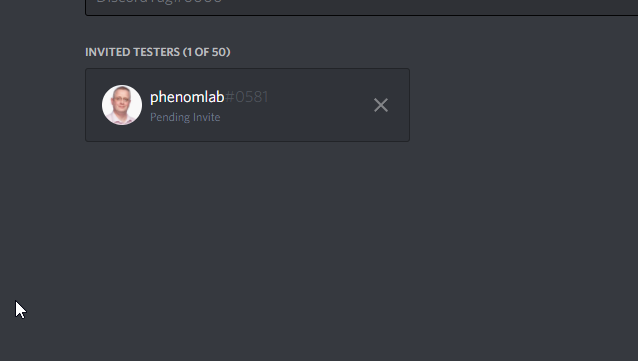
If you send me your discord tag i can invite you as a tester.
-
You should be an admin now.
If you send me your discord tag i can invite you as a tester.
@Sampo2910 phenomlab#0581
Mark Cutting also advises organisations as a Fractional CIO, Fractional CISO and Executive Advisor, helping boards improve technology governance, cyber resilience and executive decision making. Learn more at Gratmore Ltd
-
@Sampo2910 phenomlab#0581
-
@Sampo2910 Hmm - don’t see it in the teams section ?
Mark Cutting also advises organisations as a Fractional CIO, Fractional CISO and Executive Advisor, helping boards improve technology governance, cyber resilience and executive decision making. Learn more at Gratmore Ltd
-
@Sampo2910 Hmm - don’t see it in the teams section ?
-
@Sampo2910 Strange. Accepted it, but still can’t see it.
Mark Cutting also advises organisations as a Fractional CIO, Fractional CISO and Executive Advisor, helping boards improve technology governance, cyber resilience and executive decision making. Learn more at Gratmore Ltd
-
@Sampo2910 Strange. Accepted it, but still can’t see it.
Can you try now. I had to put test mode on through main Discord application. Sorry. Forgot about that.

-
Can you try now. I had to put test mode on through main Discord application. Sorry. Forgot about that.
@Sampo2910 Still nothing.
Mark Cutting also advises organisations as a Fractional CIO, Fractional CISO and Executive Advisor, helping boards improve technology governance, cyber resilience and executive decision making. Learn more at Gratmore Ltd
-
@Sampo2910 Still nothing.
-
@Sampo2910 I think you need to create a team ?

Mark Cutting also advises organisations as a Fractional CIO, Fractional CISO and Executive Advisor, helping boards improve technology governance, cyber resilience and executive decision making. Learn more at Gratmore Ltd
-
@Sampo2910 I think you need to create a team ?



Hello! It looks like you're interested in this conversation, but you don't have an account yet.
Getting fed up of having to scroll through the same posts each visit? When you register for an account, you'll always come back to exactly where you were before, and choose to be notified of new replies (either via email, or push notification). You'll also be able to save bookmarks and upvote posts to show your appreciation to other community members.
With your input, this post could be even better 💗
Register LoginDid this solution help you?
Related Topics
-
-
Welcome to NodeBB V3!
Pinned Moved General -
-
-
-
-

NodeBB Discord Plugins
Unsolved Customisation -

Nodebb Hashtag plugin
Solved General