Rebranding / other changes
-
These are very good ideas. Can’t wait to see the new logo because it changed often
PW and WS Spirit alive
-
@DownPW Yes, the logo changed often because I couldn’t settle on what it should look like, and in all honesty, unless you are a designer, you should never attempt these things yourself - otherwise, they look below par and sub standard…

-
Mark we will never leave alone
-
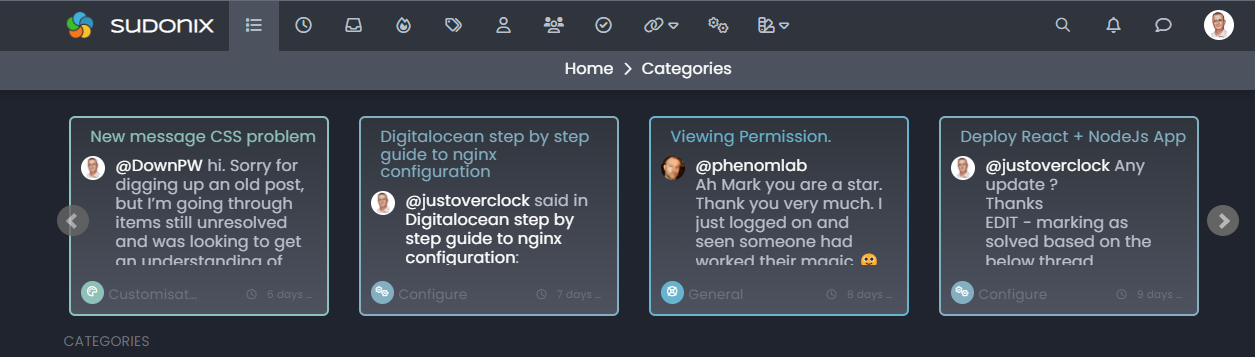
Those of you with a keen eye might have noticed that the logo has been changed. If you don’t see this, reload your browser as there are extensive code changes that need to be loaded so that the right image is selected with the right theme (they are colour coordinated).
Here’s the logo itself when using the default light theme (which is Flatly)
Drumroll…

Here’s the logo itself when using the default dark theme (which is Nord)

As you can see, the logo colours change depending on which theme you are using. This did mean a bit of manual work on my part using Adobe Illustrator - something of a learning curve (and monthly subscription cost
 ) I could have used Inkscape, I know, but it’s severely limited and lacks essential functionality, so it’s a non-starter in my view.
Inspiration
The inspiration from this logo comes from a variety of sources. Given that most of what we do on here is in code format (one way or the other), it made sense to use that in the logo. The original version had no radiuses, but I wanted a softer look, so here we are
Mark Cutting also advises organisations as a Fractional CIO, Fractional CISO and Executive Advisor, helping boards improve technology governance, cyber resilience and executive decision making. Learn more at Phenomlab Ltd
-
good it’s a very cool logo
PW and WS Spirit alive
-
I had the same idea today for the color change for PW
PW and WS Spirit alive
-
@DownPW Yes, it is very effective. You’ll spend more time on the images themselves than you will on the code !
The code to switch per theme is really simple - example below
$('img[component="brand/logo"]').attr("src", "/assets/customcss/logo/" + whichTheme + ".svg"); -
I had thought of doing it in CSS but why not.
How does it work?
– Here is what I understand:
-
put this code in ACP/Custom JS
-
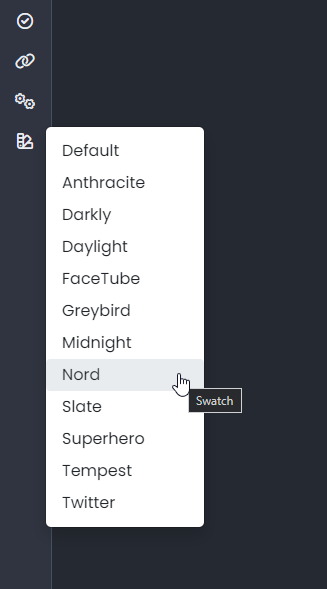
depending on the theme chosen in the swatch, it applies the logo files in SVG format in “/assets/customcss/logo/”
But the question I ask myself is: is there a particular naming of the logo files?
PW and WS Spirit alive
-
-
I had thought of doing it in CSS but why not.
How does it work?
– Here is what I understand:
-
put this code in ACP/Custom JS
-
depending on the theme chosen in the swatch, it applies the logo files in SVG format in “/assets/customcss/logo/”
But the question I ask myself is: is there a particular naming of the logo files?
@DownPW you’ll need to create the files first. The code I provided is just for reference and won’t work out of the gate.
Changing image by CSS is a possibility, but you can’t change an
imgtag directly which is why I’m usingjsto do just that. I modified the theme switcher so that it also stores the logo being used. -
-
Ok I think I understand.
Just out of curiosity, the person who made the logo for you, is it expensive?
Because I don’t know a designer. I manage but it’s not my job.
PW and WS Spirit alive
-
Ok I think I understand.
Just out of curiosity, the person who made the logo for you, is it expensive?
Because I don’t know a designer. I manage but it’s not my job.
@DownPW not really. It depends on the level of service you want. I can post details if you’d like them?
-
yep, sure. Pm if you prefer
-
The logo looks fantastic!
-
Those of you with a keen eye might have noticed that the logo has been changed. If you don’t see this, reload your browser as there are extensive code changes that need to be loaded so that the right image is selected with the right theme (they are colour coordinated).
Here’s the logo itself when using the default light theme (which is Flatly)
Drumroll…
Here’s the logo itself when using the default dark theme (which is Nord)
As you can see, the logo colours change depending on which theme you are using. This did mean a bit of manual work on my part using Adobe Illustrator - something of a learning curve (and monthly subscription cost
) I could have used Inkscape, I know, but it’s severely limited and lacks essential functionality, so it’s a non-starter in my view.Inspiration
The inspiration from this logo comes from a variety of sources. Given that most of what we do on here is in code format (one way or the other), it made sense to use that in the logo. The original version had no radiuses, but I wanted a softer look, so here we are
@phenomlab nice logo. I loved it
-
Pls share with us what kind of CSS and JS code should use for it
thanks. -
@cagatay The logo itself? It’s an image.
-
Logo itself its okey but which code i should use to shown it on my website.
-
@cagatay Not sure I follow here - can you elaborate a bit more?
-
-
 undefined phenomlab referenced this topic on
-
Some further re-branding changes have been made in the
aboutpage - not sure if anyone has ever actually read this, but it does explain the mission well









Hello! It looks like you're interested in this conversation, but you don't have an account yet.
Getting fed up of having to scroll through the same posts each visit? When you register for an account, you'll always come back to exactly where you were before, and choose to be notified of new replies (either via email, or push notification). You'll also be able to save bookmarks and upvote posts to show your appreciation to other community members.
With your input, this post could be even better 💗
Register Login