Issues with Progress Bar on v3
-
yes it happened as you explanied Mark.
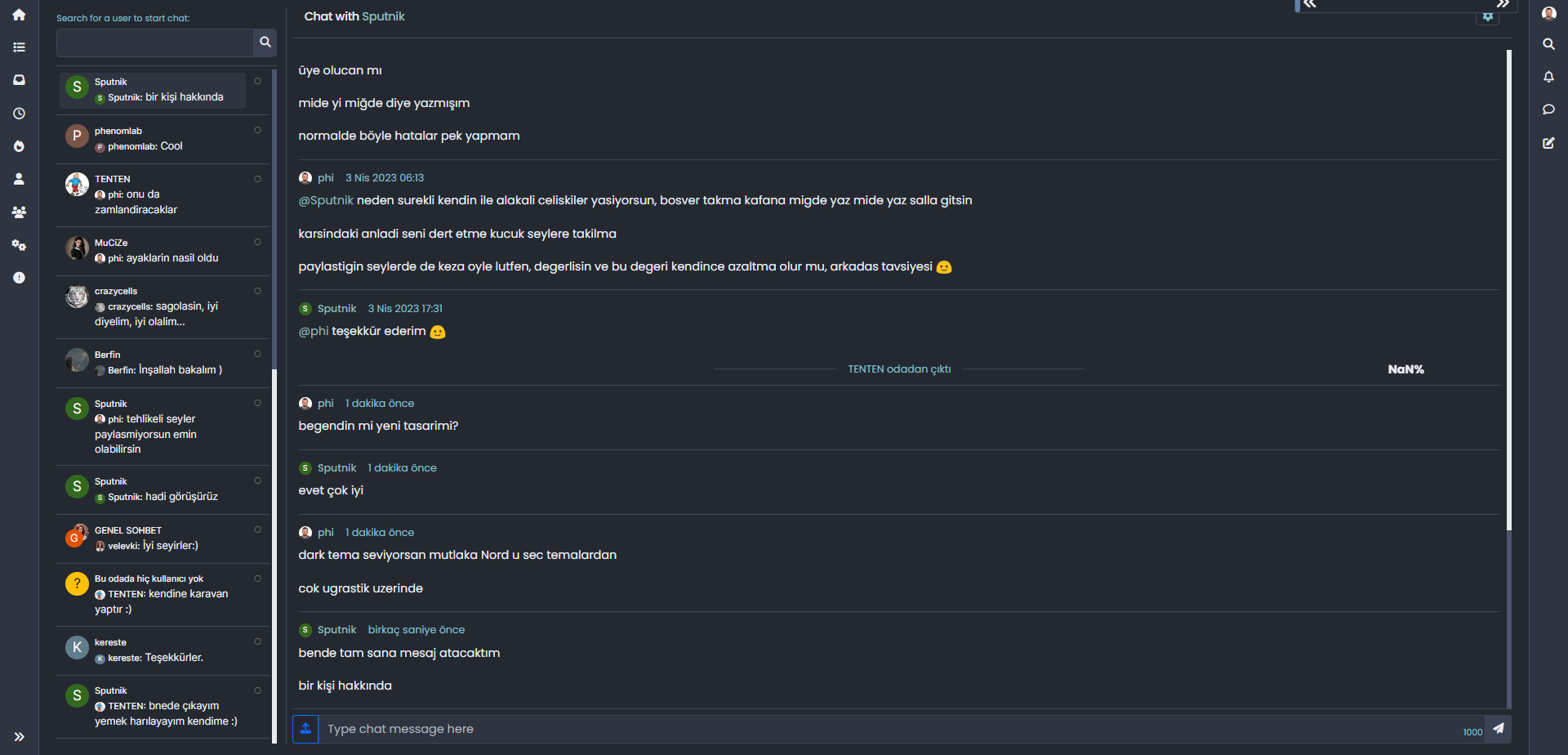
But not just it on phone the scrool not working and the page is freezing. -
yes it happened as you explanied Mark.
But not just it on phone the scrool not working and the page is freezing.@cagatay That’s very strange. Perhaps you should remove it then for the time being. Something clearly isn’t right there.
-
@cagatay @DownPW looking for suggestions here. I’m able to replicate this issue (now that I better understand it), and to me, the best solution is for the progress bar to not fire on certain pages - clearly, chat is one of them, but there are others also I expect, and it’s this that I’d appreciate your feedback on.
-
@cagatay @DownPW ok, I think I have a solution that is also easily expanded upon. After looking into this in more detail, the calls between standard posts, categories, etc are handled differently when calling chats.
Based on this, you should use the below modified progress bar
jscode (replace what you have)// Navigation / Scrollbar $(window).on('action:ajaxify.end', function(data) { var matched = false; $(document).ready(function() { var bar = $('.reading-meter'); // Main progressbar function window.onscroll = function() { pageScroller(); }; function pageScroller() { var winScroll = document.body.scrollTop || document.documentElement.scrollTop; var height = document.documentElement.scrollHeight - document.documentElement.clientHeight; var scrolled = (winScroll / height) * 100; document.getElementById("progress-bar").style.width = parseFloat(scrolled).toFixed(0) + "%"; $('#percentage').val(parseFloat(scrolled).toFixed(0) + "%"); $(window).scroll(function() { var bar = $('.reading-meter'); var thisURL = window.location.href; var checkURL = new Array("topic", "notifications", "user"); var isFound = false; for (var i = 0, len = checkURL.length; i < len; i++) { if (thisURL.indexOf(checkURL[i]) > -1) { isFound = true; break; } } if (isFound) { //console.log("Page '" + checkURL[i] + "' is in URL - hide progress bar"); bar.removeClass('show'); } else { // Exception here is that we don't want the scroll bar to show when the composer is active if ($(window).scrollTop() > 0 && (!$('[component="composer"]').is(":visible"))) { bar.addClass('show'); } else { bar.removeClass('show'); } var x = $('[component="bottombar"]').css("bottom"); var bpos = x.slice(0, -2); //console.log("Bottom bar position is " + bpos); $(document).ready(function() { if ($(window).width() < 767) { if (bpos == '0') { $('.toAbove').attr('style', 'bottom: 50px !important'); } else { $('.toAbove').attr('style', 'bottom: 0px !important'); } } }); } }); } }); $(document).on("click", "#pageUp", function(e) { e.preventDefault(); $('html, body').animate({ scrollTop: 0 }, '300'); }); $(document).on("click", "#pageDown", function(e) { e.preventDefault(); $("html, body").animate({ scrollTop: $(document).height() }, '300'); }); });Directly underneath, you should also add
/*
Set pages where the progress bar should not be shown - see examples
in below array, and ensure you follow the same syntax for any you need to
add
*/

$(window).on('action:ajaxify.end', function(data) {
    $(document).ready(function() {
        var bar = $('.reading-meter');
        var thisURL = window.location.href;
        var checkURL = new Array("topic", "notifications", "user");
        var isFound = false;
        for (var i = 0, len = checkURL.length; i < len; i++) {
            if (thisURL.indexOf(checkURL[i]) > -1) {
                isFound = true;
                break;
            }
        }
        if (isFound) {
            //console.log("Page '" + checkURL[i] + "' is in URL - hide progress bar");
            bar.removeClass('show');
        }
    });
});
You’ll notice that both of these functions make use of
arrays- here, it’s possible to state the page where you do not want the progress bar to trigger. For examplevar checkURL = new Array("topic", "notifications", "user");See how each URL component to check is in quotes (and comma separated) - you can add your own here, so for example, if you wanted to include an “about” page, you’d have
var checkURL = new Array("topic", "notifications", "user", "about");This needs to be present in both functions to work properly.
This code will prevent the progress bar firing on
user,notifications, andtopicbut (as you can see) is easily extended to cover multiple locations.Try it out and let me know how you get on. It’s active here currently.
Mark Cutting also advises organisations as a Fractional CIO, Fractional CISO and Executive Advisor, helping boards improve technology governance, cyber resilience and executive decision making. Learn more at Phenomlab Ltd
-
 undefined phenomlab has marked this topic as solved on
-
undefined phenomlab referenced this topic on
-
-
@cagatay works as intended ?
-
it not works on topics but on the main page and chat yes working.
-
@cagatay perfect. That’s the exact behavior intended.
-
This post is deleted!
-
Your code works perfectly for chat on desktop bit not on mobile.
I’m alone ? -
Mark Cutting also advises organisations as a Fractional CIO, Fractional CISO and Executive Advisor, helping boards improve technology governance, cyber resilience and executive decision making. Learn more at Phenomlab Ltd
-
@phenomlab i did not check by phone, let me check it
-
@phenomlab i did not check by phone, let me check it
@cagatay Thanks. Let me know please - you have (almost) identical CSS to me, so I am not expecting any issues.
-
Status of my web site by android phone;
- Main page - bar not working
- topic - bar working
- chat - bar not working
-
Status of my web site by android phone;
- Main page - bar not working
- topic - bar working
- chat - bar not working
@cagatay The reason this fails for you is because you have to auto-hide the bottom bar
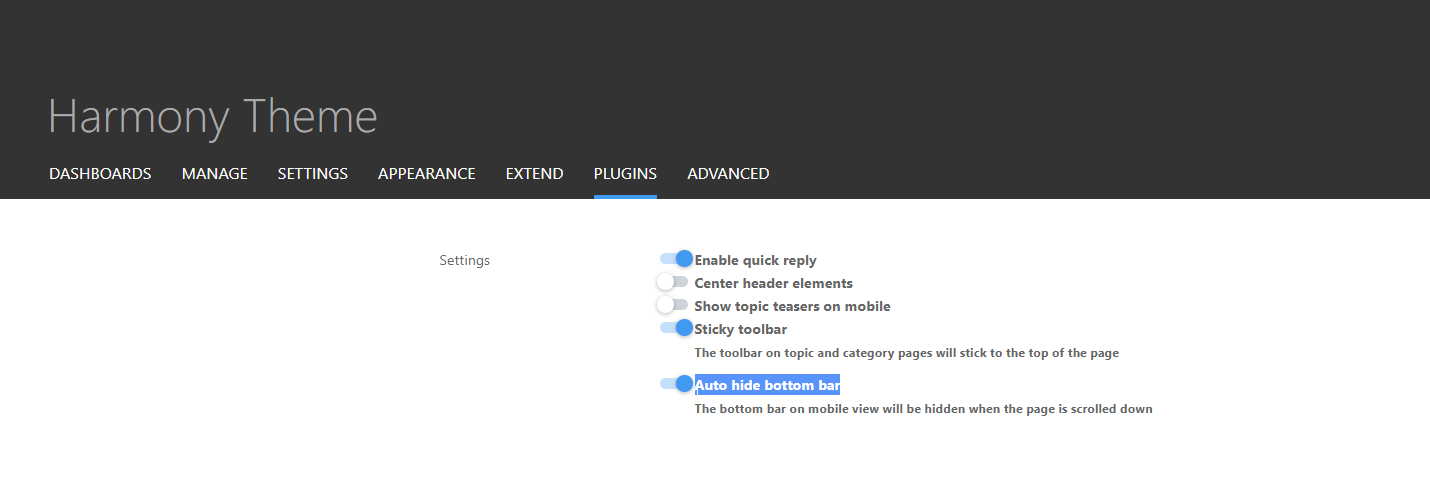
I’ve made this change and it’s now working for the most part - but it should also float with the bottom bar depending on it’s position. Not sure why that’s not working but looking now.
Mark Cutting also advises organisations as a Fractional CIO, Fractional CISO and Executive Advisor, helping boards improve technology governance, cyber resilience and executive decision making. Learn more at Phenomlab Ltd
-
-
@cagatay Thanks. Also fixed the floating progress bar on mobile. It’s tied into the
footercode which you are not using so it wasn’t included in your build (but is now) -
-
@DownPW The footer bar
jscode. -




Hello! It looks like you're interested in this conversation, but you don't have an account yet.
Getting fed up of having to scroll through the same posts each visit? When you register for an account, you'll always come back to exactly where you were before, and choose to be notified of new replies (either via email, or push notification). You'll also be able to save bookmarks and upvote posts to show your appreciation to other community members.
With your input, this post could be even better 💗
Register LoginDid this solution help you?
Related Topics
-
-
-
Please help me, I can't install nodebb
Locked Solved Customisation -
-
-
-
-