Custom badges

-
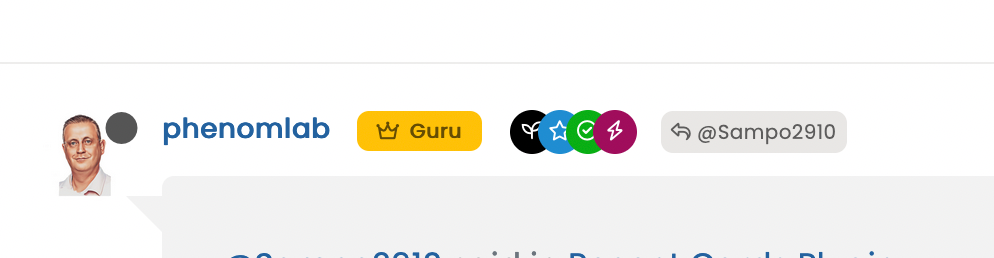
@phenomlab I had to ask ChatGPT 30 times to get this

the codes will be more clear to you than to me
 but I had to add a “transparent” background color, so that svg can be created with the color you want. otherwise svg is not visible.
I had to remove “text-align” because it is ruining the position of the badge.
And lastly, although there is a checkmark, unfortunately, it stays behind the SVG, so it had to add a checkmark using CSS codes to make it visible and changed its position using z-index. (or something like this
)@crazycells it’s a lot of effort, but I really like the effect. I’m just wondering if it’s easier to use an actual image?
Mark Cutting also advises organisations as a Fractional CIO, Fractional CISO and Executive Advisor, helping boards improve technology governance, cyber resilience and executive decision making. Learn more at Phenomlab Ltd
-
@crazycells oooohhhhh - I like!!!
@phenomlab said in Custom badges:
@crazycells oooohhhhh - I like!!!
that background URL is universal, right? I mean it will always be available and not be deleted?
I used this page to get that: https://fontawesomeicons.com/svg/icons/twitter-verified-badge#ex-tab1
-
@phenomlab said in Custom badges:
@crazycells oooohhhhh - I like!!!
that background URL is universal, right? I mean it will always be available and not be deleted?
I used this page to get that: https://fontawesomeicons.com/svg/icons/twitter-verified-badge#ex-tab1
@crazycells said in Custom badges:
that background URL is universal, right? I mean it will always be available and not be deleted?
Yes, correct.
-
@crazycells it’s a lot of effort, but I really like the effect. I’m just wondering if it’s easier to use an actual image?
@phenomlab I prefer this way, because I would like to change the color of it depending on profession. In our forum, I am not planning to use it for “email verified” users, it will mainly be used for professional users that we host. I can easily edit this depending on the groups.
-
@phenomlab I prefer this way, because I would like to change the color of it depending on profession. In our forum, I am not planning to use it for “email verified” users, it will mainly be used for professional users that we host. I can easily edit this depending on the groups.
@crazycells That makes sense.
-
good job @crazycells
I wonder if we could do it for each badge without changing the color of course and keep the color of the original badges.
Curious to see what it would look like

PW and WS Spirit alive
-
good job @crazycells
I wonder if we could do it for each badge without changing the color of course and keep the color of the original badges.
Curious to see what it would look like
@DownPW said in Custom badges:
good job @crazycells
I wonder if we could do it for each badge without changing the color of course and keep the color of the original badges.
Curious to see what it would look like
no, this does not work. the overlap of a wavy edge circle and a circle becomes a circle. so, you cannot detect any flower shape with this method. The way that I achieved this was by removing the background color (making it transparent by CSS although there is an assigned color for it in ACP) and then creating a new flower shape on top of it by CSS.
-
@DownPW said in Custom badges:
good job @crazycells
I wonder if we could do it for each badge without changing the color of course and keep the color of the original badges.
Curious to see what it would look like
no, this does not work. the overlap of a wavy edge circle and a circle becomes a circle. so, you cannot detect any flower shape with this method. The way that I achieved this was by removing the background color (making it transparent by CSS although there is an assigned color for it in ACP) and then creating a new flower shape on top of it by CSS.
@crazycells just thinking about this. Wouldn’t it be easier to just use font awesome?
https://fontawesome.com/icons/badge-check?f=classic&s=solid
Mark Cutting also advises organisations as a Fractional CIO, Fractional CISO and Executive Advisor, helping boards improve technology governance, cyber resilience and executive decision making. Learn more at Phenomlab Ltd
-
@crazycells just thinking about this. Wouldn’t it be easier to just use font awesome?
https://fontawesome.com/icons/badge-check?f=classic&s=solid
@phenomlab said in Custom badges:
@crazycells just thinking about this. Wouldn’t it be easier to just use font awesome?
https://fontawesome.com/icons/badge-check?f=classic&s=solid
as far as I remember, we discussed this before and you mentioned that that badge is not in the free tier.
-
@phenomlab said in Custom badges:
@crazycells just thinking about this. Wouldn’t it be easier to just use font awesome?
https://fontawesome.com/icons/badge-check?f=classic&s=solid
as far as I remember, we discussed this before and you mentioned that that badge is not in the free tier.
@crazycells Yes, you’re right

-
@phenomlab said in Custom badges:
@crazycells just thinking about this. Wouldn’t it be easier to just use font awesome?
https://fontawesome.com/icons/badge-check?f=classic&s=solid
as far as I remember, we discussed this before and you mentioned that that badge is not in the free tier.
@crazycells This intrigued me somewhat, I won’t lie
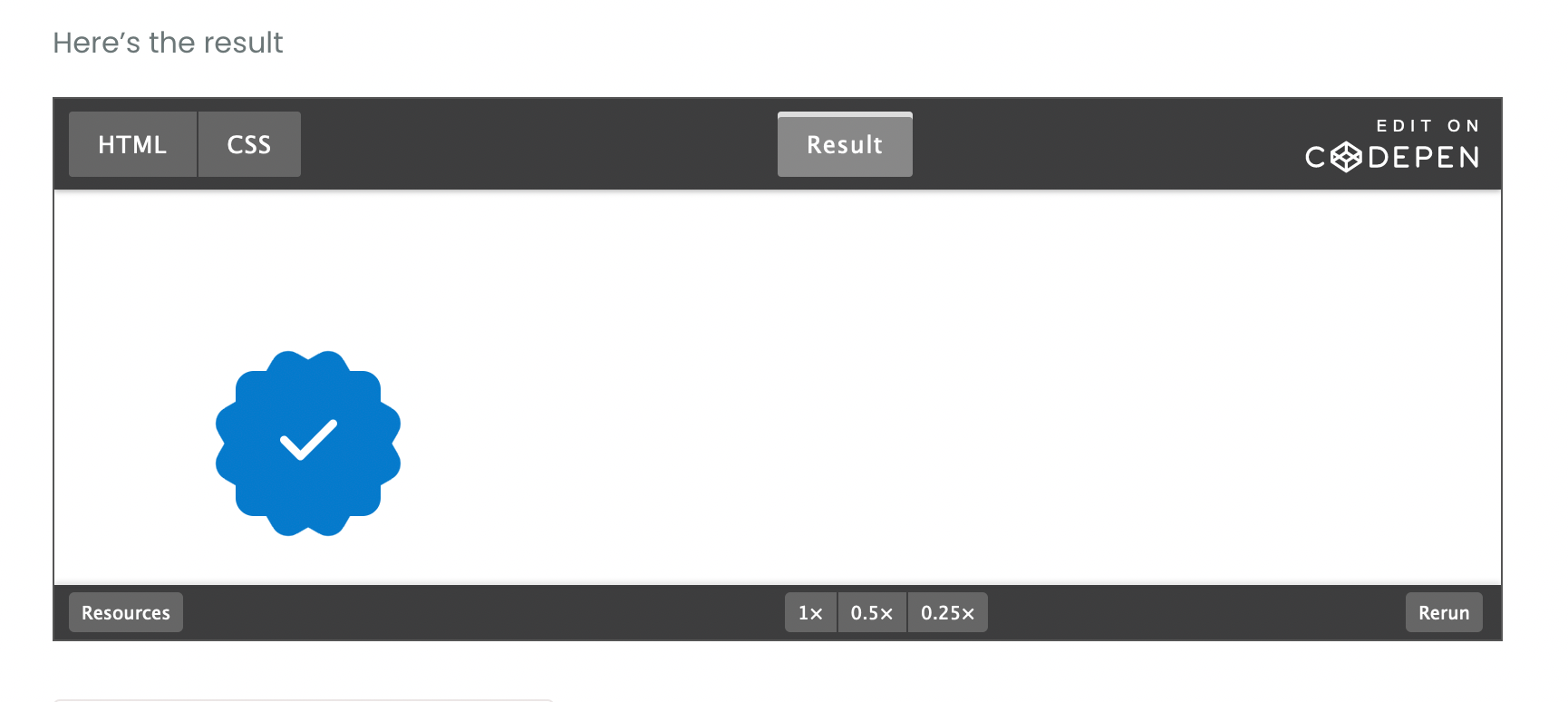
I decided to take a stab at this myself.HTML
<!DOCTYPE html>
<html>
<head>
<script src="https://cdnjs.cloudflare.com/ajax/libs/font-awesome/6.4.0/js/all.min.js" integrity="sha512-fD9DI5bZwQxOi7MhYWnnNPlvXdp/2Pj3XSTRrFs5FQa4mizyGLnJcN6tuvUS6LbmgN1ut+XGSABKvjN0H6Aoow==" crossorigin="anonymous" referrerpolicy="no-referrer"></script>
<link rel="stylesheet" href="https://cdnjs.cloudflare.com/ajax/libs/font-awesome/6.4.0/css/all.min.css" integrity="sha512-iecdLmaskl7CVkqkXNQ/ZH/XLlvWZOJyj7Yy7tcenmpD1ypASozpmT/E0iPtmFIB46ZmdtAc9eNBvH0H/ZpiBw==" crossorigin="anonymous" referrerpolicy="no-referrer" />
<meta charset=utf-8 />
<title>JS Bin</title>
</head>
<body>
  <div class="base"></div>
  <div class="inner"><i class="check fa-solid fa-check"></i></div>
</body>
</html>
CSS
.base {
  left: 100px;
  top: 100px;
  height: 80px;
  width: 80px;
  background: #067acc;
  position: absolute;
  border-radius: 10px;
}
.base:before {
  height: 80px;
  width: 80px;
  background: #067acc;
  content:"";
  position: absolute;
  transform: rotate(-30deg);
  border-radius: 10px;
}
.base:after {
  padding-top: 10px;
  text-align: center;
  vertical-align: middle;
  height: 70px;
  width: 80px;
  background: #067acc;
  content: "";
  position: absolute;
  transform: rotate(30deg);
  border-radius: 10px;
}
.inner {
  color: #000000;
  left: 95px;
  top: 95px;
  position: absolute;
  text-align:center;
  padding-top: 25px;
  width: 90px;
  height: 65px;
  background: #067acc;
  border-radius: 50px;
  background: #067acc; /* Old browsers */
}
.check {
  font-size: 36px;
  color: #ffffff;
}
Here’s the result
Mark Cutting also advises organisations as a Fractional CIO, Fractional CISO and Executive Advisor, helping boards improve technology governance, cyber resilience and executive decision making. Learn more at Phenomlab Ltd
-
@crazycells This intrigued me somewhat, I won’t lie
I decided to take a stab at this myself.HTML
<!DOCTYPE html>
<html>
<head>
<script src="https://cdnjs.cloudflare.com/ajax/libs/font-awesome/6.4.0/js/all.min.js" integrity="sha512-fD9DI5bZwQxOi7MhYWnnNPlvXdp/2Pj3XSTRrFs5FQa4mizyGLnJcN6tuvUS6LbmgN1ut+XGSABKvjN0H6Aoow==" crossorigin="anonymous" referrerpolicy="no-referrer"></script>
<link rel="stylesheet" href="https://cdnjs.cloudflare.com/ajax/libs/font-awesome/6.4.0/css/all.min.css" integrity="sha512-iecdLmaskl7CVkqkXNQ/ZH/XLlvWZOJyj7Yy7tcenmpD1ypASozpmT/E0iPtmFIB46ZmdtAc9eNBvH0H/ZpiBw==" crossorigin="anonymous" referrerpolicy="no-referrer" />
<meta charset=utf-8 />
<title>JS Bin</title>
</head>
<body>
  <div class="base"></div>
  <div class="inner"><i class="check fa-solid fa-check"></i></div>
</body>
</html>
CSS
.base {
  left: 100px;
  top: 100px;
  height: 80px;
  width: 80px;
  background: #067acc;
  position: absolute;
  border-radius: 10px;
}
.base:before {
  height: 80px;
  width: 80px;
  background: #067acc;
  content:"";
  position: absolute;
  transform: rotate(-30deg);
  border-radius: 10px;
}
.base:after {
  padding-top: 10px;
  text-align: center;
  vertical-align: middle;
  height: 70px;
  width: 80px;
  background: #067acc;
  content: "";
  position: absolute;
  transform: rotate(30deg);
  border-radius: 10px;
}
.inner {
  color: #000000;
  left: 95px;
  top: 95px;
  position: absolute;
  text-align:center;
  padding-top: 25px;
  width: 90px;
  height: 65px;
  background: #067acc;
  border-radius: 50px;
  background: #067acc; /* Old browsers */
}
.check {
  font-size: 36px;
  color: #ffffff;
}
Here’s the result
-
@crazycells Sorry, yes. Fixed that now.
Mark Cutting also advises organisations as a Fractional CIO, Fractional CISO and Executive Advisor, helping boards improve technology governance, cyber resilience and executive decision making. Learn more at Phenomlab Ltd
-
@crazycells Sorry, yes. Fixed that now.
@phenomlab it looks very nice
but I guess one needs a subscription to use this, right?I am looking forward to seeing that on the avatars as “verified badge”, please do not forget to share your CSS code for its position
 when you implement it.
 -
@phenomlab it looks very nice
but I guess one needs a subscription to use this, right?I am looking forward to seeing that on the avatars as “verified badge”, please do not forget to share your CSS code for its position
when you implement it.@crazycells said in Custom badges:
it looks very nice but I guess one needs a subscription to use this, right?
No, there’s no subscription - what do you see ? The CodePen should be public?
Mark Cutting also advises organisations as a Fractional CIO, Fractional CISO and Executive Advisor, helping boards improve technology governance, cyber resilience and executive decision making. Learn more at Phenomlab Ltd
-
@crazycells said in Custom badges:
it looks very nice but I guess one needs a subscription to use this, right?
No, there’s no subscription - what do you see ? The CodePen should be public?
@phenomlab yes I can see it very well:
since your code has “/font-awesome/6.4.0/” in it, I assumed you are using pro version.
-
@phenomlab yes I can see it very well:
since your code has “/font-awesome/6.4.0/” in it, I assumed you are using pro version.
@crazycells No, it’s the free version
https://cdnjs.com/libraries/font-awesome
You only need the check mark itself
Mark Cutting also advises organisations as a Fractional CIO, Fractional CISO and Executive Advisor, helping boards improve technology governance, cyber resilience and executive decision making. Learn more at Phenomlab Ltd
-
@crazycells No, it’s the free version
https://cdnjs.com/libraries/font-awesome
You only need the check mark itself
@phenomlab great then, are you planning to implement it on this forum?
I need to tailor the code for my forum…
-
@phenomlab great then, are you planning to implement it on this forum?
I need to tailor the code for my forum…
@crazycells Yes, I think I probably will.
-
@phenomlab great then, are you planning to implement it on this forum?
I need to tailor the code for my forum…
@crazycells Ok, so, I found some time to look at this properly today.
Here’s the result

Notice the “Twitter-esque” verified badge?
I found this
https://commons.wikimedia.org/wiki/File:Twitter_Verified_Badge.svg and downloaded it, then uploaded it to
/assets/public/imagesThen, I used the below CSS code
    li[component="post"] a[href*="/groups/verified"] {
        position: absolute !important;
        left: 2px;
        z-index: 2;
        margin-top: 1px;
        border-radius: 999px !important;
        line-height: 14px;
        display: block;
        height: auto;
        margin-left: 0px !important;
        background: transparent !important;
        width: auto;
    }

    li[component=post] a[href*="/groups/verified"]:before {
        background: url(https://sudonix.org/assets/images/Twitter_Verified_Badge.svg) !important;
        content: "";
        height: 22px;
        width: 22px;
        display: block;
    }
    li[component=post] a[href*="/groups/verified"]:after {
        background: #ffffff !important;
        height: 9px;
        width: 9px;
        content: "";
        display: block;
        top: 10px;
        position: absolute;
        z-index: -1;
        left: 12px;
    }
Some points to consider
- The CSS code extensively uses
:beforeand:afterpseudo elements. Essentially,:beforeadds the SVG icon and positions it, and:afteradds a smaller “white square” which is conveniently positioned behind the:beforeelement usingz:-index: -1;
The purpose of the “white square” is to provide a dirty way to fill in the transparency which is present in the SVG so it looks right.
This is pretty tough to display on mobile viewports, so it’s best to hide it completely using this code
@media (max-width: 767px) {
    li[component="post"] a[href*="/groups/verified"].badge, .account a[href*="/groups/verified"].badge {
            display: none !important;
        }
EDIT: Just realised that this icon (being a group) is also displayed on the user’s profile page, so we’ll need CSS to make that look good too…

I’ve absolutely no idea who this guy is…Here it is
    .account a[href*="/groups/verified"] {
        position: absolute !important;
        z-index: 2;
        background: transparent !important;
        margin-left: -10px;
    }
    .account a[href*="/groups/verified"]:after {
        background: #ffffff !important;
        height: 9px;
        width: 10px;
        content: "";
        display: block;
        top: 10px;
        position: absolute;
        z-index: -1;
        left: 12px;
    }
    .account a[href*="/groups/verified"]:before {
        background: url(https://sudonix.org/assets/images/Twitter_Verified_Badge.svg) !important;
        content: "";
        height: 22px;
        width: 22px;
        display: block;
    }
Enjoy.
Mark Cutting also advises organisations as a Fractional CIO, Fractional CISO and Executive Advisor, helping boards improve technology governance, cyber resilience and executive decision making. Learn more at Phenomlab Ltd
- The CSS code extensively uses




Hello! It looks like you're interested in this conversation, but you don't have an account yet.
Getting fed up of having to scroll through the same posts each visit? When you register for an account, you'll always come back to exactly where you were before, and choose to be notified of new replies (either via email, or push notification). You'll also be able to save bookmarks and upvote posts to show your appreciation to other community members.
With your input, this post could be even better 💗
Register Login