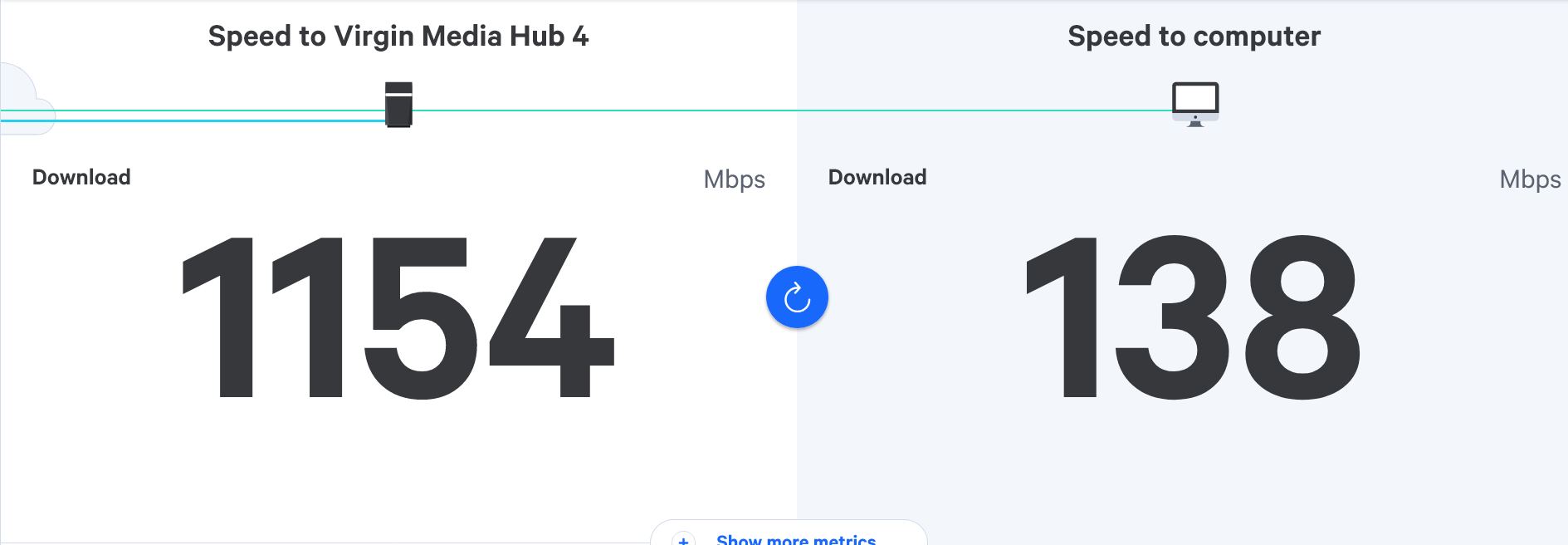
Virgin router replacement
-
Just out of interest how much did you buy it for? - interesting to say if the price has decreased much over time.
Currently down to £142, was expecting to pay more, pretty sure I’ve seen it for close to £200 when I last looked.

@JAC said in Virgin router replacement:
Currently down to £142, was expecting to pay more, pretty sure I’ve seen it for close to £200 when I last looked.
Good price, but let’s start low and slow here. You can then move up when you’re ready once we improve things.
-
@JAC yes, go for that router. However, see if you can one on eBay first - not necessarily that specific model - this is more about keeping the costs same whilst we work towards a solution.
Something like this is ideal to start
https://www.ebay.co.uk/itm/235225096895
It’s not the top end model, and honestly, it doesn’t need to be. The point here is that we need to remove the WiFi side of things from the Virgin Hub and let the new router take care of that. You’ll get a lot more control over the WiFi taking this route as most of the settings we’ll need to modify aren’t exposed by the hub whereas once the router assumes that task, they will be.
I’m not saying that this is going to be the holy grail, but it will certainly make life much easier and provide more flexibility.

@phenomlab Thanks again for the advice Mark throughout the evening.
I am just looking into this now. If for example I take this route will we have to reinsert WiFi codes etc?
I’ve seen many Virgin customers do this, so I know it clearly improves their WiFi, shame on Virgin hey!


Should I be worried the product is ‘end of line’
https://www.tp-link.com/uk/home-networking/wifi-router/archer-c1200/
-
@phenomlab Thanks again for the advice Mark throughout the evening.
I am just looking into this now. If for example I take this route will we have to reinsert WiFi codes etc?
I’ve seen many Virgin customers do this, so I know it clearly improves their WiFi, shame on Virgin hey!
Should I be worried the product is ‘end of line’
https://www.tp-link.com/uk/home-networking/wifi-router/archer-c1200/
@JAC said in Virgin router replacement:
I am just looking into this now. If for example I take this route will we have to reinsert WiFi codes etc?
Yes, because the router will take over this role.
-
@phenomlab Thanks again for the advice Mark throughout the evening.
I am just looking into this now. If for example I take this route will we have to reinsert WiFi codes etc?
I’ve seen many Virgin customers do this, so I know it clearly improves their WiFi, shame on Virgin hey!
Should I be worried the product is ‘end of line’
https://www.tp-link.com/uk/home-networking/wifi-router/archer-c1200/
@JAC said in Virgin router replacement:
Should I be worried the product is ‘end of line’
For the short term, no. If it resolves the issue you’re experiencing, then later down the line, you upgrade to something more suitable and that new device also receives updates etc. Provided it’s secured, which being a stateful device, it will be and your WiFi has a strong password, plus uses modern encryption methods, then the risk is low.
Obviously, over time that risk would increase, but it’s not something to worry about overnight. The priority here is to get to a stage where you’re actually getting the speeds you are paying for. After that, spending a bit more on what then becomes a permanent setup is less of a pill to swallow because you know it’s going to work.
TP-Link, whilst not “the best” on the market works very well and will certainly meet your needs and beyond.
Mark Cutting also advises organisations as a Fractional CIO, Fractional CISO and Executive Advisor, helping boards improve technology governance, cyber resilience and executive decision making. Learn more at Gratmore Ltd
-
@JAC said in Virgin router replacement:
Should I be worried the product is ‘end of line’
For the short term, no. If it resolves the issue you’re experiencing, then later down the line, you upgrade to something more suitable and that new device also receives updates etc. Provided it’s secured, which being a stateful device, it will be and your WiFi has a strong password, plus uses modern encryption methods, then the risk is low.
Obviously, over time that risk would increase, but it’s not something to worry about overnight. The priority here is to get to a stage where you’re actually getting the speeds you are paying for. After that, spending a bit more on what then becomes a permanent setup is less of a pill to swallow because you know it’s going to work.
TP-Link, whilst not “the best” on the market works very well and will certainly meet your needs and beyond.
https://www.ebay.co.uk/itm/275000178296
would you recommend getting something refurbished?
-
@JAC said in Virgin router replacement:
Should I be worried the product is ‘end of line’
For the short term, no. If it resolves the issue you’re experiencing, then later down the line, you upgrade to something more suitable and that new device also receives updates etc. Provided it’s secured, which being a stateful device, it will be and your WiFi has a strong password, plus uses modern encryption methods, then the risk is low.
Obviously, over time that risk would increase, but it’s not something to worry about overnight. The priority here is to get to a stage where you’re actually getting the speeds you are paying for. After that, spending a bit more on what then becomes a permanent setup is less of a pill to swallow because you know it’s going to work.
TP-Link, whilst not “the best” on the market works very well and will certainly meet your needs and beyond.
@phenomlab said in Virgin router replacement:
The priority here is to get to a stage where you’re actually getting the speeds you are paying for.
Thanks again for all the advice Mark.
Absolutely this for me, 100%
-
https://www.ebay.co.uk/itm/275000178296
would you recommend getting something refurbished?
@JAC Yes, if this is the route you’d like to take. There are no moving parts inside that units - they are 100% solid state, so rarely go wrong.
Mark Cutting also advises organisations as a Fractional CIO, Fractional CISO and Executive Advisor, helping boards improve technology governance, cyber resilience and executive decision making. Learn more at Gratmore Ltd
-
@JAC Yes, if this is the route you’d like to take. There are no moving parts inside that units - they are 100% solid state, so rarely go wrong.
@phenomlab Thanks.
I really hope this will do the trick!

-
@phenomlab said in Virgin router replacement:
This is the same router as I have. Zero issues
Just out of interest what speeds were you getting with the virgin router, compared with the speeds you see now?
-
@phenomlab said in Virgin router replacement:
This is the same router as I have. Zero issues
Just out of interest what speeds were you getting with the virgin router, compared with the speeds you see now?
@JAC Easily double. The WiFi range is also very poor on the hub no matter what frequencies you use etc.
For example, the hub is in my office upstairs (first floor) and the main TV is in the lounge. As the crow flies, they are less than 30ft apart and yet the TV would lose WiFi connection midway through films etc which was very frustrating.
Used the Archer, and now it works flawlessly. I have 350Mbps to the hub, and around 290Mbps to the TV which is more than enough. Obviously, you’ll never get the full value but somewhere near it is a good indicator.
Mark Cutting also advises organisations as a Fractional CIO, Fractional CISO and Executive Advisor, helping boards improve technology governance, cyber resilience and executive decision making. Learn more at Gratmore Ltd
-
@JAC Easily double. The WiFi range is also very poor on the hub no matter what frequencies you use etc.
For example, the hub is in my office upstairs (first floor) and the main TV is in the lounge. As the crow flies, they are less than 30ft apart and yet the TV would lose WiFi connection midway through films etc which was very frustrating.
Used the Archer, and now it works flawlessly. I have 350Mbps to the hub, and around 290Mbps to the TV which is more than enough. Obviously, you’ll never get the full value but somewhere near it is a good indicator.
@phenomlab thanks for the continued info Mark.
The Mrs on her phone upstairs (where the shield is) got 312mbps last night, is this a device issue do you think?
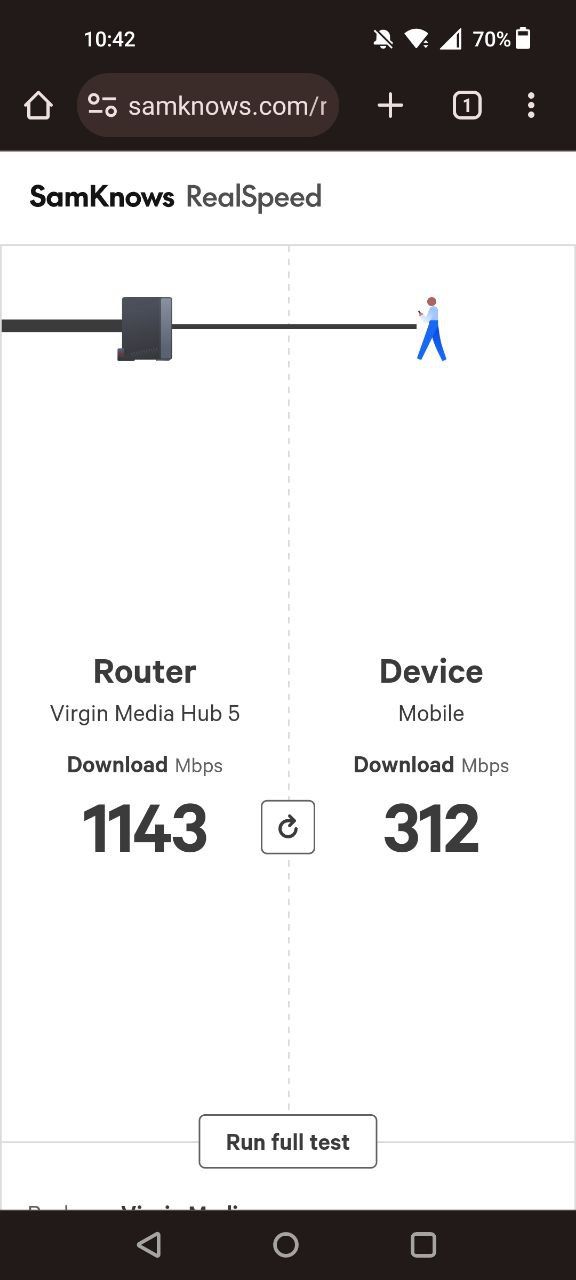
For example on my Samsung A53 I get probably 40/50mbps in that room tops.
-
@phenomlab thanks for the continued info Mark.
The Mrs on her phone upstairs (where the shield is) got 312mbps last night, is this a device issue do you think?
For example on my Samsung A53 I get probably 40/50mbps in that room tops.
@JAC Yes, very likely to be hardware related, so we’d need to see what the settings are. Can you ask your wife to do the same test but via
The thing with the Virgin Hub is that it will mix both
2.4Ghzand5Ghzsignals together under the same SSID, so you can’t tell the difference between the two networks, and the hub then decides which one you’ll use. Once the Archer is in place, it will split the two networks, so you can connect to each one to see which performs the best, and then use that going foward.5Ghzis good for close proximity and will deliver high speeds to those devices that support it, whereas2.4Ghzis much better when distance is an issue but will deliver a slower speed by comparison. Each of these frequencies have different use cases and the Archer will provide detailed information on each.Mark Cutting also advises organisations as a Fractional CIO, Fractional CISO and Executive Advisor, helping boards improve technology governance, cyber resilience and executive decision making. Learn more at Gratmore Ltd
-
@JAC another possibility here is “bandwidth hogs” which may be inadvertently consuming bandwidth meaning you won’t get a true reading. You should also power off any wifi capable devices that are not necessary for the test, so you’re left with just your phone and the hub itself when conducting these tests to get a true reading.
-
@JAC Yes, very likely to be hardware related, so we’d need to see what the settings are. Can you ask your wife to do the same test but via
The thing with the Virgin Hub is that it will mix both
2.4Ghzand5Ghzsignals together under the same SSID, so you can’t tell the difference between the two networks, and the hub then decides which one you’ll use. Once the Archer is in place, it will split the two networks, so you can connect to each one to see which performs the best, and then use that going foward.5Ghzis good for close proximity and will deliver high speeds to those devices that support it, whereas2.4Ghzis much better when distance is an issue but will deliver a slower speed by comparison. Each of these frequencies have different use cases and the Archer will provide detailed information on each.
@phenomlab thank you. If she’s at home I’ll ask her to do it now mate.
-
-
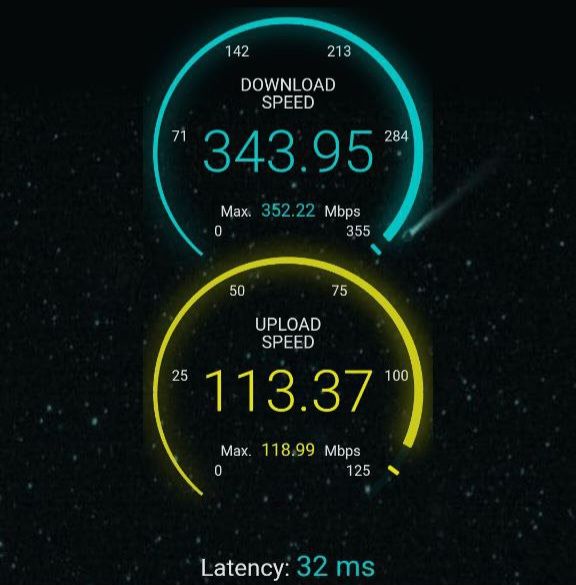
The test was also ran in the same room upstairs where the shield is.
@JAC Those are in fact good speeds, but I’m sure we can do better with the Archer.
Mark Cutting also advises organisations as a Fractional CIO, Fractional CISO and Executive Advisor, helping boards improve technology governance, cyber resilience and executive decision making. Learn more at Gratmore Ltd
-
@phenomlab I agree yes, the speed is great. I wonder why I only see speeds of around 100mbps or less on the Nvidia Shield 🧐
-
@phenomlab I agree yes, the speed is great. I wonder why I only see speeds of around 100mbps or less on the Nvidia Shield 🧐
@JAC Do you ever get the full speed on the shield, or is it always set at 100Mbps? This does sound very much like a restriction in the sense that the port on that device is hard coded to a specific speed, or is autosensing, but the network port is being limited by something else.
Is the shield on a wired connection, or wifi? From previous discussions, you are using Powerline (1Gbps) adapters in between with a network cable?
Mark Cutting also advises organisations as a Fractional CIO, Fractional CISO and Executive Advisor, helping boards improve technology governance, cyber resilience and executive decision making. Learn more at Gratmore Ltd
-
@JAC Do you ever get the full speed on the shield, or is it always set at 100Mbps? This does sound very much like a restriction in the sense that the port on that device is hard coded to a specific speed, or is autosensing, but the network port is being limited by something else.
Is the shield on a wired connection, or wifi? From previous discussions, you are using Powerline (1Gbps) adapters in between with a network cable?
@phenomlab I also have these coming later - https://amzn.eu/d/8x0Tzja
They may be of no use but I want to try cover every base.
The shield is connected via WiFi. I was using a powerline adapter but it made the speed worse, just plugging in a virgin pod in the room where the shield is it makes the speed much worse.
-
@JAC Do you ever get the full speed on the shield, or is it always set at 100Mbps? This does sound very much like a restriction in the sense that the port on that device is hard coded to a specific speed, or is autosensing, but the network port is being limited by something else.
Is the shield on a wired connection, or wifi? From previous discussions, you are using Powerline (1Gbps) adapters in between with a network cable?
@phenomlab said in Virgin router replacement:
Do you ever get the full speed on the shield
The best score I’ve ever got was over WiFi which was around 150mbps.

Hello! It looks like you're interested in this conversation, but you don't have an account yet.
Getting fed up of having to scroll through the same posts each visit? When you register for an account, you'll always come back to exactly where you were before, and choose to be notified of new replies (either via email, or push notification). You'll also be able to save bookmarks and upvote posts to show your appreciation to other community members.
With your input, this post could be even better 💗
Register LoginRelated Topics
-
-
-

Linksys EA6400
Solved Networks -
Issues with routing
Solved Networks -
-
Nvidia shield & router
Solved Configure -
-
Virgin Media Broadband
Solved General