[NODEBB] Help for my custom CSS
-
Edit :
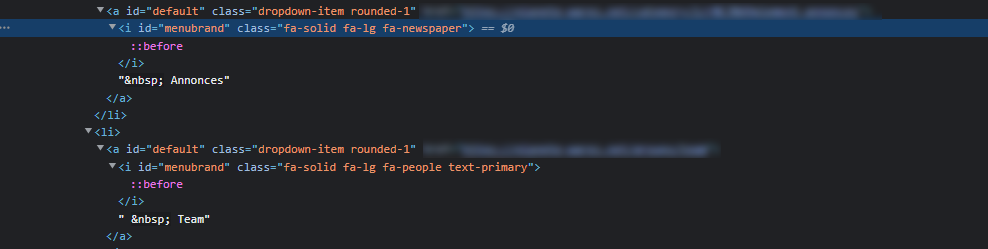
Ok, find the problem, second line have no
text-primaryand the first line have a differenta class.– Better like this I think :
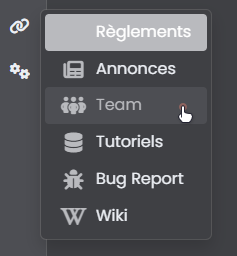
<li><a class="dropdown-item rounded-1" href="https://xxxxxxxxxxxxxxxx"><i class="fa-solid fa-lg fa-scroll text-primary menubrand"></i>Règlements</a></li>
<li><a class="dropdown-item rounded-1" href="https://xxxxxxxxxxxxxxxx"><i class="fa-solid fa-lg fa-newspaper text-primary menubrand"></i>Annonces</a></li>
<li><a class="dropdown-item rounded-1" href="https://xxxxxxxxxxxxxxxx"><i class="fa-solid fa-lg fa-people text-primary menubrand"></i>Team</a></li>
<li><a class="dropdown-item rounded-1" href="https://xxxxxxxxxxxxxxxx""><i class="fa-solid fa-lg fa-database text-primary menubrand"></i>Tutoriels</a></li>
<li><a class="dropdown-item rounded-1" href="https://xxxxxxxxxxxxxxxx"><i class="fa-solid fa-lg fa-bug text-primary menubrand"></i>Bug Report</a></li>
<li><a class="dropdown-item rounded-1" href="https://xxxxxxxxxxxxxxxx"><i class="fa-solid fa-lg fa-brands fa-wikipedia-w text-primary menubrand"></i>Wiki</a></li>
Thank you my friend
PW and WS Spirit alive
-
Edit :
Ok, find the problem, second line have no
text-primaryand the first line have a differenta class.– Better like this I think :
<li><a class="dropdown-item rounded-1" href="https://xxxxxxxxxxxxxxxx"><i class="fa-solid fa-lg fa-scroll text-primary menubrand"></i>Règlements</a></li>
<li><a class="dropdown-item rounded-1" href="https://xxxxxxxxxxxxxxxx"><i class="fa-solid fa-lg fa-newspaper text-primary menubrand"></i>Annonces</a></li>
<li><a class="dropdown-item rounded-1" href="https://xxxxxxxxxxxxxxxx"><i class="fa-solid fa-lg fa-people text-primary menubrand"></i>Team</a></li>
<li><a class="dropdown-item rounded-1" href="https://xxxxxxxxxxxxxxxx""><i class="fa-solid fa-lg fa-database text-primary menubrand"></i>Tutoriels</a></li>
<li><a class="dropdown-item rounded-1" href="https://xxxxxxxxxxxxxxxx"><i class="fa-solid fa-lg fa-bug text-primary menubrand"></i>Bug Report</a></li>
<li><a class="dropdown-item rounded-1" href="https://xxxxxxxxxxxxxxxx"><i class="fa-solid fa-lg fa-brands fa-wikipedia-w text-primary menubrand"></i>Wiki</a></li>
Thank you my friend
@DownPW I was just going to say that

-
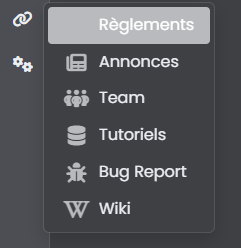
Just this bug.
How can I change the icon color of the active page? as you can see, the icon is not visible when we are on the selected page
I don’t want to change background active primary color but for example change icon to white like the text or other colorPW and WS Spirit alive
-
Just this bug.
How can I change the icon color of the active page? as you can see, the icon is not visible when we are on the selected page
I don’t want to change background active primary color but for example change icon to white like the text or other color@DownPW I just checked this, and it looks as though you are using using a transparent colour to work around the hover issue?
-
Not at all
The problem occurs on the left sidebar but not in the Brand menu.PW and WS Spirit alive
-
Not at all
The problem occurs on the left sidebar but not in the Brand menu.@DownPW This is what I see in the left side bar. I am using the Metallic theme?
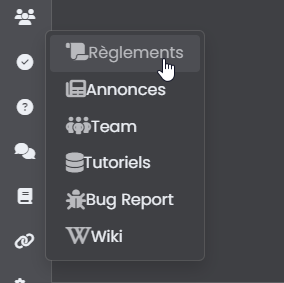
-
You must have a cache problem because the CSS is not even active on your image

The problem appears on the current page and not the hover
For example, use the menu to go to the Rules page. Once on the rules page, reuse the menu to see the bug
PW and WS Spirit alive
-
You must have a cache problem because the CSS is not even active on your image
The problem appears on the current page and not the hover
For example, use the menu to go to the Rules page. Once on the rules page, reuse the menu to see the bug
@DownPW Cache cleared, but…
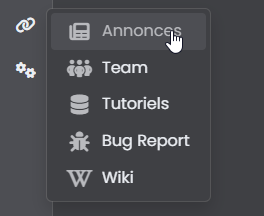
-
re test and click on a link ?
-
-
@DownPW I see it in an incognito session - looks like I’ve got some browser related issues

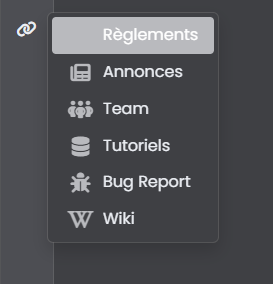
So it’s not hover, but
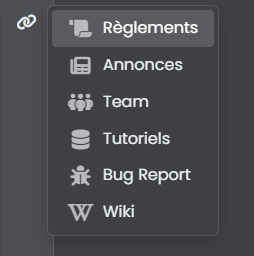
:activeI’d ne inclined to use transparency here as it’s much less effort
.dropdown-item.active, .dropdown-item:active {
    --bs-dropdown-link-active-bg: #b9babe38;
}
That will give you (for this swatch at least)
-
Just this bug.
How can I change the icon color of the active page? as you can see, the icon is not visible when we are on the selected page
I don’t want to change background active primary color but for example change icon to white like the text or other color@DownPW said in [NODEBB] Help for my custom CSS:
Just this bug.
How can I change the icon color of the active page
-
Yes thnaks it’s a solution but is there another way? Like targeting icons when the dropdown is active rather than changing the background because I already use --bs-dropdown-link-active-bg elsewhere
Otherwise we can cheat by changing the color of the icons at any time but I find it less good.
maybe change html for add specific class
It’s just a question, I can eventually satisfy myself with this solution
PW and WS Spirit alive
-
Yes thnaks it’s a solution but is there another way? Like targeting icons when the dropdown is active rather than changing the background because I already use --bs-dropdown-link-active-bg elsewhere
Otherwise we can cheat by changing the color of the icons at any time but I find it less good.
maybe change html for add specific class
It’s just a question, I can eventually satisfy myself with this solution
@DownPW Try this
a.active i {
    color: #ffffff!important;
}
Mark Cutting also advises organisations as a Fractional CIO, Fractional CISO and Executive Advisor, helping boards improve technology governance, cyber resilience and executive decision making. Learn more at Phenomlab Ltd
-
Seems to be definitevely better. Hope have no other effect
Thank you Mark !PW and WS Spirit alive
-
@DownPW there shouldn’t be - it’s a fairly specific target, but if you do experience odd behaviour, let me know.
-
Hello mark,
I would like to change the appearance of deleted messages in topics but I can’t find the target or the component.
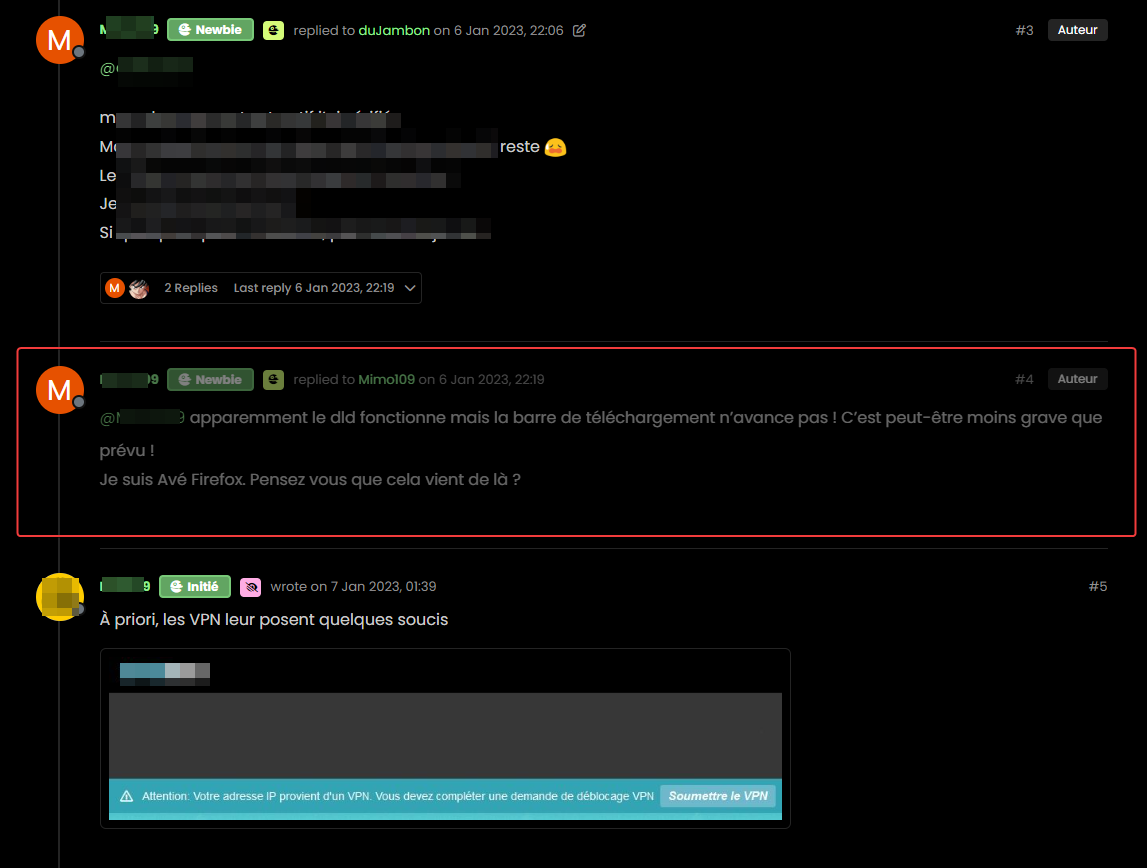
For example, opacity or left timeline color of the deleted post
And I would like the same things for deleted topics
Hard to find these component or class !
Thanks
PW and WS Spirit alive
-
Hello mark,
I would like to change the appearance of deleted messages in topics but I can’t find the target or the component.
For example, opacity or left timeline color of the deleted post
And I would like the same things for deleted topics
Hard to find these component or class !
Thanks
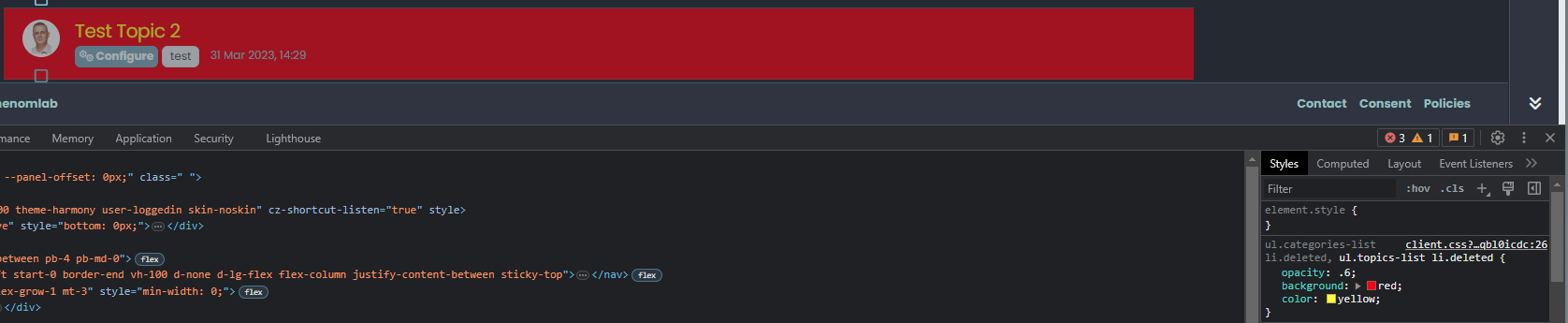
@DownPW The topic CSS for this should be as below (note, I added the background and color)
ul.categories-list li.deleted, ul.topics-list li.deleted {
    opacity: .6;
    background: red;
    color: yellow;
}
Threads for deleted posts in topics are covered by the
.deletedclass (note, I added the background and color).deleted { background: black; color: orange; }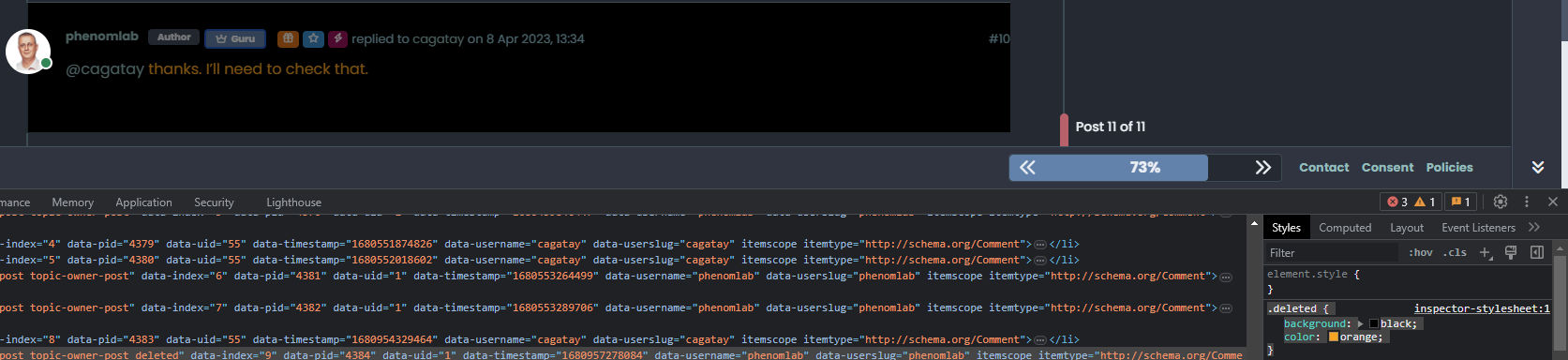
-
Thanks you Mark !
I know why I have don’t find this directive lol : I got my brushes tangled up in the dev console
So for deleted post , I prefer use
li.pt-4.deletedinstead of.deletedbecause.deletedis in conflict withul.categories-list li.deleted, ul.topics-list li.deletedPW and WS Spirit alive
-
Thanks you Mark !
I know why I have don’t find this directive lol : I got my brushes tangled up in the dev console
So for deleted post , I prefer use
li.pt-4.deletedinstead of.deletedbecause.deletedis in conflict withul.categories-list li.deleted, ul.topics-list li.deleted@DownPW yes, fair point. The
.deletedclass is implicit so you need to make it unique using other classes before it to create a chain which you’ve done.



Hello! It looks like you're interested in this conversation, but you don't have an account yet.
Getting fed up of having to scroll through the same posts each visit? When you register for an account, you'll always come back to exactly where you were before, and choose to be notified of new replies (either via email, or push notification). You'll also be able to save bookmarks and upvote posts to show your appreciation to other community members.
With your input, this post could be even better 💗
Register LoginDid this solution help you?
Related Topics
-
-
-
-
-
-
-
NodeBB Footer
Solved Customisation -