NodeBB customisation
-
@jac yes, they can. Here’s an example of how that would work
https://www.w3docs.com/snippets/css/how-to-import-google-fonts-in-css-file.html
@phenomlab said in NodeBB customisation:
@jac yes, they can. Here’s an example of how that would work
https://www.w3docs.com/snippets/css/how-to-import-google-fonts-in-css-file.html
Thanks mate, will check this out over the weekend
 .
. -
@phenomlab said in NodeBB customisation:
@jac yes, they can. Here’s an example of how that would work
https://www.w3docs.com/snippets/css/how-to-import-google-fonts-in-css-file.html
Thanks mate, will check this out over the weekend
.@jac said in NodeBB customisation:
@phenomlab said in NodeBB customisation:
@jac yes, they can. Here’s an example of how that would work
https://www.w3docs.com/snippets/css/how-to-import-google-fonts-in-css-file.html
Thanks mate, will check this out over the weekend
. how would this work if I just wanted to change the title font?
 -
@jac said in NodeBB customisation:
@phenomlab said in NodeBB customisation:
@jac yes, they can. Here’s an example of how that would work
https://www.w3docs.com/snippets/css/how-to-import-google-fonts-in-css-file.html
Thanks mate, will check this out over the weekend
. how would this work if I just wanted to change the title font?@jac You’d need to target the element you want, and change the font being called - an example
h1.title {
font-family: "mygooglefont";
}
Mark Cutting also advises organisations as a Fractional CIO, Fractional CISO and Executive Advisor, helping boards improve technology governance, cyber resilience and executive decision making. Learn more at Phenomlab Ltd
-
@jac You’d need to target the element you want, and change the font being called - an example
h1.title { font-family: "mygooglefont"; } -
@phenomlab Thank you, I’ll take a look

@phenomlab without taking every idea from yourself…
The banner effect that you have in place was it easy to do?
This is something I wanted to do originally with photos, but the general look and feel of the wide banner effect with the font on does look really impressive.
I’m wondering if it would look any better than what I currently have?


-
@phenomlab without taking every idea from yourself…
The banner effect that you have in place was it easy to do?
This is something I wanted to do originally with photos, but the general look and feel of the wide banner effect with the font on does look really impressive.
I’m wondering if it would look any better than what I currently have?
@jac Do you mean this part ?

Mark Cutting also advises organisations as a Fractional CIO, Fractional CISO and Executive Advisor, helping boards improve technology governance, cyber resilience and executive decision making. Learn more at Phenomlab Ltd
-
-
@jac Easily done, but it’s not entirely “simple”

This is the CSS that handles that
.Hero {
    background: #8A8C8E;
    position: sticky;
    left: 0;
    right: 0;
    margin-left: -50vw;
    margin-right: -50vw;
    width: 100vw;
    z-index: 500;
    padding-top: 10px;
    margin-top: -20px;
    margin-bottom: 30px;
    height: 70px;
    color: #ffffff;
}
ul.PageHero-items li {
    list-style: none;
    text-align: center;
}
.PageHero-title {
    vertical-align: middle;
    font-size: 3rem!important;
    color: #ffffff;
    font-family: Poppins;
    display: inline-block;
    margin-left: 15px;
    max-width: 800px;
}
h2.PageHero-title::after {
    display: flex;
    margin: -10px 0 0!important;
    font-size: 2rem;
    font-weight: 300;
    -webkit-background-clip: text!important;
    -webkit-text-fill-color: transparent;
    background: -webkit-linear-gradient(#fff,#aaa);
    line-height: 2.0;
    font-family: poppins;
}
You’ll then need a global widget with this code
<header class="Hero PageHero">
<div class="container">
<ul class="PageHero-items">
<li class="item-title">
<h2 class="PageHero-title">{title}</h2>
</li>
</ul>
</div>
</header>
Mark Cutting also advises organisations as a Fractional CIO, Fractional CISO and Executive Advisor, helping boards improve technology governance, cyber resilience and executive decision making. Learn more at Phenomlab Ltd
-
@jac Easily done, but it’s not entirely “simple”
This is the CSS that handles that
.Hero {
    background: #8A8C8E;
    position: sticky;
    left: 0;
    right: 0;
    margin-left: -50vw;
    margin-right: -50vw;
    width: 100vw;
    z-index: 500;
    padding-top: 10px;
    margin-top: -20px;
    margin-bottom: 30px;
    height: 70px;
    color: #ffffff;
}
ul.PageHero-items li {
    list-style: none;
    text-align: center;
}
.PageHero-title {
    vertical-align: middle;
    font-size: 3rem!important;
    color: #ffffff;
    font-family: Poppins;
    display: inline-block;
    margin-left: 15px;
    max-width: 800px;
}
h2.PageHero-title::after {
    display: flex;
    margin: -10px 0 0!important;
    font-size: 2rem;
    font-weight: 300;
    -webkit-background-clip: text!important;
    -webkit-text-fill-color: transparent;
    background: -webkit-linear-gradient(#fff,#aaa);
    line-height: 2.0;
    font-family: poppins;
}
You’ll then need a global widget with this code
<header class="Hero PageHero"> <div class="container"> <ul class="PageHero-items"> <li class="item-title"> <h2 class="PageHero-title">{title}</h2> </li> </ul> </div> </header> -
@jac said in NodeBB customisation:
@phenomlab said in NodeBB customisation:
Easily done, but it’s not entirely “simple”


Will have a look
thanks mate. -
@jac said in NodeBB customisation:
@phenomlab said in NodeBB customisation:
Easily done, but it’s not entirely “simple”
Will have a look
thanks mate.@jac I can assist of course…
Mark Cutting also advises organisations as a Fractional CIO, Fractional CISO and Executive Advisor, helping boards improve technology governance, cyber resilience and executive decision making. Learn more at Phenomlab Ltd
-
-
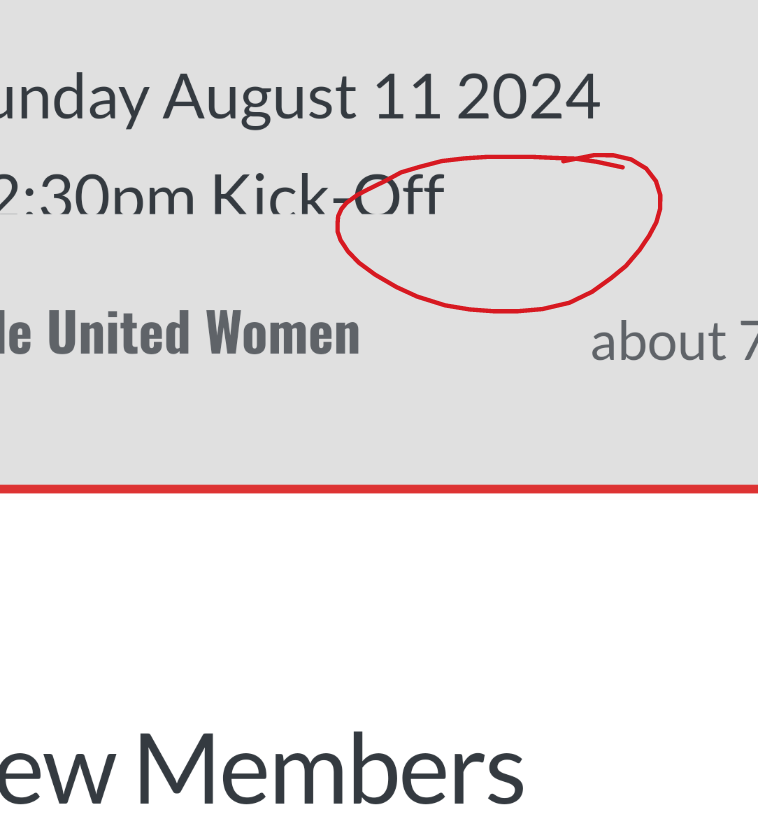
@phenomlab I have ran into the not entirely “simple” part
 .
. -
@phenomlab I have ran into the not entirely “simple” part
. -
-
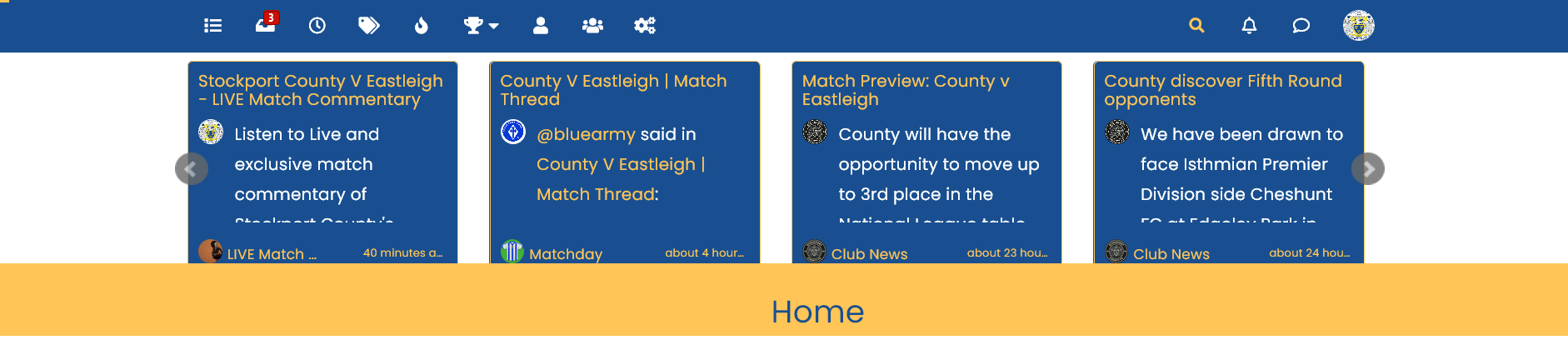
@jac That’s caused by the recent cards plugin, which is being loaded first. You’ll need to remove or re-position that widget
Mark Cutting also advises organisations as a Fractional CIO, Fractional CISO and Executive Advisor, helping boards improve technology governance, cyber resilience and executive decision making. Learn more at Phenomlab Ltd
-
@jac That’s caused by the recent cards plugin, which is being loaded first. You’ll need to remove or re-position that widget
@phenomlab Thanks mate, I’ve been trying to rearrange it so the recent cards widget falls under the banner.
-
@phenomlab Thanks mate, I’ve been trying to rearrange it so the recent cards widget falls under the banner.
@jac Not hard to do (potentially) but it would mean changing the loading order of the plugins. Let me have a look.
Mark Cutting also advises organisations as a Fractional CIO, Fractional CISO and Executive Advisor, helping boards improve technology governance, cyber resilience and executive decision making. Learn more at Phenomlab Ltd
-
@jac Not hard to do (potentially) but it would mean changing the loading order of the plugins. Let me have a look.
@phenomlab said in NodeBB customisation:
@jac Not hard to do (potentially) but it would mean changing the loading order of the plugins. Let me have a look.
Many thanks mate.
I think the issue falls as one widget is global and the other is situated under categories.
-
@phenomlab said in NodeBB customisation:
@jac Not hard to do (potentially) but it would mean changing the loading order of the plugins. Let me have a look.
Many thanks mate.
I think the issue falls as one widget is global and the other is situated under categories.
@jac Unfortunately, no. It’s the loading order of the plugin. I’ve changed it, but it doesn’t seem to have any impact, so the only “fix” is to remove the recent cards widget or place it elsewhere.
Mark Cutting also advises organisations as a Fractional CIO, Fractional CISO and Executive Advisor, helping boards improve technology governance, cyber resilience and executive decision making. Learn more at Phenomlab Ltd



Hello! It looks like you're interested in this conversation, but you don't have an account yet.
Getting fed up of having to scroll through the same posts each visit? When you register for an account, you'll always come back to exactly where you were before, and choose to be notified of new replies (either via email, or push notification). You'll also be able to save bookmarks and upvote posts to show your appreciation to other community members.
With your input, this post could be even better 💗
Register LoginRelated Topics
-
-
-
-
-
-
-
NodeBB Footer
Solved Customisation -