Virgin router replacement
-
@JAC I’ve recently implemented mesh network in my house using a Virgin router, plus a TP-Link Archer AX72. My parents in law live next door actually so I have run CAT6 cabling into their house from mine and added a TP-Link Archer A7 router there in Wi-Fi extension mode.
This works brilliantly and uses the same SSID between the two houses. Have connections available on 2.4Ghz and 5Ghz with no interference.

@phenomlab said in Virgin router replacement:
I have run CAT6 cabling into their house from mine and added a TP-Link Archer A7 router there in Wi-Fi extension mode.
This works brilliantly and uses the same SSID between the two houses. Have connections available on 2.4Ghz and 5Ghz with no interference.
This sounds incredibly satisfying once achieved, I must buy the Archer and hope it improves my coverage.
I keep putting it off
 .
-
@phenomlab said in Virgin router replacement:
I have run CAT6 cabling into their house from mine and added a TP-Link Archer A7 router there in Wi-Fi extension mode.
This works brilliantly and uses the same SSID between the two houses. Have connections available on 2.4Ghz and 5Ghz with no interference.
This sounds incredibly satisfying once achieved, I must buy the Archer and hope it improves my coverage.
I keep putting it off
.
@JAC it’s well worth doing. The one I have is the AX72 in my own house, and installed a C7 in my parents-in-law in Acess Point Mode which works very well
Mark Cutting also advises organisations as a Fractional CIO, Fractional CISO and Executive Advisor, helping boards improve technology governance, cyber resilience and executive decision making. Learn more at Gratmore Ltd
-
@JAC it’s well worth doing. The one I have is the AX72 in my own house, and installed a C7 in my parents-in-law in Acess Point Mode which works very well
@phenomlab You’re a clever bloke Mark
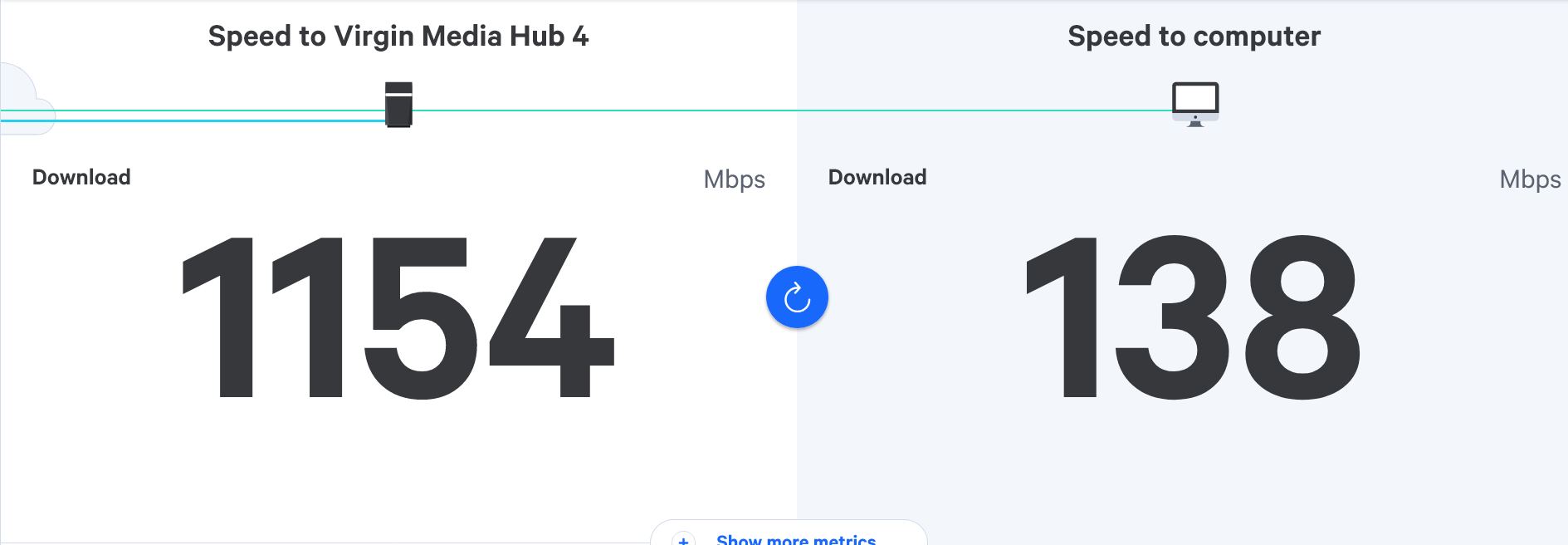
 - would the Archer improve the speeds I’m currently getting upstairs or just the range?
If you remember we tried the pods to no avail, do you think this would have the same result? - the issue is the WiFi hub is downstairs and always has been since installation alongside Virgin TV probably ten years ago.
-
@phenomlab You’re a clever bloke Mark
- would the Archer improve the speeds I’m currently getting upstairs or just the range?If you remember we tried the pods to no avail, do you think this would have the same result? - the issue is the WiFi hub is downstairs and always has been since installation alongside Virgin TV probably ten years ago.
@JAC range and speed. The AX73 I have has a range of 30m give or take, and you could extend that even further by creating a mesh network.
In the event of dead spots, the mesh network advertises the next available unit and connects you to that. With 6 antennas, the AX73 will reach most points in the house. I have no issues, although WiFi networks are really hampered by structures such as solid brick walls etc.
In most cases, the AX73 is more than sufficient. It’s also WiFi 6 meaning higher speeds and increased channel availability to avoid already congested channels which will also slow things down. However, the additional channels can’t all be used as they are typically reserved, and you may require permission to use them.
Not entirely a throw it all together and it’ll work right out of the box, but easily achieved with some assistance from me.
Mark Cutting also advises organisations as a Fractional CIO, Fractional CISO and Executive Advisor, helping boards improve technology governance, cyber resilience and executive decision making. Learn more at Gratmore Ltd
-
@JAC range and speed. The AX73 I have has a range of 30m give or take, and you could extend that even further by creating a mesh network.
In the event of dead spots, the mesh network advertises the next available unit and connects you to that. With 6 antennas, the AX73 will reach most points in the house. I have no issues, although WiFi networks are really hampered by structures such as solid brick walls etc.
In most cases, the AX73 is more than sufficient. It’s also WiFi 6 meaning higher speeds and increased channel availability to avoid already congested channels which will also slow things down. However, the additional channels can’t all be used as they are typically reserved, and you may require permission to use them.
Not entirely a throw it all together and it’ll work right out of the box, but easily achieved with some assistance from me.
@phenomlab Great summary there Mark, thank you. I bet there’s a few new models out since we last spoke about it?
-
@phenomlab I do wonder if it’s still worth taking a look at this also - https://www.tp-link.com/uk/home-networking/wifi-router/archer-ax73/
I remember you posting it a while back.

@JAC said in Virgin router replacement:
https://www.tp-link.com/uk/home-networking/wifi-router/archer-ax73/
@phenomlab what made you go with this router over say Linksys router?
-
@JAC said in Virgin router replacement:
https://www.tp-link.com/uk/home-networking/wifi-router/archer-ax73/
@phenomlab what made you go with this router over say Linksys router?
@Madchatthew For me, it was mostly a personal preference. Having used LinkSys products over the years, and really liked them. However, what put me off was the price point when it came to LinkSys. You can get a much cheaper device from TP-Link that still offers Wifi 6, mesh functionality, etc.
LinkSys (in my experience) tends to leave out functionality on specific models meaning you have to go for the higher price point and ranges which is typical of Cisco. The TP-Link AX73 I have is a superb and capable router for a fraction of the cost.
Mark Cutting also advises organisations as a Fractional CIO, Fractional CISO and Executive Advisor, helping boards improve technology governance, cyber resilience and executive decision making. Learn more at Gratmore Ltd
-
@Madchatthew For me, it was mostly a personal preference. Having used LinkSys products over the years, and really liked them. However, what put me off was the price point when it came to LinkSys. You can get a much cheaper device from TP-Link that still offers Wifi 6, mesh functionality, etc.
LinkSys (in my experience) tends to leave out functionality on specific models meaning you have to go for the higher price point and ranges which is typical of Cisco. The TP-Link AX73 I have is a superb and capable router for a fraction of the cost.
@phenomlab That is good to know. I will have to check them out next time I need to get a new router. The one I have now is probably almost 5 to 8 years old maybe even older. I should maybe even think about replacing that just for security reasons?
I know there is open source router software that you can install on some routers. I wonder if the model I have is able to do that. I have heard that it is supposed to open up more features and give more functionality as well. I should check and see if that would work with my current router.
-
@phenomlab That is good to know. I will have to check them out next time I need to get a new router. The one I have now is probably almost 5 to 8 years old maybe even older. I should maybe even think about replacing that just for security reasons?
I know there is open source router software that you can install on some routers. I wonder if the model I have is able to do that. I have heard that it is supposed to open up more features and give more functionality as well. I should check and see if that would work with my current router.
@Madchatthew said in Virgin router replacement:
The one I have now is probably almost 5 to 8 years old maybe even older. I should maybe even think about replacing that just for security reasons?
That depends. I’d check to see if any new firmware has been released, or if the device is still supported.
If it isn’t, then that’s generally a good reason to upgrade. Most consumer routers can be quite vulnerable to exploit and this is made so much worse because of older devices running older firmware are left to just “run” without anyone actually checking them.
A bit more detail here
https://sirinsoftware.com/blog/wi-fi-router-vulnerabilities-whats-lurking-inside-sirin-software
Mark Cutting also advises organisations as a Fractional CIO, Fractional CISO and Executive Advisor, helping boards improve technology governance, cyber resilience and executive decision making. Learn more at Gratmore Ltd
-
@Madchatthew said in Virgin router replacement:
The one I have now is probably almost 5 to 8 years old maybe even older. I should maybe even think about replacing that just for security reasons?
That depends. I’d check to see if any new firmware has been released, or if the device is still supported.
If it isn’t, then that’s generally a good reason to upgrade. Most consumer routers can be quite vulnerable to exploit and this is made so much worse because of older devices running older firmware are left to just “run” without anyone actually checking them.
A bit more detail here
https://sirinsoftware.com/blog/wi-fi-router-vulnerabilities-whats-lurking-inside-sirin-software
@phenomlab Yeah I will have to check that out. I don’t remember when the last time it was updated. That was a good article too by the way.
-
phenomlab marked this topic as a regular topic on
Hello! It looks like you're interested in this conversation, but you don't have an account yet.
Getting fed up of having to scroll through the same posts each visit? When you register for an account, you'll always come back to exactly where you were before, and choose to be notified of new replies (either via email, or push notification). You'll also be able to save bookmarks and upvote posts to show your appreciation to other community members.
With your input, this post could be even better 💗
Register LoginRelated Topics
-
-
-
Linksys EA6400
Solved Networks -
Issues with routing
Solved Networks -
-
Nvidia shield & router
Solved Configure -
-
Virgin Media Broadband
Solved General