Switch between list and card view function
-
@phenomlab said in Switch between list and card view function:
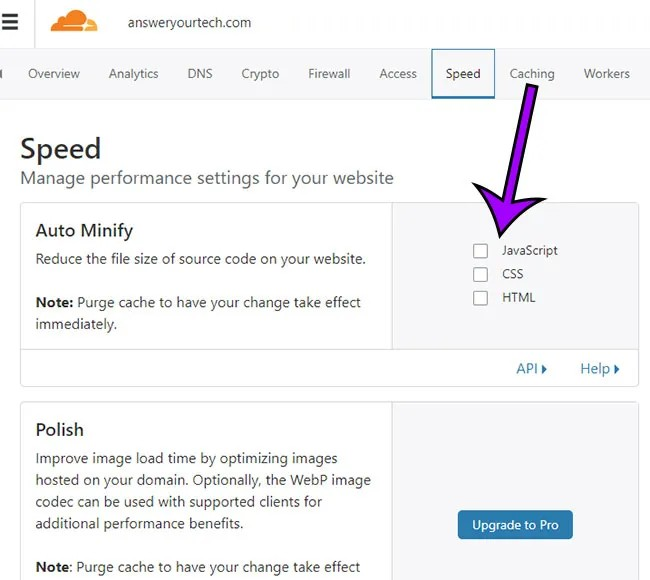
Actually, can you try and remove the minification etc on CSS and JS in CF for your domain and see if t
Sorry my friend, can you be more specific ?
@DownPW this setting
-
hello.
how OK
minification etc on CSS and JS in CF is already disabled
PW and WS Spirit alive
-
@DownPW thanks. Just wanted to eliminate a thought I had around the JS being executed in the wrong order.
-
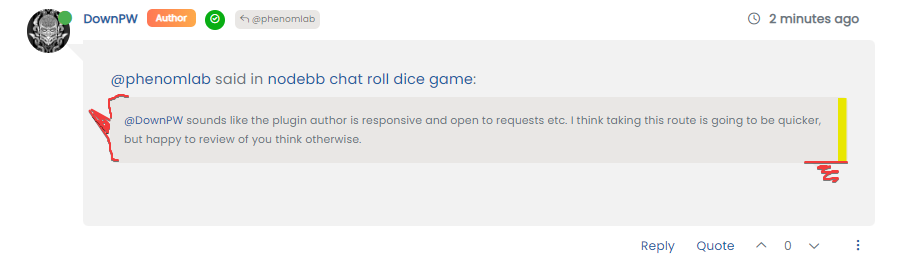
hmmm, on my website, in fact the elements on the class have not been applied are still displayed

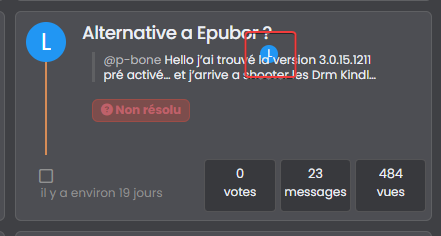
Is there a way to prevent them from showing up either?
@DownPW said in Switch between list and card view function:
Is there a way to prevent them from showing up either?
You should be able to use the below CSS to hide that specific avatar
.category-card .lastpost a img {
    margin-top: 10px;
    margin-left: -185px;
    display: none;
}
And
.category-card span.avatar.avatar-tooltip.not-responsive.avatar-rounded { display: none; } -
Too bad. I will therefore not be able to use this function or perhaps by just deleting the problematic avatar if that is possible
@DownPW said in Switch between list and card view function:
Too bad. I will therefore not be able to use this function or perhaps by just deleting the problematic avatar if that is possible
FIXED: Looks like I was using an incorrect hook
have rectified that now, so can you please pull the latest functions.jsand test?https://github.com/phenomlab/harmony-card-view/blob/main/functions.js
-
I switched my domain back to CF, and all the previous bugs came back
However, I’ve re-written the code to use custom CSS instead of external CSS, and this so far looks good in test. I want to evaluate this a bit more before I release the updated code, but so far, this looks like it’s going to work. -
@DownPW I think I might finally have it - code that works in CF with no bugs…

Can you please test this code (which is running in sudonix.dev) and let me know what you think? It’s not ready for publish just yet but will be once I’ve tidied up a few things.
-
Hello Mark
It looks pretty good on your test platform. I didn’t notice the bug there.
Let’s see what it looks like on another server with CF.
PW and WS Spirit alive
-
Hello Mark
It looks pretty good on your test platform. I didn’t notice the bug there.
Let’s see what it looks like on another server with CF.
@DownPW Great. There is still one small bug I noticed, but I think that might be a caching issue. This new code is refactored, and has structurally changed. I’ll post the new code in the main topic, plus updated instructions.
-
After a significant rewrite of the code plus the CSS, I’m pleased to release this stable version. There are some changes however.
- The external
CSSfile is no longer needed (you can delete it). As a result, the CSS you see in the below file needs to be copied into
/admin/appearance/customise#custom-csshttps://github.com/phenomlab/harmony-card-view/blob/main/card.css
- The
JScode has been refactored, and the code contained in the link below needs to be copied into
/admin/appearance/customise#custom-jsYou need to overwrite existing code if you have it
https://github.com/phenomlab/harmony-card-view/blob/main/functions.js
IMPORTANT
If you use Cloudflare, you MUST disable the HTML minification if you use it
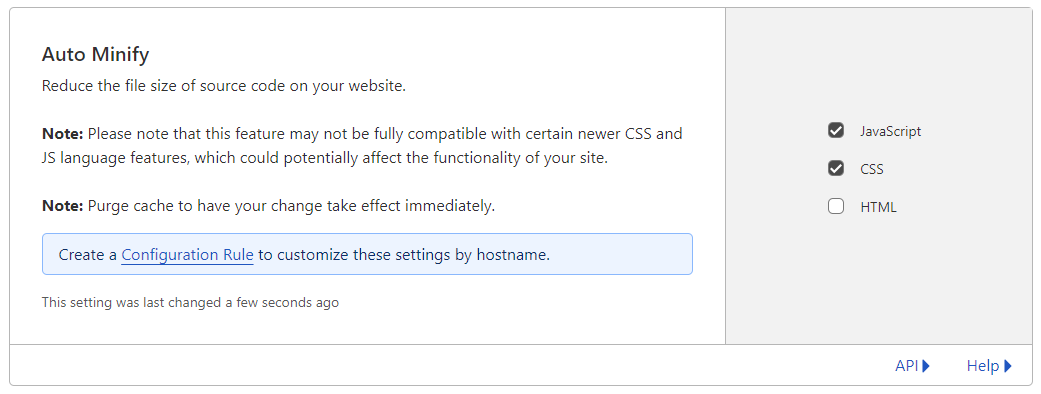
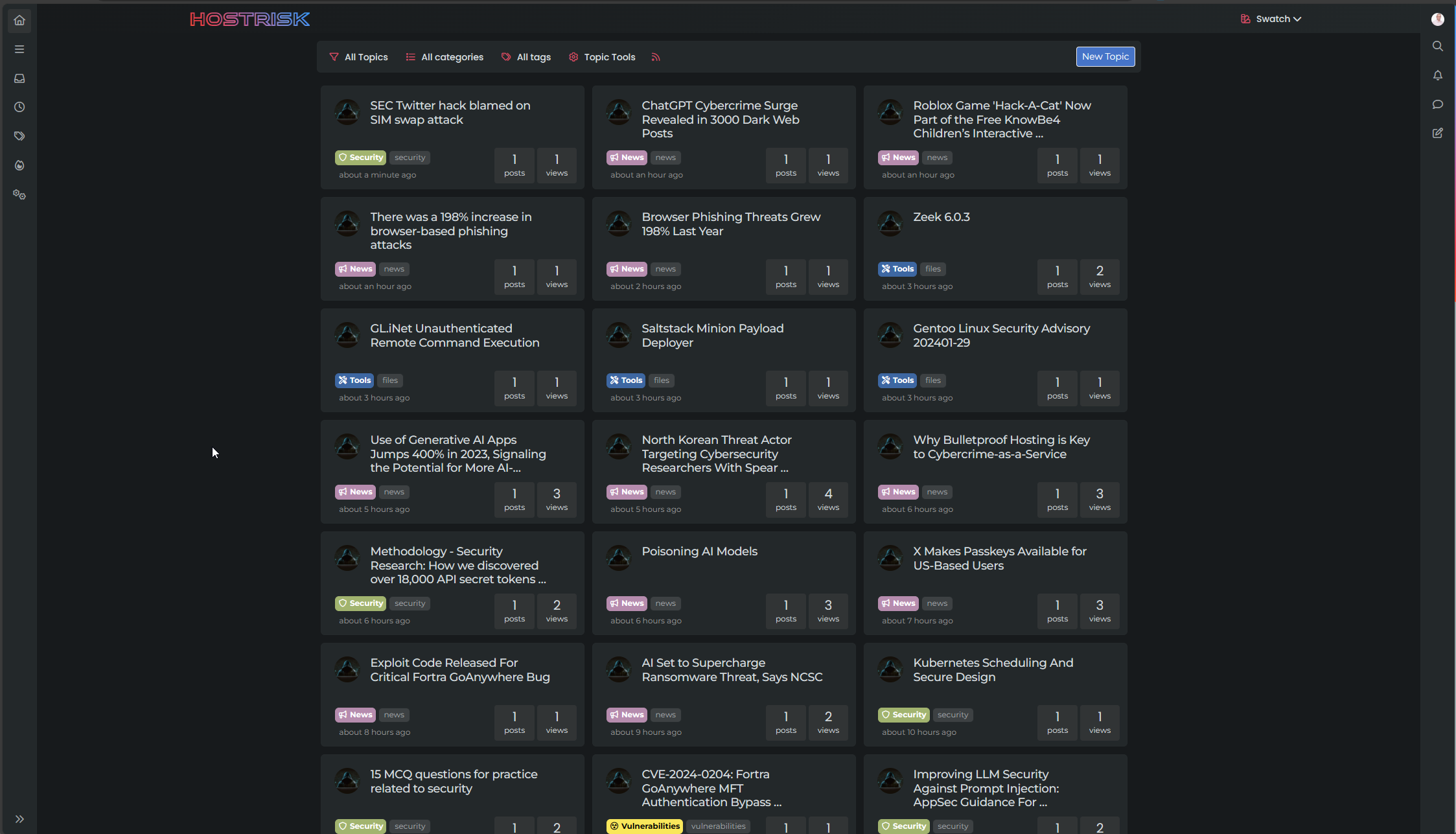
If everything went well, you should see this

If it doesn’t look like the above, the main reason for this is that you are using Cloudflare and have not disabled HTML minification. If this setting is enabled, the JS code will insert additional classes into the
DOMas it should, although CF has a bad habit of changing the execution order meaning the CSS is not correctly applied to the first set of returned topics - an example of that below
If you experience this issue, please ensure that you’ve disabled HTML minification.
Enjoy the new layout. Any issues, let me know.
- The external
-
 undefined phenomlab moved this topic from Customisation on
-
Test ASAP this version on my dev environment with CF my friend.
Thank you so much -
Still doesn’t work for me
I’m in DNS only mode in CF,
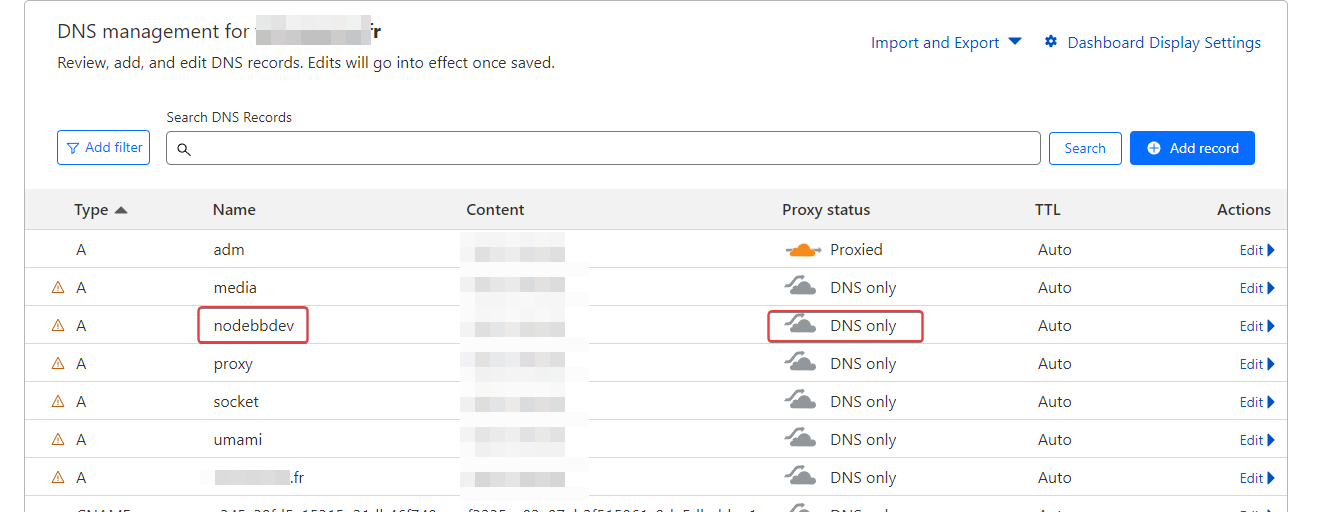
I deactivated CF and it’s the same :
I deleted all my custom CSS and JS on nodebb ACP, leaving only those for the card view and I have the same problem.
I admit that I don’t understand anything anymore.
PW and WS Spirit alive
-
Still doesn’t work for me
I’m in DNS only mode in CF,
I deactivated CF and it’s the same :
I deleted all my custom CSS and JS on nodebb ACP, leaving only those for the card view and I have the same problem.
I admit that I don’t understand anything anymore.
@DownPW I think I see why.
Can you locate this css block
.category-card .lastpost a img {
    margin-top: 10px;
    margin-left: -185px;
}
and change it to
.category-card .lastpost a img, span.avatar.avatar-tooltip.not-responsive.avatar-rounded {
    margin-top: 10px;
    margin-left: -178px;
}
I did not account for the usage of standard avatars (the ones were it uses the first letter of the username) - I use a custom “guest” or “no upload” image defined here
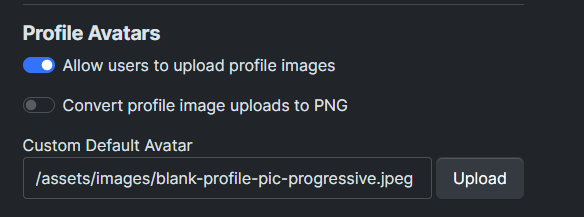
Whereas your site doesn’t have this and therefore replaces the CSS class which we have not previously targeted
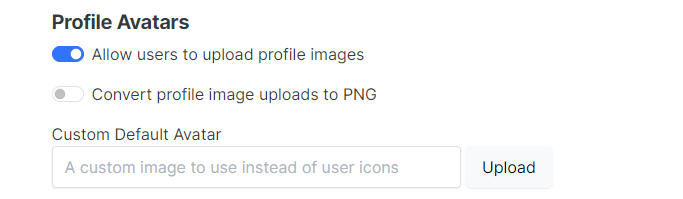
I’m confident that this will resolve the issue (famous last words)…
Mark Cutting also advises organisations as a Fractional CIO, Fractional CISO and Executive Advisor, helping boards improve technology governance, cyber resilience and executive decision making. Learn more at Phenomlab Ltd
-
I’m with my childs, test asap

PW and WS Spirit alive
-
@DownPW I see you set a default avatar
?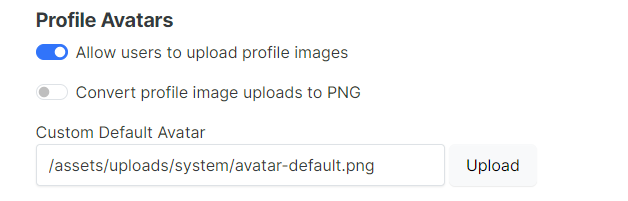
On checking your site, this has resolved the issue, but you should still have that CSS I defined above. As soon as you validate, I will add this to the code.
-
@DownPW I think I see why.
Can you locate this css block
.category-card .lastpost a img {
    margin-top: 10px;
    margin-left: -185px;
}
and change it to
.category-card .lastpost a img, span.avatar.avatar-tooltip.not-responsive.avatar-rounded {
    margin-top: 10px;
    margin-left: -178px;
}
I did not account for the usage of standard avatars (the ones were it uses the first letter of the username) - I use a custom “guest” or “no upload” image defined here
Whereas your site doesn’t have this and therefore replaces the CSS class which we have not previously targeted
I’m confident that this will resolve the issue (famous last words)…
@phenomlab said in Switch between list and card view function:
Can you locate this css block
.category-card .lastpost a img { margin-top: 10px; margin-left: -185px;}
and change it to.category-card .lastpost a img, span.avatar.avatar-tooltip.not-responsive.avatar-rounded { margin-top: 10px; margin-left: -178px;}
I did not account for the usage of standard avatars (the ones were it uses the first letter of the username) - I use a custom “guest” or “no upload” image defined hereWhereas your site doesn’t have this and therefore replaces the CSS class which we have not previously targeted
I’m confident that this will resolve the issue (famous last words)…
Seems to work
So actually all the avatars where the problem occurs are account avatars which have no profile image (very good remark)
If i set default avatar, the bug is resolved.
PW and WS Spirit alive
-
@phenomlab said in Switch between list and card view function:
Can you locate this css block
.category-card .lastpost a img { margin-top: 10px; margin-left: -185px;}
and change it to.category-card .lastpost a img, span.avatar.avatar-tooltip.not-responsive.avatar-rounded { margin-top: 10px; margin-left: -178px;}
I did not account for the usage of standard avatars (the ones were it uses the first letter of the username) - I use a custom “guest” or “no upload” image defined hereWhereas your site doesn’t have this and therefore replaces the CSS class which we have not previously targeted
I’m confident that this will resolve the issue (famous last words)…
Seems to work
So actually all the avatars where the problem occurs are account avatars which have no profile image (very good remark)
If i set default avatar, the bug is resolved.
@DownPW Yes, but it’s not a “bug” - it’s something I didn’t consider during the design, but the updated CSS will address that. Glad it works!!
Updated CSS committed.
https://github.com/phenomlab/harmony-card-view/commit/f0d95fff9fc545a7155ae50055336a173ffe4064
Mark Cutting also advises organisations as a Fractional CIO, Fractional CISO and Executive Advisor, helping boards improve technology governance, cyber resilience and executive decision making. Learn more at Phenomlab Ltd
-
Yes, I completely understand what you mean.
Finally the first code should work but it’s a blessing in disguise. I think the no external stylesheet approach is much better.
PW and WS Spirit alive
-
Yes, I completely understand what you mean.
Finally the first code should work but it’s a blessing in disguise. I think the no external stylesheet approach is much better.
@DownPW said in Switch between list and card view function:
I think the no external stylesheet approach is much better.
Yes it’s better to have it all in one place, but the custom css is not minified so not optimised out of the gate. Easy to address but if you frequently change css then you’d have to reverse the minify each time to make what you have readable.
-
oh yeahh, actually I hadn’t thought about that


Hello! It looks like you're interested in this conversation, but you don't have an account yet.
Getting fed up of having to scroll through the same posts each visit? When you register for an account, you'll always come back to exactly where you were before, and choose to be notified of new replies (either via email, or push notification). You'll also be able to save bookmarks and upvote posts to show your appreciation to other community members.
With your input, this post could be even better 💗
Register LoginRelated Topics
-
-
-
-
Fontawesome 5
Unsolved Customisation -
-
Bug Navbar CSS
Solved Customisation -
-