Theme retirement
-
-

-
additionally, the amplifying circle is not centered on profile pages, FYI…

-
the person who sends the last post are usually seen as avatar, however in large screen it is lost, is this intentional?


-
I liked this… is this number of topics?


@crazycells yes, it’s actually not my work but someone on the NodeBB forums. I’ll dig out the link.
-
additionally, the amplifying circle is not centered on profile pages, FYI…
@crazycells thanks. I’ve never been able to reproduce this so will have to look at it again.
-
the person who sends the last post are usually seen as avatar, however in large screen it is lost, is this intentional?
@crazycells no. That’s probably the result of me using targeted CSS to disable the appearance of something else and inadvertently over compensating. I’ll take a look.
-
the person who sends the last post are usually seen as avatar, however in large screen it is lost, is this intentional?
@crazycells You’ll notice some odd looking artefacts like borders and inset box shadows being used.
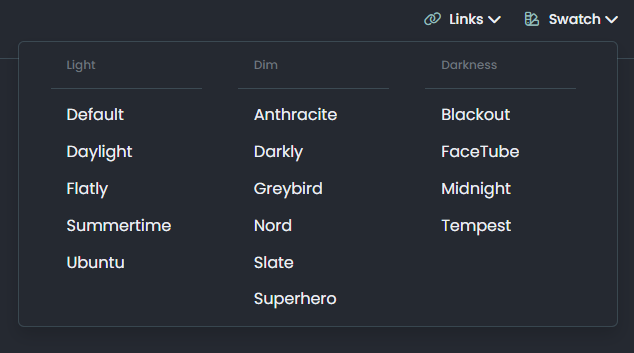
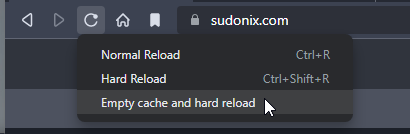
I’m going to be removing the legacy themes tomorrow so this problem will resolve itself, but for the full effect, you should select “Material” in the light section. If you switch back to a previous legacy theme afterwards, you’ll need to reload the browser.
-
I liked this… is this number of topics?
@crazycells here’s the link
https://community.nodebb.org/topic/17339/stats-of-categories-as-a-progress-bars-on-github
Mark Cutting also advises organisations as a Fractional CIO, Fractional CISO and Executive Advisor, helping boards improve technology governance, cyber resilience and executive decision making. Learn more at Gratmore Ltd
-
-
@phenomlab thanks for sharing.
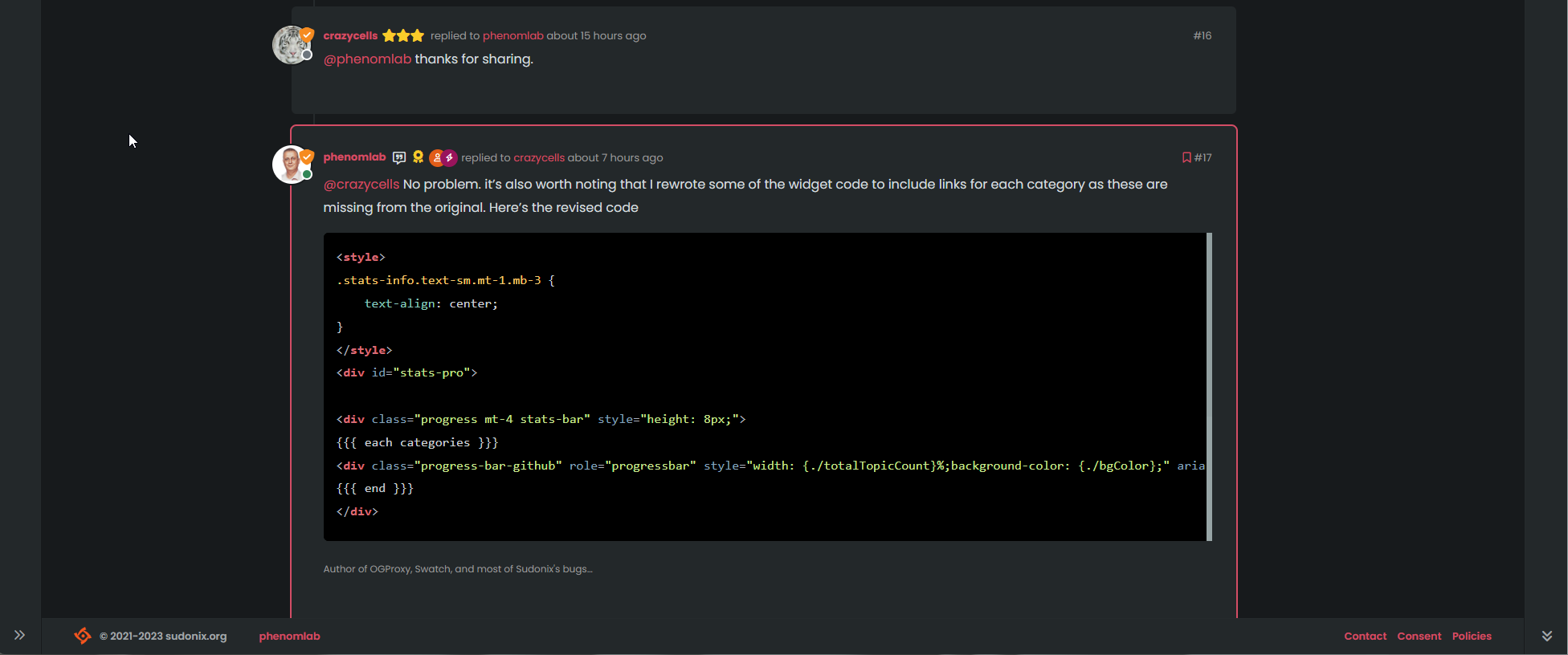
@crazycells No problem. it’s also worth noting that I rewrote some of the widget code to include links for each category as these are missing from the original. Here’s the revised code
<style>
.stats-info.text-sm.mt-1.mb-3 {
    text-align: center;
}
</style>
<div id="stats-pro">

<div class="progress mt-4 stats-bar" style="height: 8px;">
{{{ each categories }}}
<div class="progress-bar-github" role="progressbar" style="width: {./totalTopicCount}%;background-color: {./bgColor};" aria-valuemin="0" aria-valuemax="100"></div>
{{{ end }}}
</div>

<div class="stats-info text-sm mt-1 mb-3">
{{{ each categories }}}
<a href="/category/{./cid}/{./name}"><span class="mb-3 me-2 fw-semibold text-nowrap"><i class="fa fa-fw fa-solid fa-2xs fa-circle" style="color: {./bgColor};font-weight: 900;"></i> {./name}</a><span class="text-xs text-muted">({./totalTopicCount})</span></span>
{{{ end }}}
</div>

</div>
Mark Cutting also advises organisations as a Fractional CIO, Fractional CISO and Executive Advisor, helping boards improve technology governance, cyber resilience and executive decision making. Learn more at Gratmore Ltd
-
@crazycells No problem. it’s also worth noting that I rewrote some of the widget code to include links for each category as these are missing from the original. Here’s the revised code
<style>
.stats-info.text-sm.mt-1.mb-3 {
    text-align: center;
}
</style>
<div id="stats-pro">

<div class="progress mt-4 stats-bar" style="height: 8px;">
{{{ each categories }}}
<div class="progress-bar-github" role="progressbar" style="width: {./totalTopicCount}%;background-color: {./bgColor};" aria-valuemin="0" aria-valuemax="100"></div>
{{{ end }}}
</div>

<div class="stats-info text-sm mt-1 mb-3">
{{{ each categories }}}
<a href="/category/{./cid}/{./name}"><span class="mb-3 me-2 fw-semibold text-nowrap"><i class="fa fa-fw fa-solid fa-2xs fa-circle" style="color: {./bgColor};font-weight: 900;"></i> {./name}</a><span class="text-xs text-muted">({./totalTopicCount})</span></span>
{{{ end }}}
</div>

</div>
-
@phenomlab thanks, this will be more helpful.
@crazycells Thought it might

-
phenomlab referenced this topic on
-
the person who sends the last post are usually seen as avatar, however in large screen it is lost, is this intentional?
@crazycells said in Theme retirement:
the person who sends the last post are usually seen as avatar, however in large screen it is lost, is this intentional?
That was an unintended bug (thanks) which I’ve just fixed. I was using the below CSS to hide images in the teaser view as below
    .meta.teaser img, .meta.teaser blockquote  {
        display: none;
    }
However, this had the undesired effect of removing the user avatar (which I want to keep obviously), so am now using this CSS
.meta.teaser img:not(.avatar), .meta.teaser blockquote { display: none; } -
I relented somewhat here and added another swatch - one I missed, which was previous called “blackout”. This specific one has been adapted to work on the new theming engine, but the others have been reclassified, and renamed to suit.

As a result, the theme you might have had will probably be reflecting something else, so you (might) need to change your themes accordingly. The changes are as follows
Light -> No Change
Cloudy -> Is now the old “Dim”
Dim -> Is now the old “Dark”
Dark -> Now a new theme based on the revamped “Blackout”


Hello! It looks like you're interested in this conversation, but you don't have an account yet.
Getting fed up of having to scroll through the same posts each visit? When you register for an account, you'll always come back to exactly where you were before, and choose to be notified of new replies (either via email, or push notification). You'll also be able to save bookmarks and upvote posts to show your appreciation to other community members.
With your input, this post could be even better 💗
Register LoginRelated Topics
-
-
-
-
-
-
-

NodeBB templates
Locked Chitchat -