Removing blue 'moved' tag from post
-
Thanks. I wasn’t a fan of extra CSS, but now I see CSS patches are the only way for the moment.
Another one, Ive posted on NodeBB forum itself, is fork topic doesnt work. Its not a feature I want to use, but tested it and find you can’t do it, at least as Admin on mobile. You cant select the posts to fork!
Is a fix to that, similar to the recent one where the box was hidden with two low a z-index?@Panda Hmm - can you try to add this CSS
.card.tool-modal.shadow {
    z-index: 2500;
}
Let me know if that then works?
Mark Cutting also advises organisations as a Fractional CIO, Fractional CISO and Executive Advisor, helping boards improve technology governance, cyber resilience and executive decision making. Learn more at Phenomlab Ltd
-
@Panda Hmm - can you try to add this CSS
.card.tool-modal.shadow {
    z-index: 2500;
}
Let me know if that then works?
@phenomlab That doesn’t seem to work.
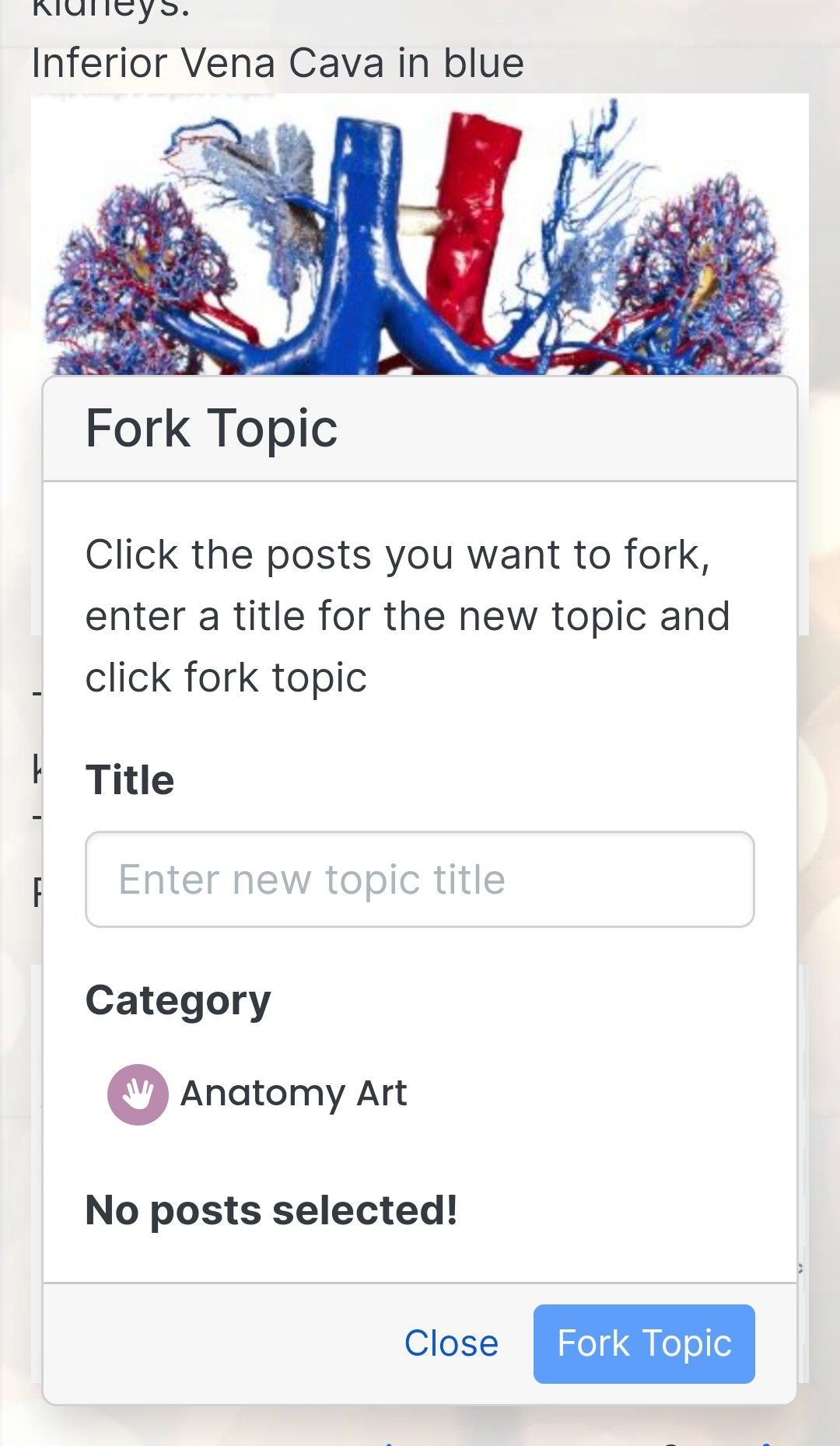
The menu only offers a list of which category you want to fork, then says No Posts Selected. -
@phenomlab That doesn’t seem to work.
The menu only offers a list of which category you want to fork, then says No Posts Selected.@Panda You should be able to tap the posts behind as you scroll through.
Mark Cutting also advises organisations as a Fractional CIO, Fractional CISO and Executive Advisor, helping boards improve technology governance, cyber resilience and executive decision making. Learn more at Phenomlab Ltd
-
@phenomlab I’ve tried but cant select anything?
This is my view on Android
-
@phenomlab I’ve tried but cant select anything?
This is my view on Android
@Panda Try tapping “inferior” for example, and see if the post count increases?
Mark Cutting also advises organisations as a Fractional CIO, Fractional CISO and Executive Advisor, helping boards improve technology governance, cyber resilience and executive decision making. Learn more at Phenomlab Ltd
-
@phenomlab Nope, can’t grab it at all.
My mobile is Android,
Does it work on iPhone for you? -
@phenomlab Nope, can’t grab it at all.
My mobile is Android,
Does it work on iPhone for you?@Panda it works fine on Android which I am a primary user of. I just tested it. I’d expect it to work on an iPhone also. Is this your own site, or your friends?
Mark Cutting also advises organisations as a Fractional CIO, Fractional CISO and Executive Advisor, helping boards improve technology governance, cyber resilience and executive decision making. Learn more at Phenomlab Ltd
-
@Panda it works fine on Android which I am a primary user of. I just tested it. I’d expect it to work on an iPhone also. Is this your own site, or your friends?
@phenomlab not mine, a friends
aignite.nodebb.com -
@phenomlab not mine, a friends
aignite.nodebb.com@Panda Let me check
-
@phenomlab not mine, a friends
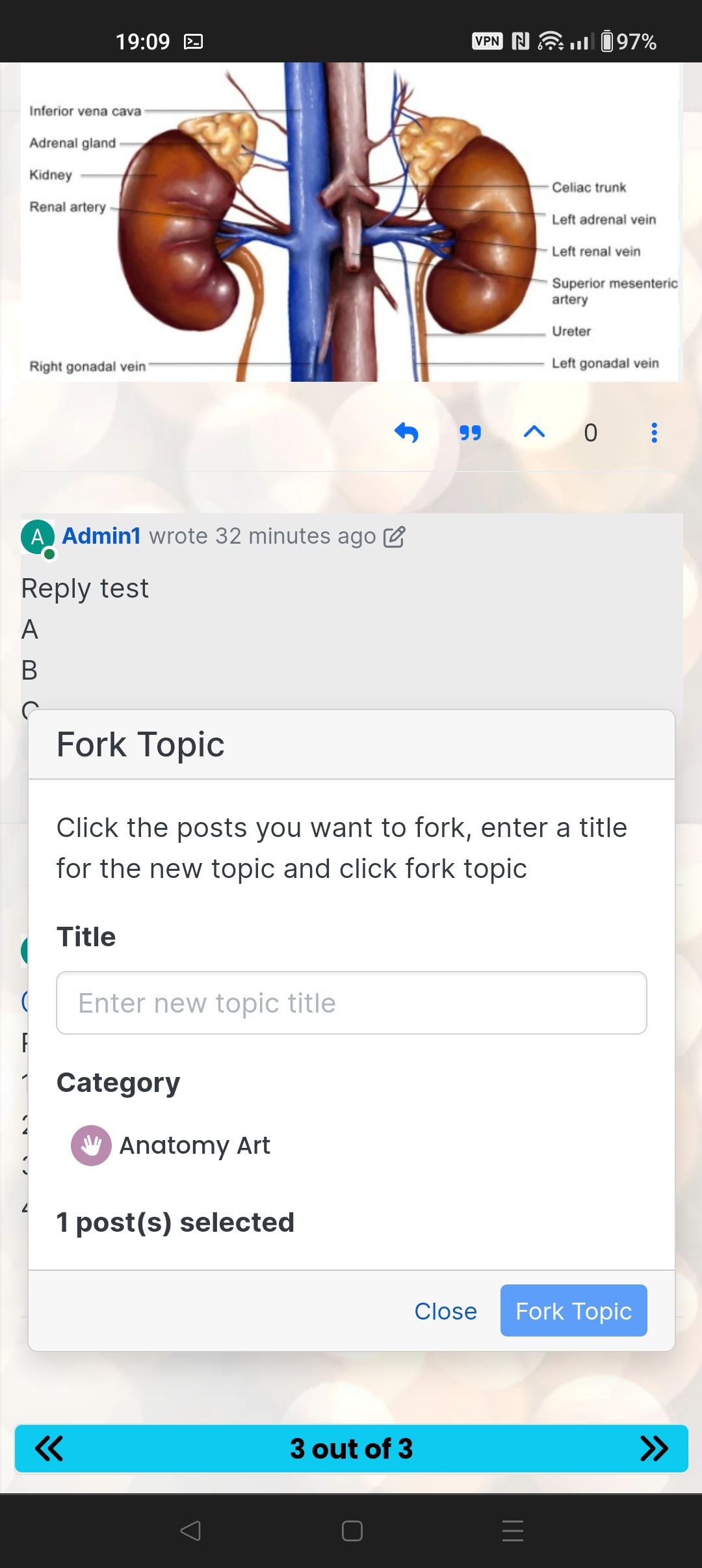
aignite.nodebb.com@Panda Odd. Seems I can select the last post with just text, but not the one directly above
Mark Cutting also advises organisations as a Fractional CIO, Fractional CISO and Executive Advisor, helping boards improve technology governance, cyber resilience and executive decision making. Learn more at Phenomlab Ltd
-
@Panda Odd. Seems I can select the last post with just text, but not the one directly above
@phenomlab
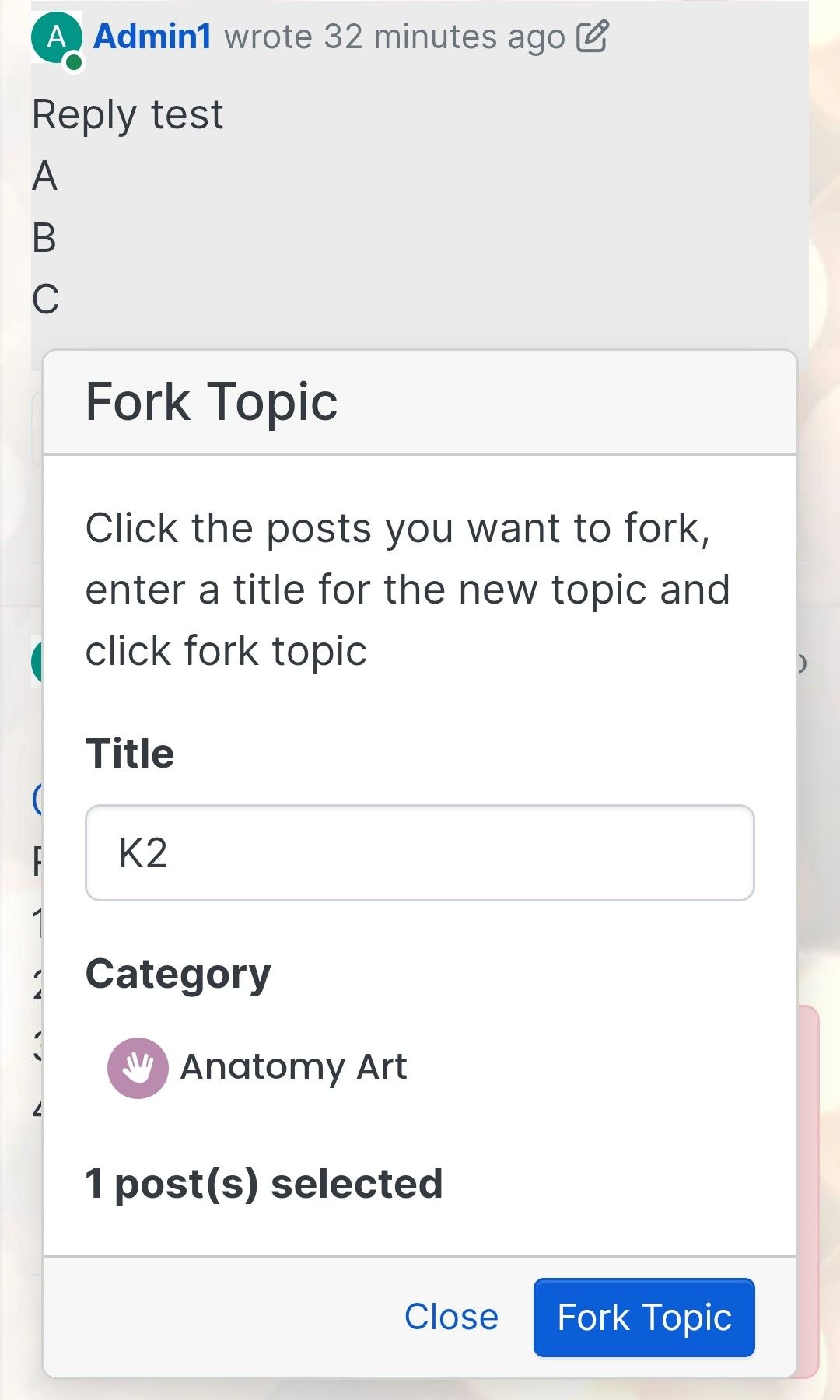
Yes I just got one text selected, and Fork button turned dark blue, but didnt do anything!
So button doesnt respond even with post selected
-
@phenomlab
Yes I just got one text selected, and Fork button turned dark blue, but didnt do anything!
So button doesnt respond even with post selected
@Panda that needs a closer look. If this is the hosted one, then perhaps the NodeBB guys should have a look.
Mark Cutting also advises organisations as a Fractional CIO, Fractional CISO and Executive Advisor, helping boards improve technology governance, cyber resilience and executive decision making. Learn more at Phenomlab Ltd
-
@Panda that needs a closer look. If this is the hosted one, then perhaps the NodeBB guys should have a look.
@phenomlab
Ah, got it working!
I reversed the CSS addition to put z index high, and then I could see another error box saying fork title must be at least 3 characters.
So made the new fork title longer and button responded. -
 undefined phenomlab referenced this topic on

Hello! It looks like you're interested in this conversation, but you don't have an account yet.
Getting fed up of having to scroll through the same posts each visit? When you register for an account, you'll always come back to exactly where you were before, and choose to be notified of new replies (either via email, or push notification). You'll also be able to save bookmarks and upvote posts to show your appreciation to other community members.
With your input, this post could be even better 💗
Register Login