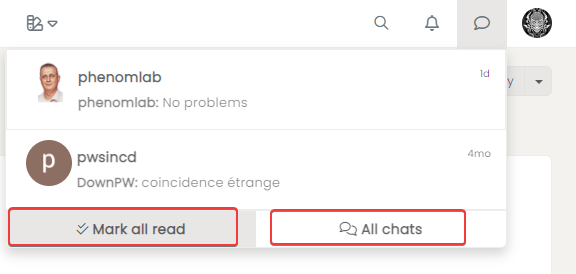
chat list navbar

-
hmm hard for just an effect.
It’s a problem for my dark themesIn sudonix I see this :
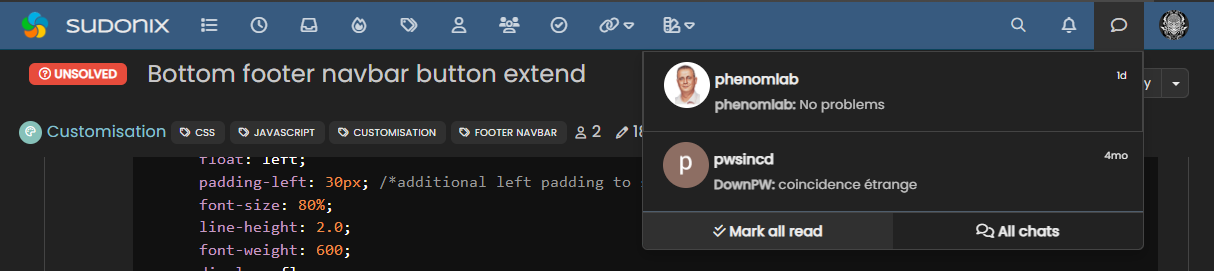
and Hover:
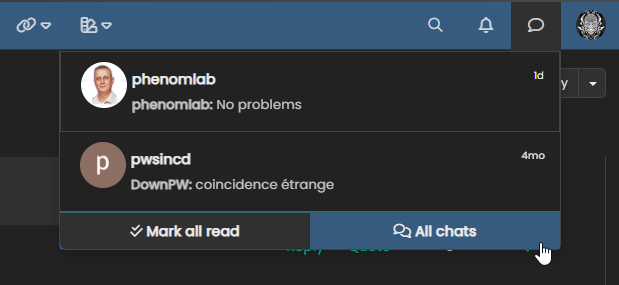
I think it’s a better way, how achieve this effect (with different color) ?
@DownPW Ah, yes, I remember this one now - it was a nightmare to target, and I landed up using the pseudo class which unfortunately does include the border, but it’s subtle enough to still look good
Try this
.btn-group.btn-group-justified:hover { /* Your css here */ } -
I resolve with this
.btn-group>.btn:last-child:not(:first-child), .btn-group>.dropdown-toggle:not(:first-child) { color: #ccc; } a.btn.btn-secondary:hover { color: #ccc; background: #212427; } .caret { color: #000; } a.btn.btn-secondary.mark-all-read { color: #ccc !important; } a.btn.btn-secondary.mark-all-read:hover { background: #212427; color: #ccc !important; } -
 undefined DownPW has marked this topic as solved on
-
I have a problem on my themes.
Example I Have this on my css files :
.btn-group>.btn:last-child:not(:first-child), .btn-group>.dropdown-toggle:not(:first-child) {
    color: var(--first-color) !important;
}
But this code is not taken into account

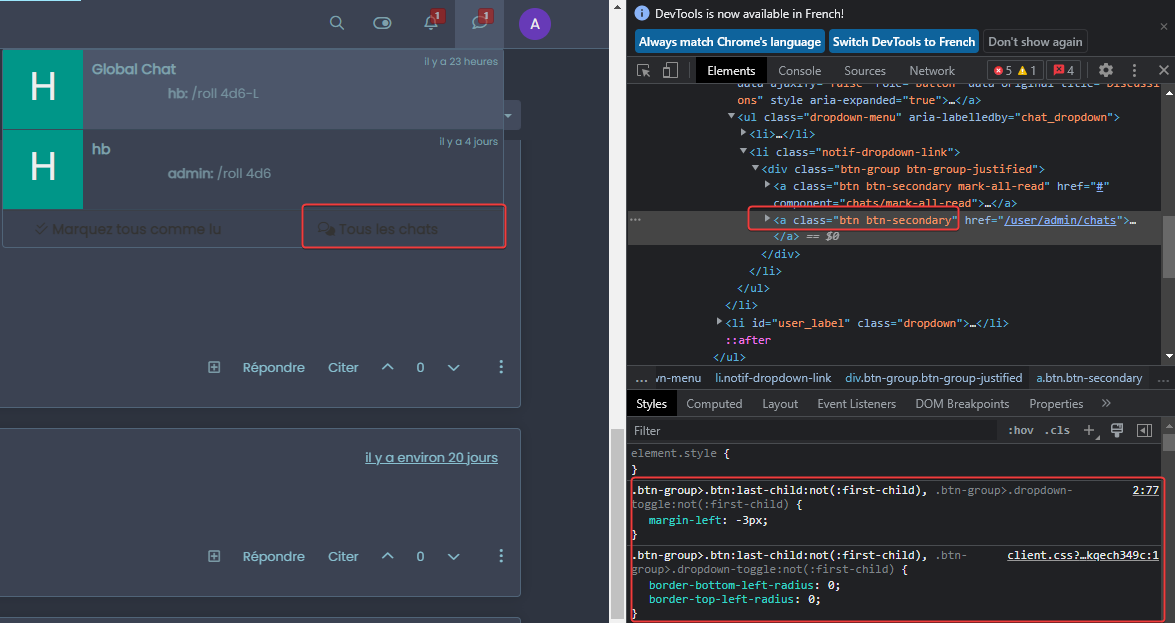
if i change in dev console (in live) it’s ok
Can you help me with that ?
PW and WS Spirit alive
-
Maybe a problem with theme switcher & nodeBB 3.2.1 ?
PW and WS Spirit alive
-
@DownPW no, this works independently of NodeBB as it uses jQuery and CSS. The issue you have is the below
var(--first-color)In CSS,
varis a variable defined atrootlevel and probably doesn’t exist in your CSS file. Essentially, it’s LESS. If you change the line so it looks (for example) like the below, it will probably then work#ffffff;The newer version of the theme switcher uses LESS variables as it’s more efficient but if these don’t exist then it looks like it’s being ignored when I’m fact it just returns a null value.
-
yes i know for var all the theme is coded with var.
It’s the same things with #XXXXXX
-
I have a problem on my themes.
Example I Have this on my css files :
.btn-group>.btn:last-child:not(:first-child), .btn-group>.dropdown-toggle:not(:first-child) {
    color: var(--first-color) !important;
}
But this code is not taken into account
if i change in dev console (in live) it’s ok
Can you help me with that ?
@DownPW this sounds more like a caching issue to me. Do you get the same thing in an incognito session ?
Mark Cutting also advises organisations as a Fractional CIO, Fractional CISO and Executive Advisor, helping boards improve technology governance, cyber resilience and executive decision making. Learn more at Phenomlab Ltd
-
@DownPW this sounds more like a caching issue to me. Do you get the same thing in an incognito session ?
@phenomlab said in chat list navbar:
@DownPW this sounds more like a caching issue to me. Do you get the same thing in an incognito session ?
yes
PW and WS Spirit alive
-
@phenomlab said in chat list navbar:
@DownPW this sounds more like a caching issue to me. Do you get the same thing in an incognito session ?
yes
I just installed firefox and it’s the same so for me it’s not a cache problem
Edit @phenomlab
For example, in fortifem theme, the code is correctly interpreted but not on Nightprowler theme but the code is the same !
Fortifem its’ ok :
https://i.imgur.com/Y85sVBi.gifNight prowler is not Ok withe the same code as Fortifem (variable) :
https://i.imgur.com/tWus88b.gif
All the rest of theme is OK
PW and WS Spirit alive
-
I just installed firefox and it’s the same so for me it’s not a cache problem
Edit @phenomlab
For example, in fortifem theme, the code is correctly interpreted but not on Nightprowler theme but the code is the same !
Fortifem its’ ok :
https://i.imgur.com/Y85sVBi.gifNight prowler is not Ok withe the same code as Fortifem (variable) :
https://i.imgur.com/tWus88b.gif
All the rest of theme is OK
@DownPW I’ll have a look at this tomorrow. Sounds like you have values being overridden somewhere
Mark Cutting also advises organisations as a Fractional CIO, Fractional CISO and Executive Advisor, helping boards improve technology governance, cyber resilience and executive decision making. Learn more at Phenomlab Ltd
-
@DownPW I’ll have a look at this tomorrow. Sounds like you have values being overridden somewhere
I got better and I think I understand a little more the problem
I declared the code in the ACP (it was not the case yesterday - just in the CSS file yesterday) and it applies. Normal
On the other hand, it only applies the code of the ACP and not that of the CSS file.
-
EDIT @phenomlab :
I just tested by deleting the entire CSS file except the button code and it is taken into account.
There is therefore a CSS variable which prevents the execution of the code, but from there to know which one

-
EDIT2:
I find it…


-
hi @phenomlab
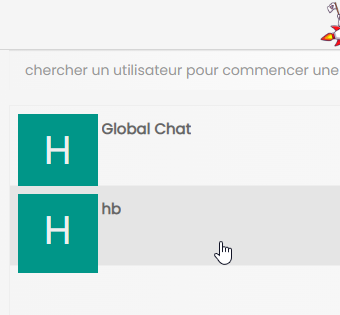
I have this little avatar mismatch in the chat menu (just in Full mode) but only some of my themes (exemple: Daystalker) and I can’t find what’s wrong.
An idear mark?
-
Hmm I find it the problem is that :
.chats-list>li {
  padding: 0.5em;
  height: 80px;
}
PW and WS Spirit alive
-
Hmm I find it the problem is that :
.chats-list>li { padding: 0.5em; height: 80px; }@DownPW yes, you may need to be more specific with the target. Let me know
-
No no it’s ok @phenomlab
I just comment the 2 lines mentionned aboves

Hello! It looks like you're interested in this conversation, but you don't have an account yet.
Getting fed up of having to scroll through the same posts each visit? When you register for an account, you'll always come back to exactly where you were before, and choose to be notified of new replies (either via email, or push notification). You'll also be able to save bookmarks and upvote posts to show your appreciation to other community members.
With your input, this post could be even better 💗
Register LoginDid this solution help you?
Related Topics
-
-
-
-
-
-
-
-
Bug Navbar CSS
Solved Customisation