Skip to content

Want to use Sudonix themes ?
Chitchat
80 5 30.4k 1
  • wrote on last edited by
    #70

    thank you for your advise Mark.
    may i use your font ? what i have to do for it?

  • thank you for your advise Mark.
    may i use your font ? what i have to do for it?

    wrote on last edited by
    #71

    @cagatay you are already using it.

  • wrote on last edited by
    #72

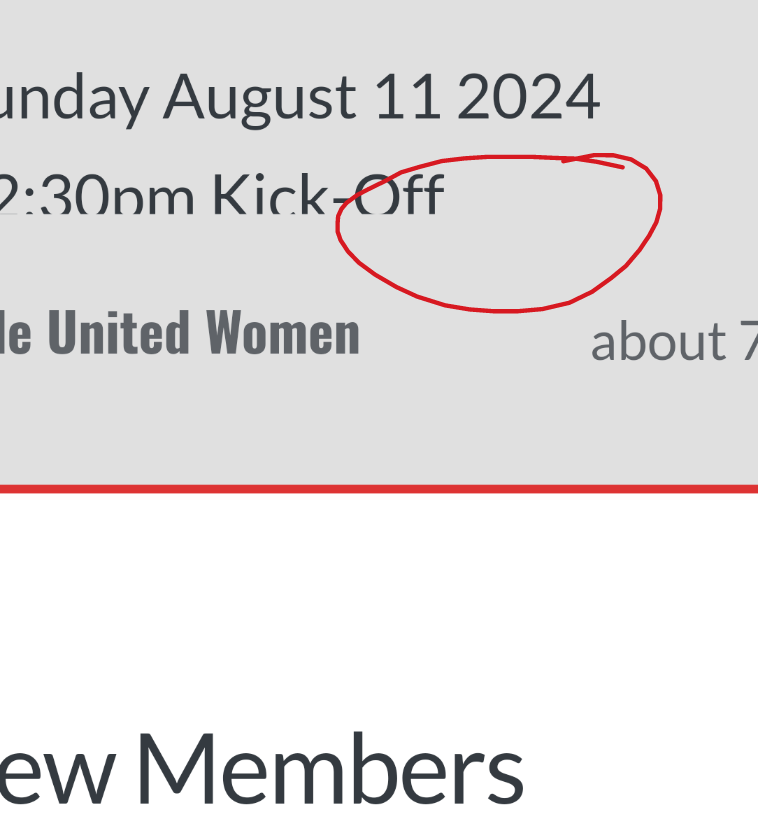
    i have many minor problems shown below photo, how can i fix it?
    Chrome is moving towards a new experience that lets people make an informed choice with respect to third-party cookies.
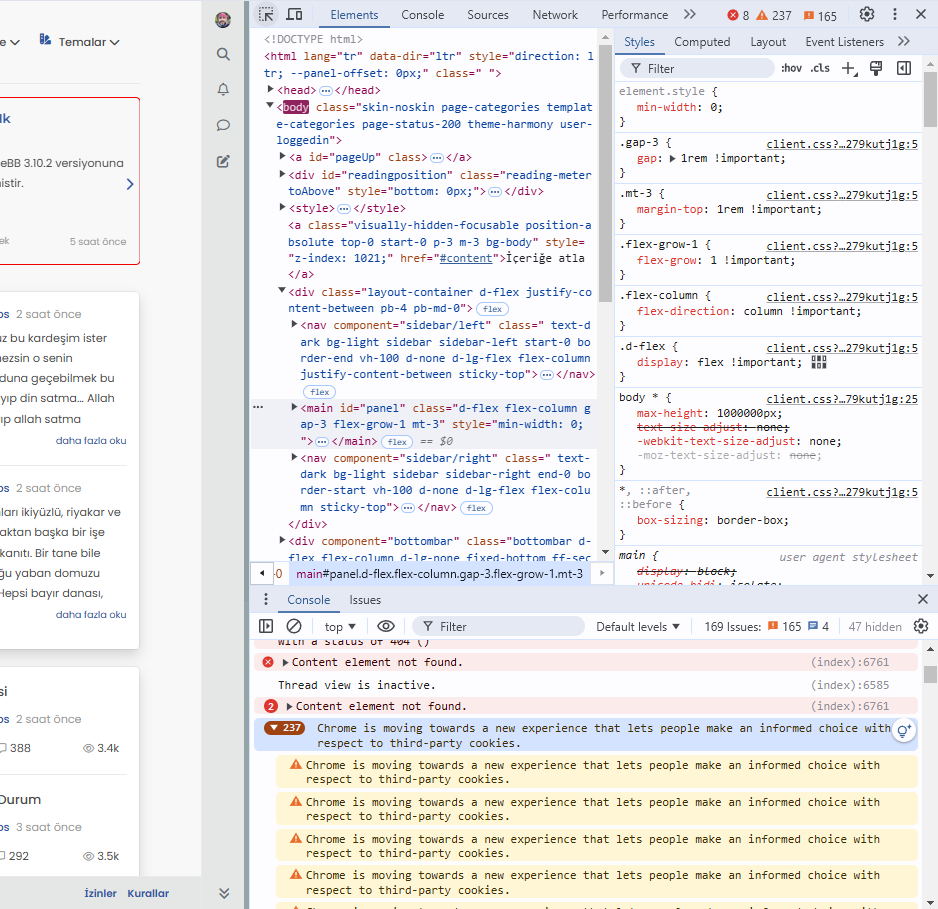

    image.png

  • i have many minor problems shown below photo, how can i fix it?
    Chrome is moving towards a new experience that lets people make an informed choice with respect to third-party cookies.

    image.png

    wrote on last edited by
    #73

    @cagatay This isn’t related to NodeBB, but how the Chrome browser itself behaves - see below

    Yes, Google Chrome is shifting towards a more privacy-focused approach, particularly in how it handles third-party cookies. This change is part of a broader industry trend towards improving user privacy and transparency, as seen in regulations like the General Data Protection Regulation (GDPR) and the California Consumer Privacy Act (CCPA).

    Key elements of Chrome’s new approach include:

    • Phasing out third-party cookies: Chrome has been working on a plan to phase out third-party cookies entirely, which are often used by advertisers and trackers to follow users across websites. This is part of Google’s Privacy Sandbox initiative.

    • User control and transparency: Chrome will provide users with more detailed options and controls over how third-party cookies are used. This will allow users to make an informed decision about which cookies they want to allow or block, helping them better understand how their data is being used.

    • Privacy Sandbox: Instead of third-party cookies, Google is introducing alternatives, like FLoC (Federated Learning of Cohorts), which aims to deliver relevant ads without exposing individual users’ browsing history to advertisers. FLoC is part of Privacy Sandbox, which focuses on creating new privacy-preserving mechanisms for digital advertising.

    • Better Consent Experiences: Chrome is also expected to improve how websites prompt users to give consent for cookies, reducing “cookie fatigue” and making the process more straightforward.

    This new experience is expected to improve user privacy without entirely disrupting the ad-supported web ecosystem, which depends heavily on tracking technologies.

  • wrote on last edited by
    #74

    This situation does not affect google indexing, does it?

  • This situation does not affect google indexing, does it?

    wrote on last edited by
    #75

    @cagatay Not to my knowledge.

  • wrote on last edited by
    #76

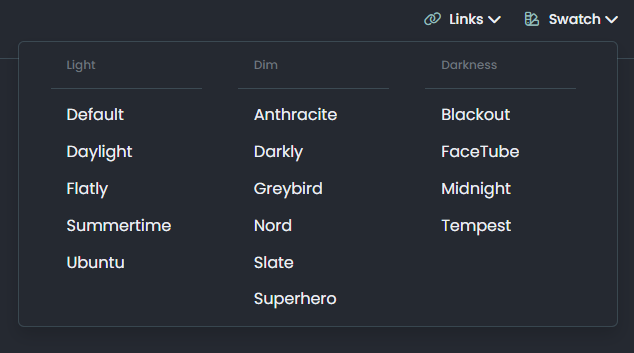
    Mark, hi, the theme selection on the top panel of my website has disappeared. I only want to use it as day and night mode. Can you help me?

  • Mark, hi, the theme selection on the top panel of my website has disappeared. I only want to use it as day and night mode. Can you help me?

    wrote on last edited by
    #77

    @cagatay have you made any changes to the site recently? It’s static coding in the javascript setting on your forum so unless custom js has been turned off, then I can’t see why without actually checking why it wound have disappeared unless it has been inadvertently deleted.

  • wrote on last edited by
    #78

    No, I haven’t made any changes, and I haven’t touched the Java section either. Could you check it when you have time?

  • No, I haven’t made any changes, and I haven’t touched the Java section either. Could you check it when you have time?

    wrote on last edited by
    #79

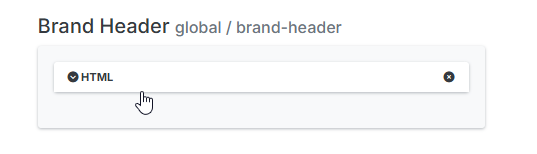
    @cagatay Seems as though someone removed the brand header, so I reinstated it from drafts

    5a451051-e4f3-4fb3-aed2-0c101ac97ef2-image.png

    d2b86d8f-0573-4d8c-83c5-5b2aada072d7-image.png

  • wrote on last edited by
    #80

    omg 🙂 thank you Mark.


Related Topics
  • What’s going on with NodeBB?

    Performance nodebb script die
    20
    8 Votes
    20 Posts
    5k Views
    phenomlab
    @cagatay The most reliable way to upgrade Node.js on Ubuntu depends on how you originally installed it. Method 1: Using NVM (Recommended) If you already use Node Version Manager (NVM), upgrading is simple. NVM allows you to keep both versions and switch between them if needed. Install Node 22: nvm install 22 Switch to Node 22: nvm use 22 Set it as your default: nvm alias default 22 Verify the change: node -v Method 2: Using NodeSource (PPA) If you installed Node.js via apt using the NodeSource repository, you need to update the repository script to point to the new version. Remove the old NodeSource list (optional but cleaner): sudo rm /etc/apt/sources.list.d/nodesource.list Download and run the NodeSource setup script for Node 22: curl -fsSL [https://deb.nodesource.com/setup_22.x](https://deb.nodesource.com/setup_22.x) | sudo -E bash - Install/Upgrade Node.js: sudo apt-get install -y nodejs Verify the installation: node -v Method 3: Using the ‘n’ Package If you have npm installed, you can use the n interactive manager. Clear the npm cache: sudo npm cache clean -f Install the ‘n’ helper: sudo npm install -g n Install Node 22: sudo n 22 Update your shell: hash -r Troubleshooting Permission Denied: If you see permission errors using Method 2 or 3, ensure you are using sudo. Path Issues: If node -v still shows version 20 after upgrading via NVM, restart your terminal or run source ~/.bashrc. Conflicts: Avoid mixing these methods. If you switch from apt to nvm, it is best to sudo apt remove nodejs first to avoid path conflicts.
  • NodeBB recent cards customisation

    Solved Customisation nodebb recent cards
    3
    1
    2 Votes
    3 Posts
    1k Views
    JAC
    @phenomlab thank you very much for the assistance Mark, massively appreciated as always. The great thing about this is it’s all documented for other NodeBB users that come looking for solutions . Looks far better .
  • What plugins are being used here on Sudonix?

    Solved General nodebb plugins development
    6
    5 Votes
    6 Posts
    2k Views
    phenomlab
    @Roki-Antic Welcome! This site isn’t running Persona, but Harmony - a very heavily customised version at that. Do you have a URL where your site is currently located that is publicly accessible? Feel free to PM this info if you do not want to disclose here. Happy to help with any customisation needs.
  • NodeBB socket with CloudFlare

    Solved Performance socket cloudflare nodebb
    24
    3 Votes
    24 Posts
    14k Views
    DownPW
    Solved. Tuto here and here
  • Upgrade Problem from 2.8.3 to 2.8.4

    Solved Configure nodebb
    35
    1
    8 Votes
    35 Posts
    12k Views
    phenomlab
    @cagatay No, you can ignore that.
  • NodeBB slow after DB recovery

    Solved Performance performance nodebb
    1
    5 Votes
    1 Posts
    967 Views
    No one has replied
  • NodeBB 1.19.3

    Solved Performance nodebb 1.19.3 performance
    33
    4 Votes
    33 Posts
    16k Views
    DownPW
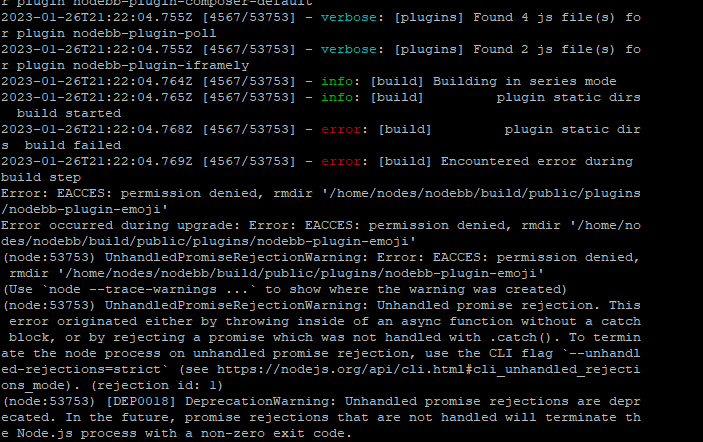
    @phenomlab I find the problem Mark The error message indicated this path : http://localhost:4567/assets/plugins/nodebb-plugin-emoji/emoji/styles.css?v=6983dobg16u I change the path url on config.json [image: 47bacc80-f141-41e4-a261-3f8d650cc6f6-image.png] And all it’s good Weird, I didn’t have to change that path before 1.19.3 But this does not prevent the problem from a clean install with Emoji Plugin EDIT: After test, that resolv the problem installation for 1.18.x but not for 1.19.x (I have other error message when I run ./nodebb Setup For resume: NodeJS 16_x with 1.18.x is ok
  • NodeBB Discord Plugins

    Unsolved Customisation nodebb discord plugin

    7
    0 Votes
    7 Posts
    4k Views
    phenomlab
    @RiekMedia hi. Just following up on this thread (I know it’s old) but was curious to understand if it’s still an issue or not ?