
Ethernet speed VERY slow
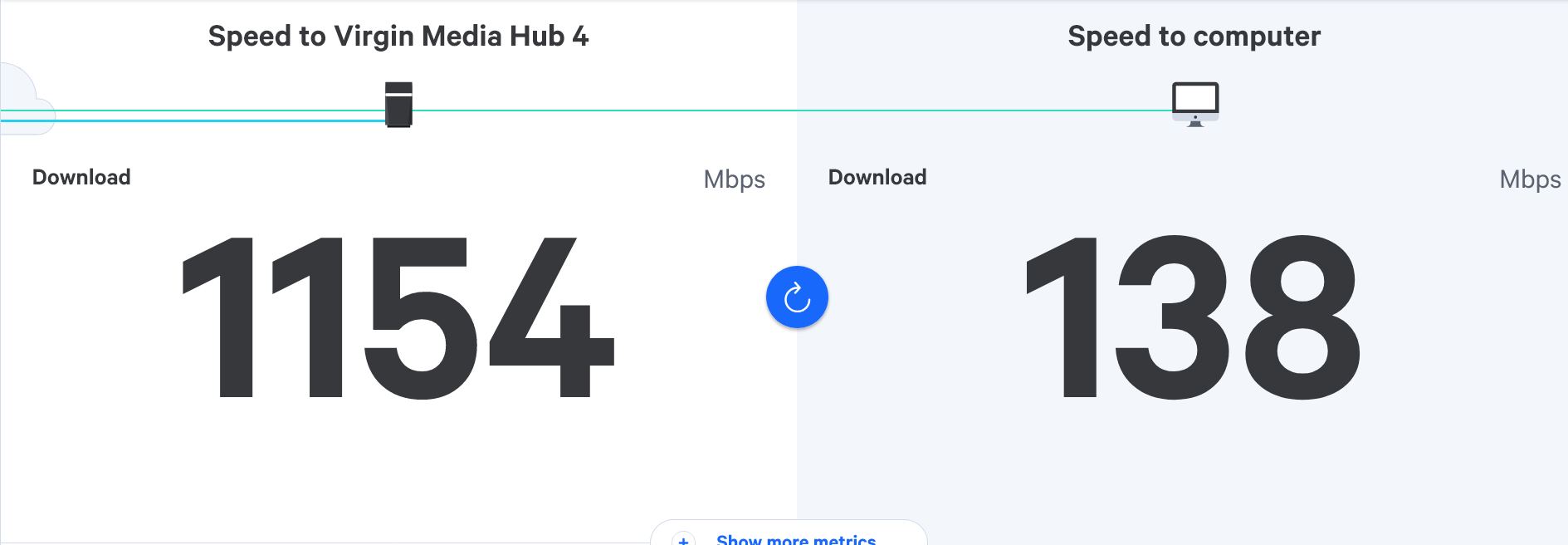
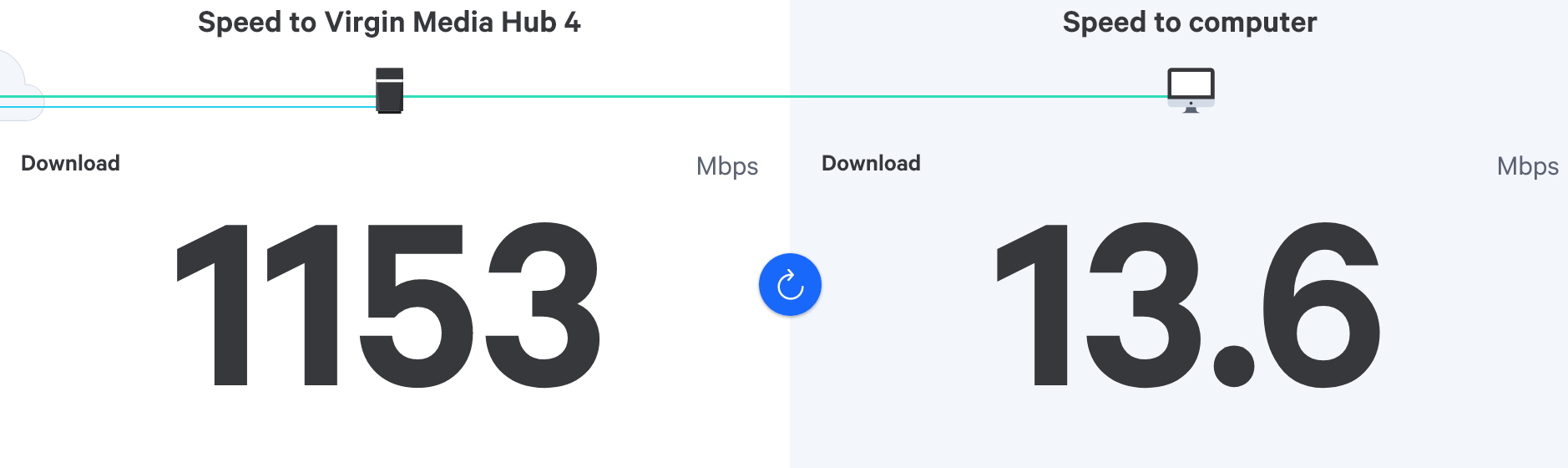
-
-
I have a 1gbps powerline adapter that I’ve used previously to plug into the back of the Nvidia Shield.
Would there be any reason why this pulls in worse speeds than the WiFi alone?
Thanks in advance.

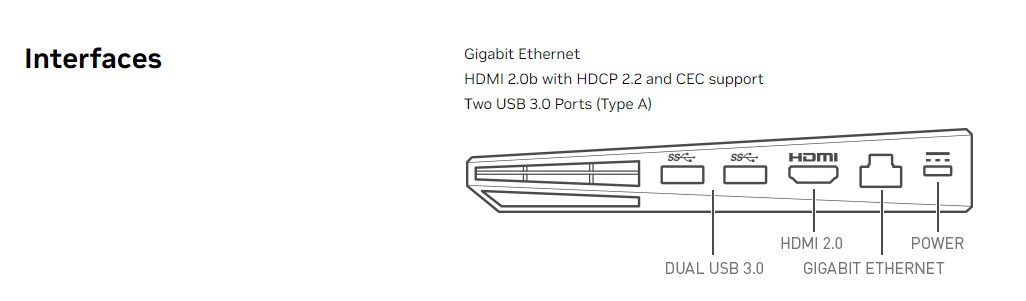
@JAC If I recall correctly, the nVidia shield you have has a hard coded 100Mbps port, so will never get the full 1Gbps.
Mark Cutting also advises organisations as a Fractional CIO, Fractional CISO and Executive Advisor, helping boards improve technology governance, cyber resilience and executive decision making. Learn more at Gratmore Ltd
-
@JAC If I recall correctly, the nVidia shield you have has a hard coded 100Mbps port, so will never get the full 1Gbps.

@phenomlab I believe the newer models allow 1 Gig, which looks to be my model.
-
@phenomlab I believe the newer models allow 1 Gig, which looks to be my model.
Mark Cutting also advises organisations as a Fractional CIO, Fractional CISO and Executive Advisor, helping boards improve technology governance, cyber resilience and executive decision making. Learn more at Gratmore Ltd
-
@phenomlab No, this is the product I got a few years ago. Plus I have got over 100mbps on the WiFi so it must allow that. .
Strangely though when I used the Ethernet adapters it didn’t seem to work, probably 20mbps at best.
Maybe I got a dud one
 .
-
@phenomlab No, this is the product I got a few years ago. Plus I have got over 100mbps on the WiFi so it must allow that. .
Strangely though when I used the Ethernet adapters it didn’t seem to work, probably 20mbps at best.
Maybe I got a dud one
.
@JAC the apater could be hard coded to 100Mbps in the settings. Check and see if this is the case. In any event, it should be set to auto.
Mark Cutting also advises organisations as a Fractional CIO, Fractional CISO and Executive Advisor, helping boards improve technology governance, cyber resilience and executive decision making. Learn more at Gratmore Ltd
-
@JAC the apater could be hard coded to 100Mbps in the settings. Check and see if this is the case. In any event, it should be set to auto.
@phenomlab Thanks Mark,
I’ll check this out tomorrow.
-
-
@JAC this specific adapter is capable of 600Mbps, so should be fine - but won’t give you 1Gbps on the shield because the speed is being capped.
Did you check the interface speed on the device itself?
Mark Cutting also advises organisations as a Fractional CIO, Fractional CISO and Executive Advisor, helping boards improve technology governance, cyber resilience and executive decision making. Learn more at Gratmore Ltd
-
@JAC this specific adapter is capable of 600Mbps, so should be fine - but won’t give you 1Gbps on the shield because the speed is being capped.
Did you check the interface speed on the device itself?
@phenomlab I’ve not checked but I do remember the 100mbps adapters that I have being better so you’re probably right, although what I would say is it was only showing speeds of about 20mpbs last time. Would this depend on where the WiFi box is located? 🥺.
-
@phenomlab I’ve not checked but I do remember the 100mbps adapters that I have being better so you’re probably right, although what I would say is it was only showing speeds of about 20mpbs last time. Would this depend on where the WiFi box is located? 🥺.
@JAC Yes, it would, but I thought that we had them wired last time because of this?
Mark Cutting also advises organisations as a Fractional CIO, Fractional CISO and Executive Advisor, helping boards improve technology governance, cyber resilience and executive decision making. Learn more at Gratmore Ltd
-
@phenomlab I did mate you’re right but still only got a speed of 20mbps.
-
@phenomlab I did mate you’re right but still only got a speed of 20mbps.
@JAC what we need to do is eliminate the power line adapters. Can you bring the unit downstairs and plug it directly into the back of the hub and a what connection speed you get?
Mark Cutting also advises organisations as a Fractional CIO, Fractional CISO and Executive Advisor, helping boards improve technology governance, cyber resilience and executive decision making. Learn more at Gratmore Ltd
-
@JAC what we need to do is eliminate the power line adapters. Can you bring the unit downstairs and plug it directly into the back of the hub and a what connection speed you get?
-
@phenomlab yes pal, I’ll do this tomorrow and take some pictures.
-
-
Apologies for the huge delay Mark, I’ll look to do this later and update the thread.
-
-
Ok, so the results are in…
160mbps with WiFi (close to router) very slow speeds in my opinion?
And 111mbps with ethernet cable direct from router.

@JAC what speed do you currently have in terms of package? I’d expect a wired connection to be faster than that.
Mark Cutting also advises organisations as a Fractional CIO, Fractional CISO and Executive Advisor, helping boards improve technology governance, cyber resilience and executive decision making. Learn more at Gratmore Ltd
-
@JAC what speed do you currently have in terms of package? I’d expect a wired connection to be faster than that.
@phenomlab 1gbps package with Virgin.
Hello! It looks like you're interested in this conversation, but you don't have an account yet.
Getting fed up of having to scroll through the same posts each visit? When you register for an account, you'll always come back to exactly where you were before, and choose to be notified of new replies (either via email, or push notification). You'll also be able to save bookmarks and upvote posts to show your appreciation to other community members.
With your input, this post could be even better 💗
Register LoginDid this solution help you?
Related Topics
-
-
-

Linksys EA6400
Solved Networks -
Issues with routing
Solved Networks -
-